Guide to ISO 27001 penetration testing
Security compliance is not just about checking boxes, it’s about proving your organization can detect, withstand, and respond to real threats. ISO 27001, one of the world’s leading information security standards, recognizes penetration testing as a key component of a mature risk management program.
ISO 27001 penetration testing gives organizations measurable assurance that their controls are not only implemented but effective under realistic attack conditions. This guide breaks down how it works, why it’s essential, and what teams should know to conduct a compliant, actionable penetration test.
What is ISO 27001 penetration testing?
ISO 27001 penetration testing is a controlled, ethical hacking process that evaluates whether your information security management system (ISMS) effectively protects sensitive assets from cyber threats.
While ISO 27001 itself does not prescribe a specific penetration testing methodology, it mandates ongoing risk assessment, control validation, and continuous improvement under Annex A.12 (Operations Security) and Annex A.18 (Compliance).
In practice, ISO 27001 penetration testing typically involves:
Simulating real-world attacks to evaluate how well security measures perform under pressure.
Validating the implementation of ISO controls, especially those related to system access, data protection, and vulnerability management.
Documenting test results to demonstrate compliance and support certification audits.
In other words, a pentest under ISO 27001 is not just a technical exercise; it’s a compliance and governance tool that demonstrates that your ISMS operates as intended.
What is the purpose of an ISO 27001 penetration test?
The goal of ISO 27001 penetration testing is twofold: to identify exploitable weaknesses and to prove the effectiveness of security controls under the ISMS framework.
Here’s what it helps you achieve:
Validate ISMS effectiveness: Confirms that implemented controls (such as encryption, authentication, and monitoring) are functional and sufficient.
Support risk-based decision-making: Testing results feed directly into your ISO 27001 risk treatment plan.
Satisfy auditor expectations: Demonstrates continuous improvement, which is a recurring theme in ISO 27001 certification and surveillance audits.
Build stakeholder confidence: Independent testing reassures clients, investors, and partners that your systems are secured against known attack vectors.
Ultimately, the test acts as evidence that your organization’s ISMS is not just theoretical, but operationally resilient.
How long does an ISO 27001 pentest take?
The duration of an ISO 27001 penetration test depends on the scope, system complexity, and testing depth.
Typical timelines include:
Small web applications or APIs: 3–5 days
Multi-tier enterprise systems: 7–14 days
Full-scope ISMS penetration test (infrastructure + application): 2–4 weeks
These estimates include planning, testing, reporting, and review.
ISO 27001 penetration testing methodology
An effective ISO 27001 penetration testing methodology blends industry frameworks (like OWASP, NIST, and PTES) with ISO’s continuous improvement approach.
A typical workflow includes:
- Define scope and objectives
- Identify systems, applications, and data flows covered by the ISMS.
- Determine which ISO controls (e.g., A.9, A.10, A.12, A.13) apply.
- Conduct risk-based assessment
- Prioritize testing based on criticality, exposure, and known vulnerabilities.
- Align test coverage with your organization’s risk treatment plan.
- Perform penetration testing
- Use both automated tools (for breadth) and manual techniques (for depth).
- Exploit identified weaknesses in a controlled environment.
- Document findings and remediation guidance
- Classify vulnerabilities by severity and potential business impact.
- Provide recommendations aligned with ISO 27001 corrective action procedures.
- Review and continuous improvement
- Feed lessons learned into your ISMS’s improvement cycle.
- Schedule re-tests to verify remediation and maintain compliance.
By following this structured process, organizations can ensure every test delivers measurable security and compliance value.
How to use Beagle Security for your ISO 27001 penetration testing
An automated penetration testing solution such as Beagle Security helps you cut down on both time and cost while maintaining comprehensive coverage. Here’s how you can make the most of it:
Getting started
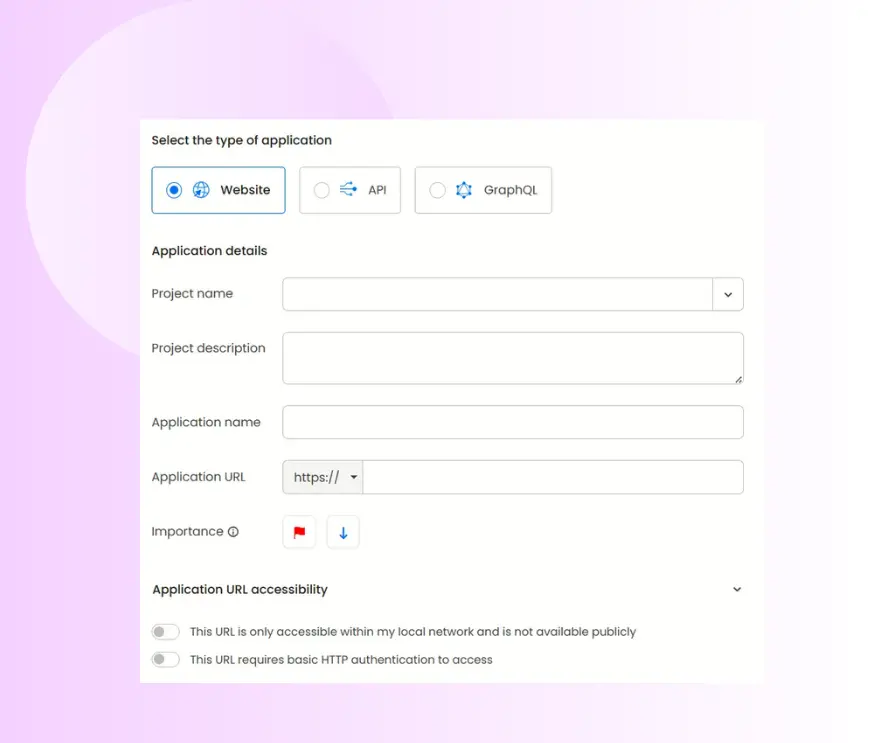
Add a new application: Select Add Application, then choose the target type you want to test. For example, a standard website, a REST API, or a GraphQL endpoint.
Provide application details: Give the application a descriptive name and enter the full URL. This will serve as the primary test target for your AI-driven penetration test. Optionally set the application’s priority and specify access controls (public vs. restricted) so testers know how to reach the asset.
Deciding between black box and grey box penetration testing selection
Different scopes and objectives call for different testing approaches. Under ISO 27001, the chosen method should align with the organization’s risk profile and control coverage.
Black box testing: The tester has no prior knowledge of the system. This simulates an external attacker’s perspective and validates perimeter defenses.
Grey box testing: The tester has limited internal access, mimicking an insider threat or compromised credential scenario.
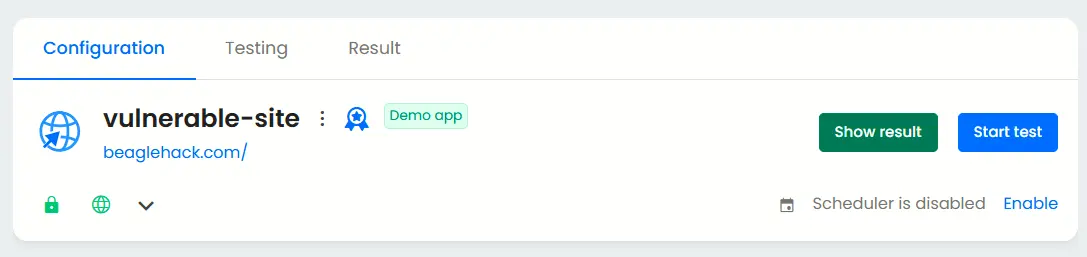
After you register the application, simply click the Start Test button to initiate a test that evaluates your public-facing systems from an outsider’s viewpoint, without granting any privileged access.
Additional configurations for grey box penetration test
Now that we’ve covered black box testing, let’s look at how to configure a grey box penetration test for deeper insights into your application’s security.
Authenticated testing
Enable authenticated testing at the bottom of the Basic tab and provide valid test credentials.
This allows Beagle Security’s AI modules to analyze post-login functionalities, user permissions, and authenticated attack surfaces that are not accessible during unauthenticated scans.
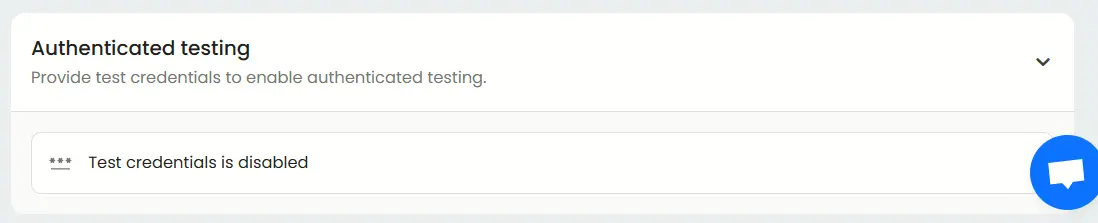
You can configure the type of credentials, including standard logins, signups, and third-party authentication.
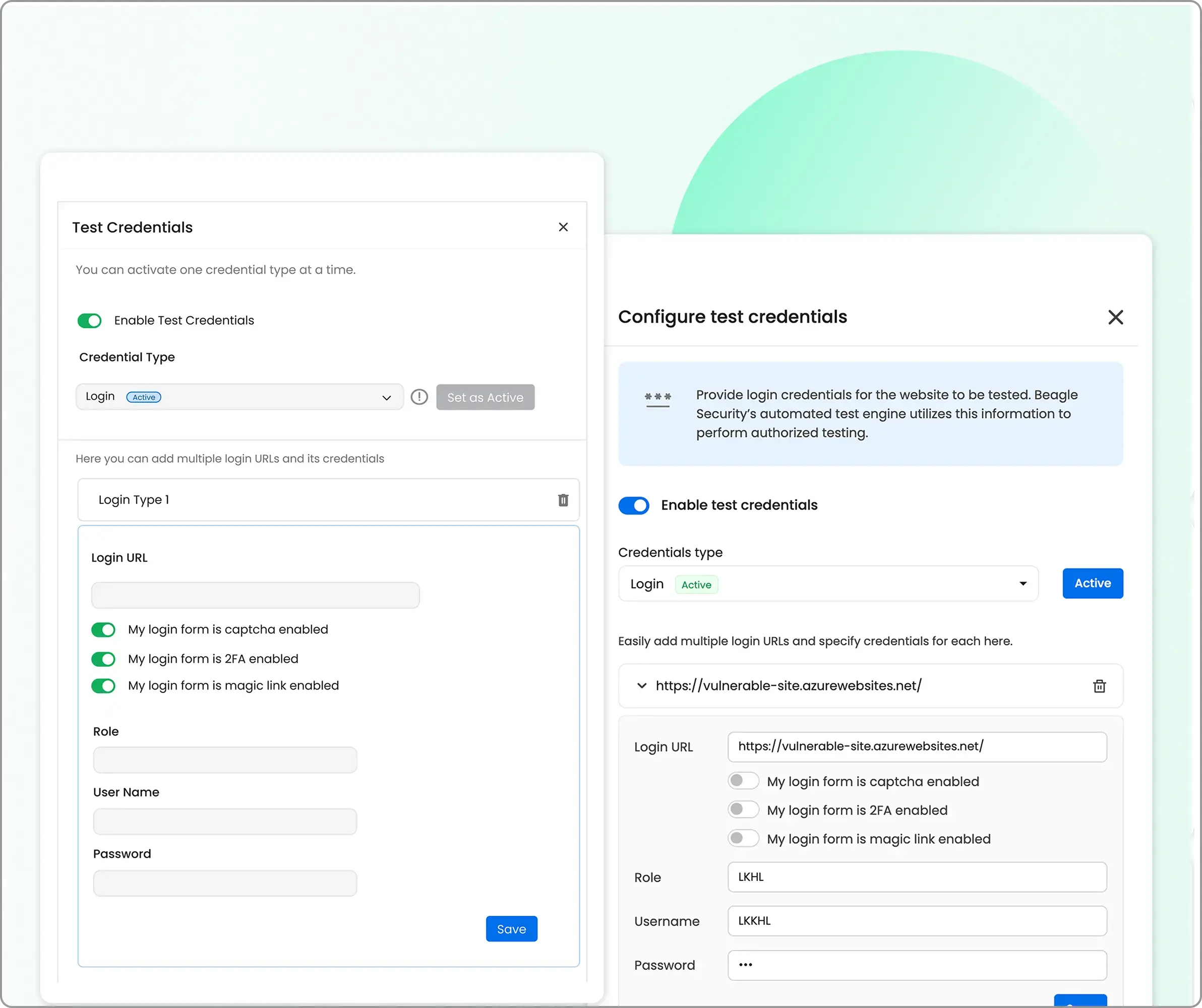
The recommended option is Recorded Login, which can be set up easily using Beagle Security’s Chrome extension. This ensures more accurate and reliable authenticated testing.
Tech stack configuration
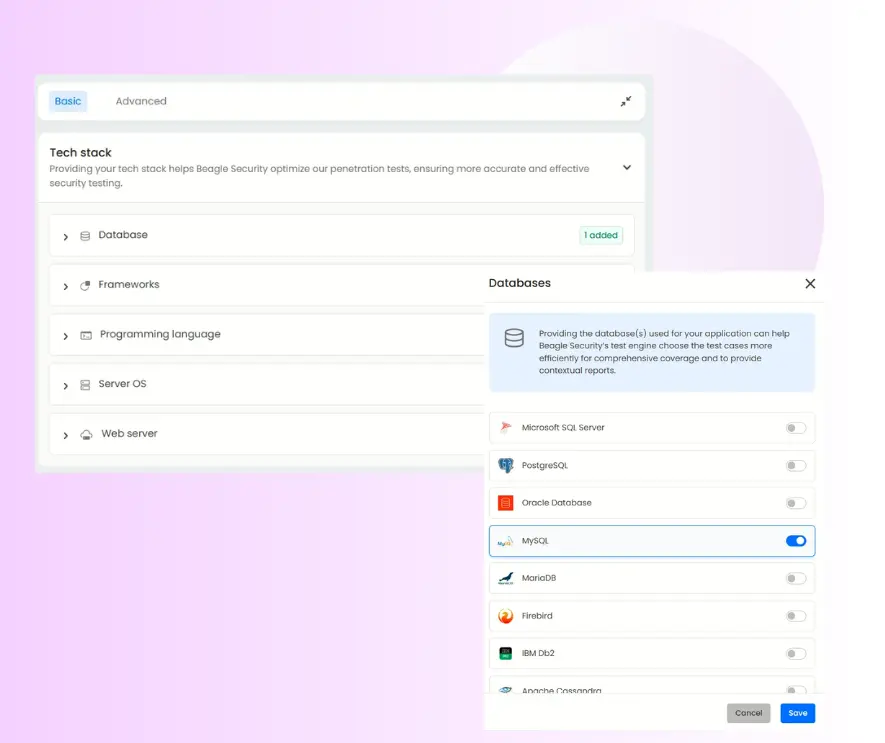
Under the Basic tab, you’ll find the Tech Stack section.
Here, you can specify the technologies used in your application such as frameworks, programming languages, and platforms.
Providing this information helps Beagle Security fine-tune the penetration testing process, optimizing scan performance and detection accuracy based on your specific environment.
Business logic recording
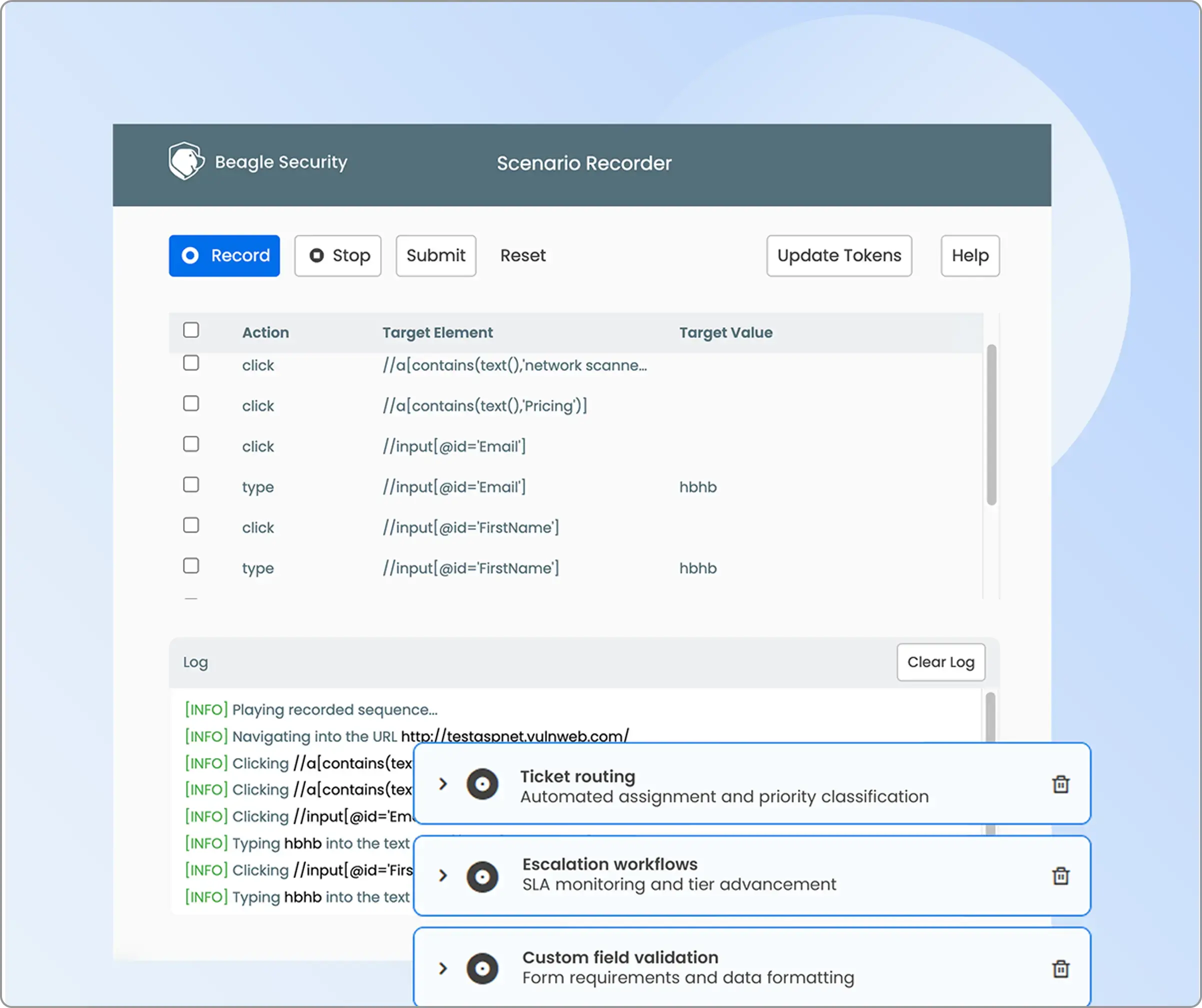
Located under the Advanced tab, the Business Logic Recording section allows you to capture real user workflows and multi-step transactions.
Activate Scenario Recording using the Beagle Security browser plugin to record complex processes such as checkouts, data submissions, or custom user flows.
This enables targeted testing of your unique business logic and ensures critical paths are thoroughly evaluated for vulnerabilities.
Pentest scope
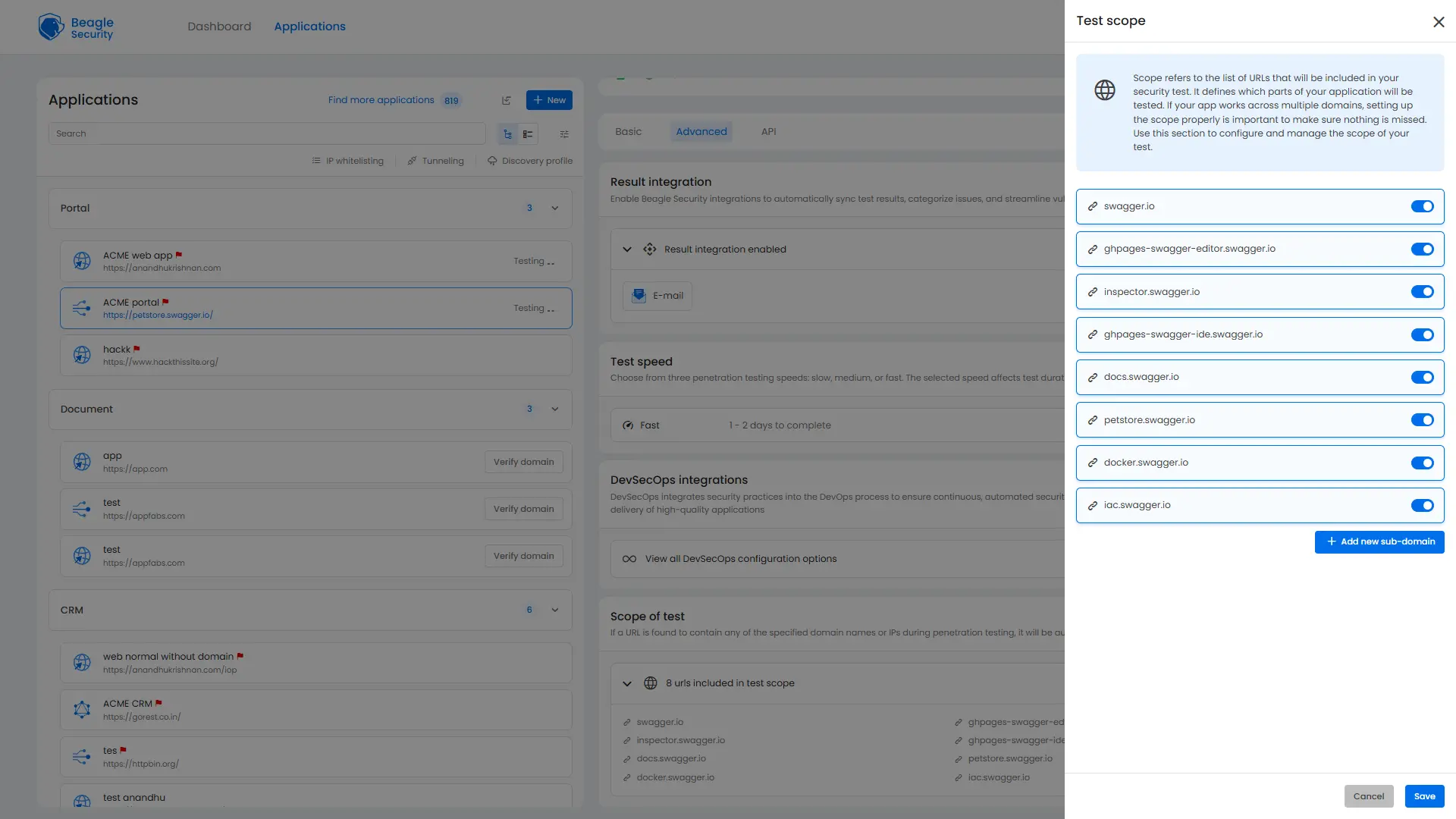
Your scope configuration defines which URLs, domains, or subdomains will be included in the assessment.
If your application spans multiple environments or microservices, make sure to list each one here to avoid missing any exposed surfaces.
You can easily expand your test scope by adding subdomains or specifying particular URLs for inclusion.
Viewing the penetration test results and mapping ISO 27001
Application dashboard
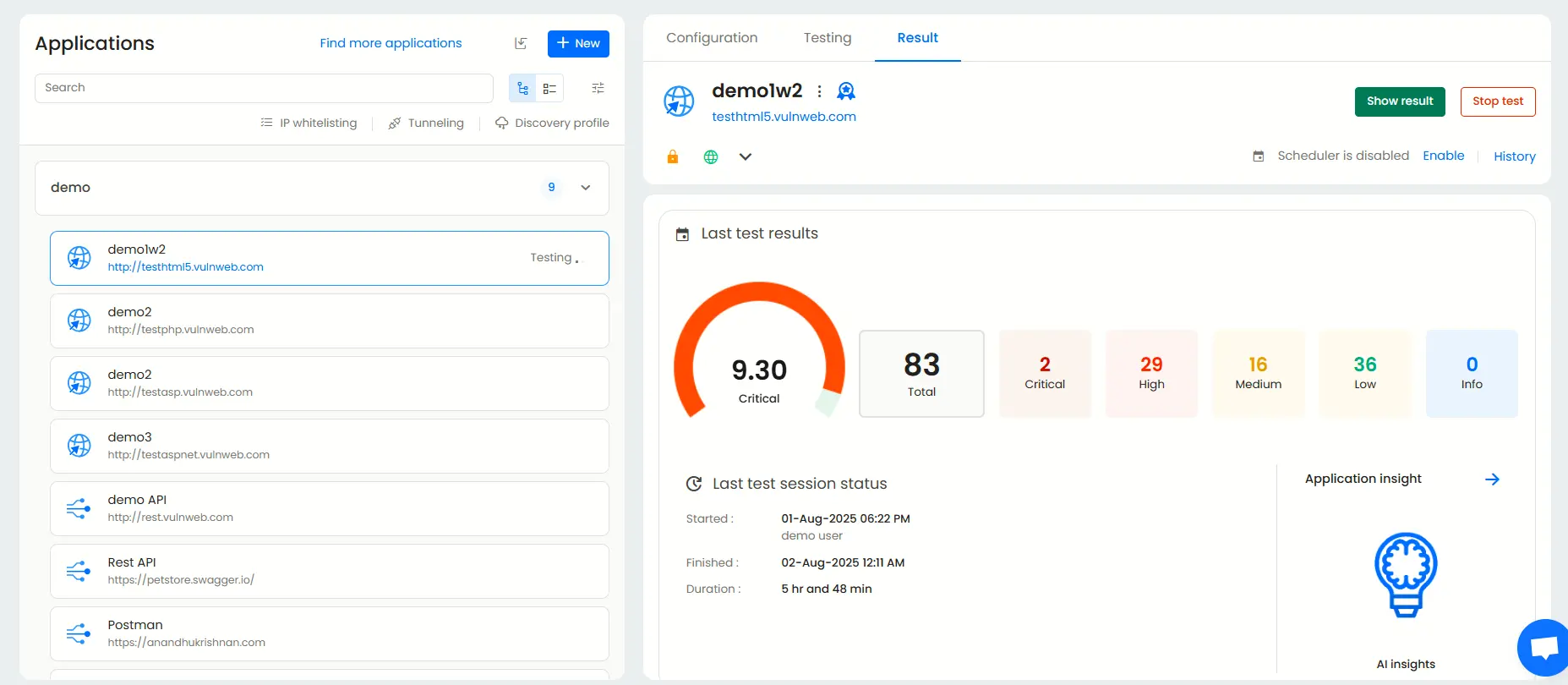
The Application Dashboard offers a high-level overview of each application under test.
It displays essential information such as the most recent test results, scan status, and key vulnerabilities to prioritize for remediation.
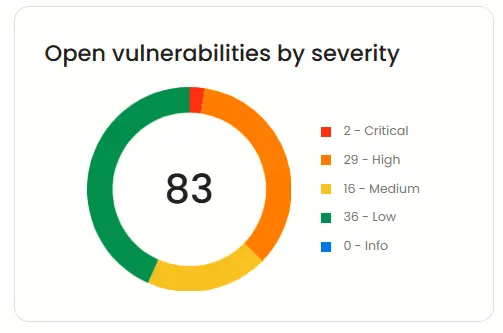
Open vulnerabilities by severity
This widget provides a clear breakdown of active vulnerabilities categorized by severity ( Critical, High, Medium, and Low) helping you prioritize what to fix first.
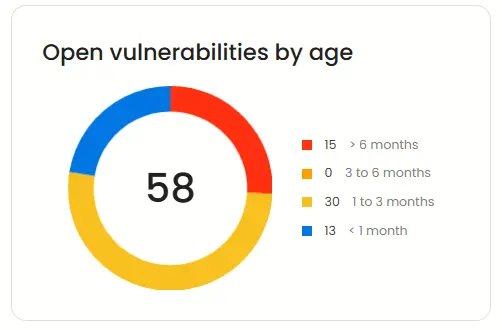
Open vulnerabilities by age
Beagle Security also classifies open vulnerabilities based on how long they have existed in your application.
This helps track long-standing risks and identify recurring security issues that may need more attention.
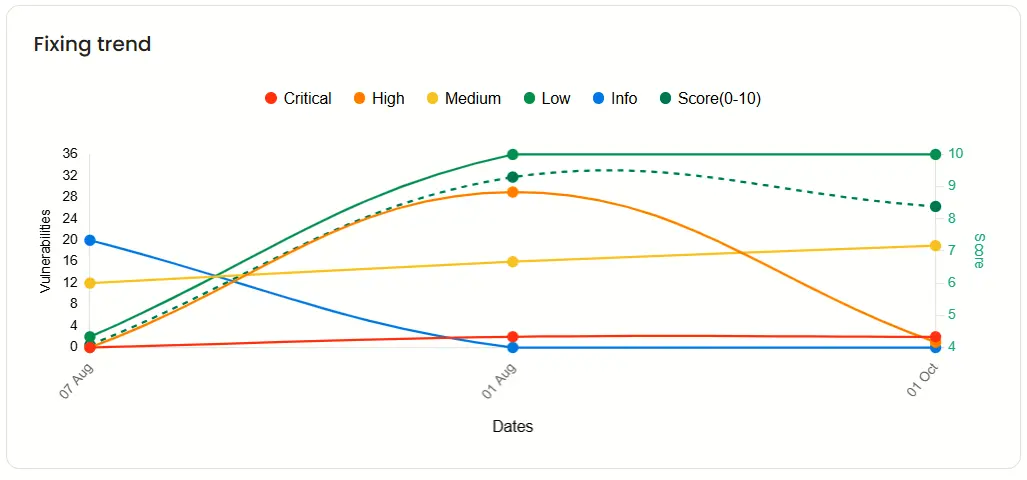
Fixing trend
The Fixing trend chart visualizes your remediation progress over time.
It shows when vulnerabilities were resolved and their severity levels, allowing you to monitor overall improvement and track team performance.
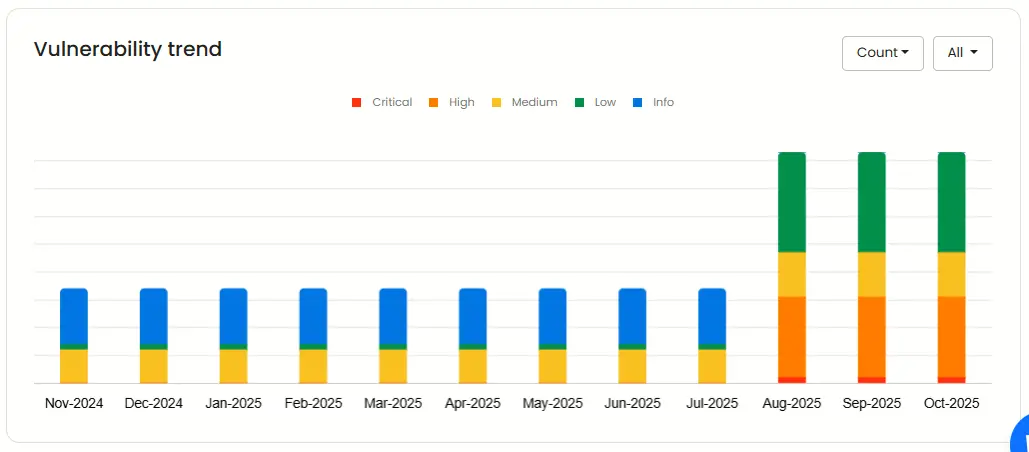
Vulnerability trend
This trend graph highlights how your vulnerability count has evolved over the past year. You can filter the data by severity or count to better understand how your application’s security posture is changing over time.
Result dashboard
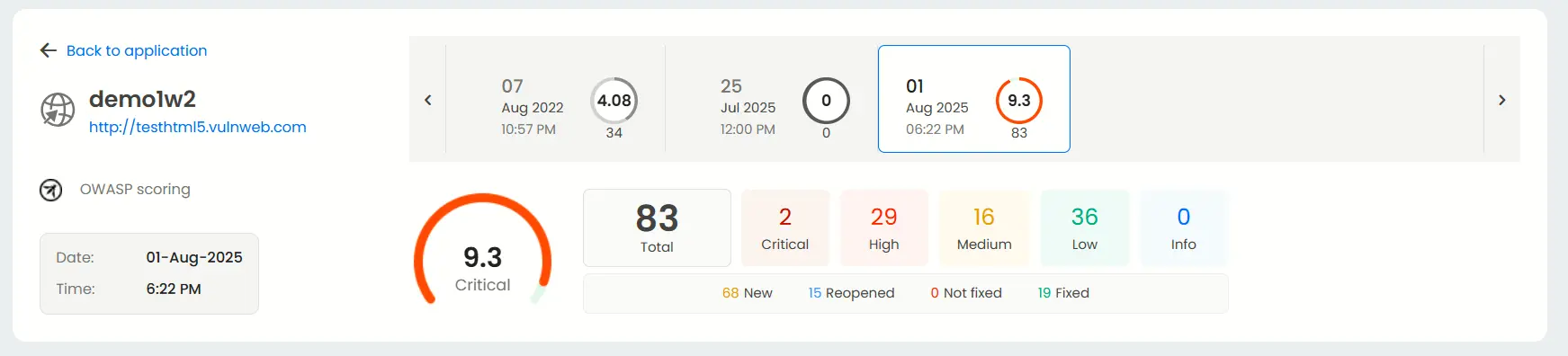
Each application has its own Result dashboard, giving you a detailed summary of test outcomes.
You can quickly view the total number of vulnerabilities, their severities, and the date and time of previous scans, providing a clear snapshot of your current security status.
Mapping with ISO27001
Beagle Security maps the 14 categories in Annex A that fall under ISO27001. Each of vulnerability detected is shown with complete details as to the severity, impact and other general information like description, fix recommendations and occurrence details
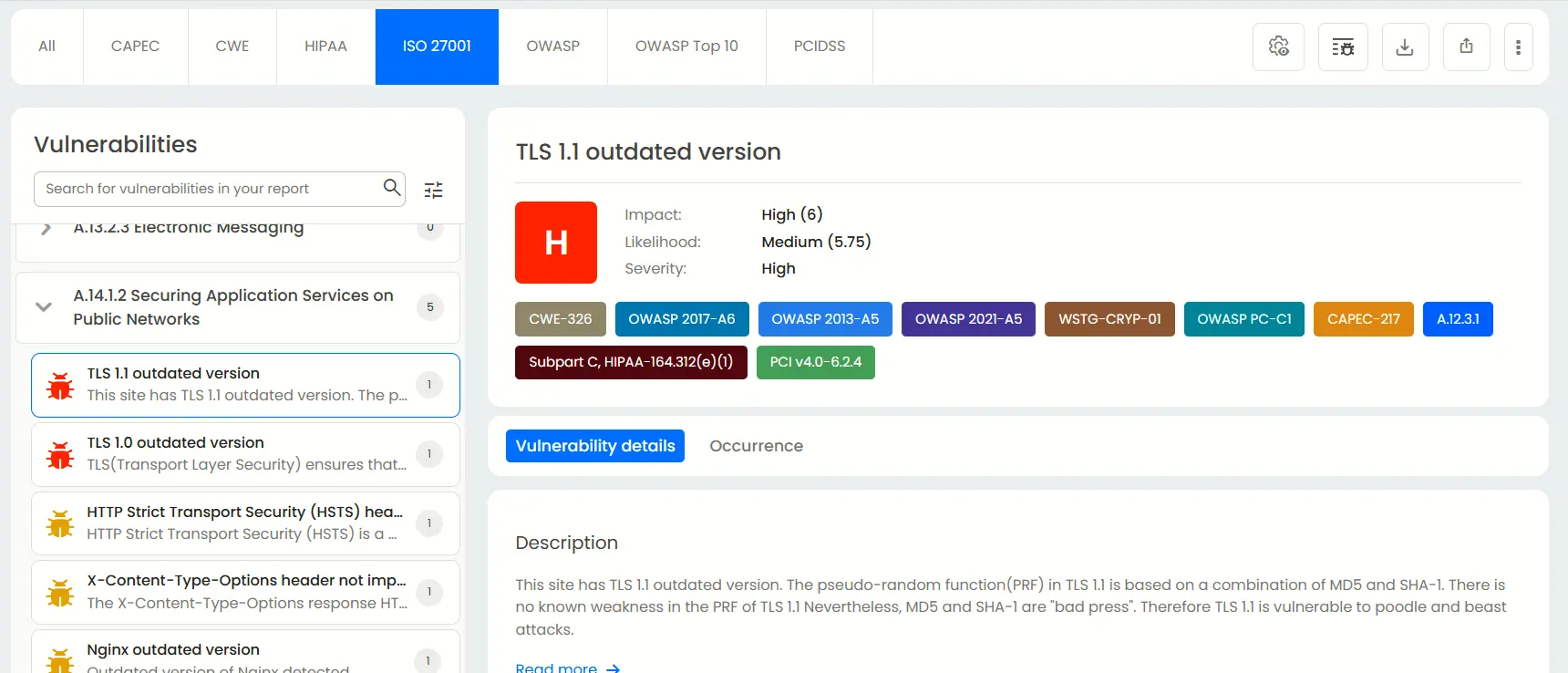
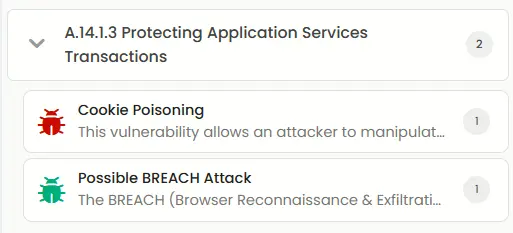
For example, here Beagle Security has detected two vulnerabilities that break A.14.1.3 of the ISO 27001 compliance.
Under the cookie poisoning tab, you can see the impact, likelihood and the severity of said vulnerability.
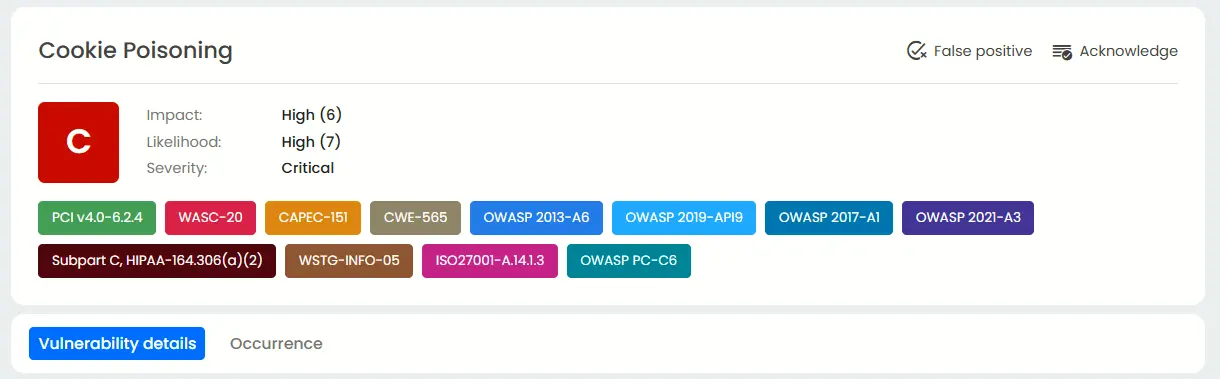
cookie-poisoning-img
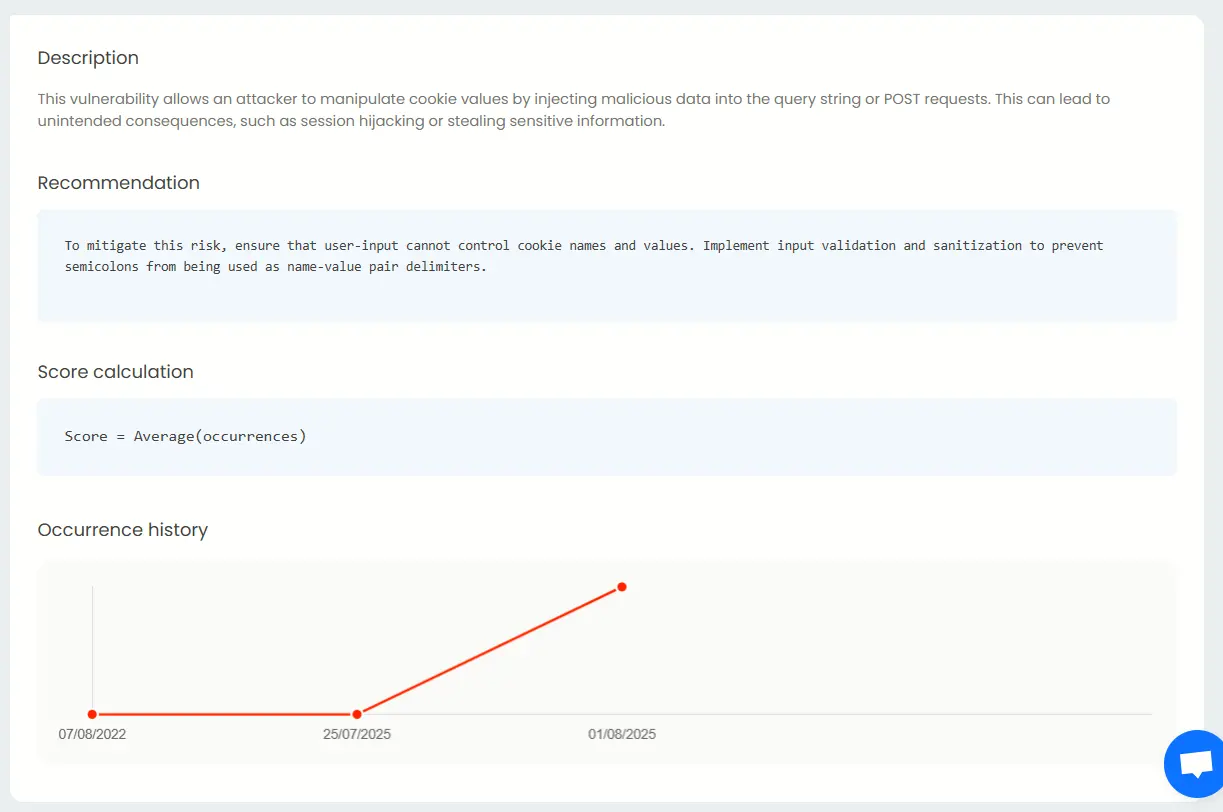
Beneath it, Beagle Security shows the description for cookie poisoning, the recommendations to mitigate this, and how much it has occurred in the past.
Final thoughts
ISO 27001 penetration testing bridges the gap between policy and practice. It validates that the controls you’ve implemented are not just documented but rather, actively working against real threats. Whether you’re preparing for your first certification or maintaining compliance, embedding regular, risk-based pentesting into your ISMS demonstrates a proactive security culture.
Platforms like Beagle Security can simplify this process with automated and ISO-aligned penetration tests, authenticated scanning, and detailed compliance reports that help teams close the loop between vulnerability discovery and remediation.
Still not sure if Beagle Security is not right for your ISO 27001 needs? Check out our 14-day free trial or get a feel with our interactive demo.
FAQ
What is the ISO 27001 testing framework?
The ISO 27001 testing framework assesses an organization’s information security management system (ISMS) to ensure it meets international standards for data protection, risk management, and compliance.
What is the cost for an ISO 27001 penetration test?
An ISO 27001 penetration test typically costs between $5,000 and $20,000, depending on the organization’s size, infrastructure complexity, and certification readiness goals.
What’s the difference between PTES and ISO 27001?
PTES defines a methodology for conducting penetration tests, while ISO 27001 is a comprehensive compliance framework that governs how an organization manages and secures sensitive information.
What’s the difference between vulnerability scanning and penetration testing in ISO 27001?
Vulnerability scanning automatically detects known security weaknesses, while penetration testing goes further by manually exploiting vulnerabilities to validate real-world risk and support ISO 27001 Annex A.12 and A.18 compliance.
How does ISO 27001 penetration testing differ from SOC 2 or GDPR assessments?
ISO 27001 penetration testing focuses on technical control validation within an ISMS, while SOC 2 and GDPR emphasize broader data protection, privacy, and governance requirements.
What deliverables are included in an ISO 27001 penetration test report?
An ISO 27001 penetration test report includes detailed vulnerability findings, exploit proof-of-concepts, risk severity ratings, and remediation recommendations mapped to ISO 27001 control objectives.


![Top ZAP alternatives and competitors [October 2026]](/blog/images/top-zap-alternatives-cover.webp "Top ZAP alternatives and competitors [October 2026]")




![Top 10 penetration testing companies [2026]](/blog/images/top-penetration-testing-companies-cover.webp "Top 10 penetration testing companies [2026]")




![Top vendor application security tools [2026]](/blog/images/top-vendor-application-security-testing-tools-2026-cover.webp "Top vendor application security tools [2026]")



![Top Snyk alternatives & competitors [2026]](/blog/images/top-snyk-alternatives-cover.webp "Top Snyk alternatives & competitors [2026]")