Top 15 developer productivity tools for 2026
Most engineering teams are not slow because their developers are slow. They are slow because the tools, processes, and workflows surrounding development create constant friction. A developer who spends 40% of their day on manual code reviews, writing documentation, chasing down bug context, or waiting for environment setup is not delivering the work they were hired to do.
The pressure compounds in 2026. Codebases are larger, deployment cycles are shorter, and security is no longer something you retrofit before a release. Teams are distributed across time zones, and the gap between what you ship and what actually reaches production securely is wider than most organizations acknowledge. The tools that worked two years ago often do not scale to these conditions.
This guide covers 15 tools that address real bottlenecks across the development lifecycle. They span AI coding assistance, security testing, documentation, DevOps infrastructure, and project management. Each was evaluated for practical integration into modern stacks, transparent pricing, and genuine usefulness rather than feature lists.
Why developer productivity tools matter in 2026
A 2026 Cortex survey of 50 engineering leaders across North America, Europe, and Asia-Pacific found that nearly 90% of teams are actively using AI, from individual use to mandatory adoption. But most AI tools in use today address code generation. They do not touch what surrounds it: slow review cycles, stale documentation, inconsistent environments, or manual security testing. That is where workflow friction lives, and that is what productivity tooling is meant to fix.
The global software development tools market is projected to reach $22.6 billion by 2033. With hundreds of options across every category, the difficulty is not finding a tool. It is finding the right one without creating new overhead in the process.
The tools in this list address five areas:
Time and resource pressure
Codebases grow faster than teams. Tools that reduce review time, automate test creation, or eliminate environment setup problems directly affect how much gets shipped.
Remote and hybrid collaboration
Most development teams are distributed. Bug reporting, documentation, and project tracking tools need to work well across asynchronous setups.
AI-assisted development
AI tools now generate code, write tests, review pull requests, and flag security issues. The quality of that assistance depends heavily on how well the tool understands your codebase.
Security integration
Shipping fast without building in security creates debt that eventually becomes a crisis. Tools that fit into the CI/CD pipeline catch issues before they reach production.
Measurement and visibility
Engineering managers need data to make staffing, process, and tooling decisions. Teams without delivery metrics operate on assumptions.
TD;LR: all 15 developer productivity tools at a glance
| Tool | Category | Best for | Starting price |
|---|---|---|---|
| Greptile | AI code review | Large codebases with complex PR reviews | $30/dev/month |
| CodeAnt AI | Code review and security | Teams consolidating review, quality, and scanning | $24 per user per month. |
| Kodus | Open source AI code review | Fine tuning code reviews and analysis | $10/developer/month |
| Marker.io | Visual bug reporting | Capturing full technical context at bug report time | $39/month |
| Jam | Bug reporting | Fast, one-click bug capture during development | $14/creator/month |
| Early | Testing automation | Automating unit test creation | Custom pricing |
| DevZero | Cloud dev environments | Eliminating environment inconsistencies across teams | Custom pricing |
| Port | Internal developer portals | Self-service infrastructure in microservice orgs | $30/seat/month |
| Swimm | Documentation | Keeping docs in sync with code changes | Custom pricing |
| Beagle Security | Application security testing | Continuous agentic AI penetration testing in CI/CD pipelines | $119/month |
| GitHub Copilot | AI coding assistant | In-IDE code generation and completion | $10/month |
| ProofHub | Project management | Flat-rate team collaboration without per-user scaling | $45/month |
| Spacelift | Infrastructure automation | Terraform governance, drift detection, and IaC workflows | $399/month |
| DocuWriter.ai | Documentation generation | Auto-generating docs directly from source files | $33/month |
| Everhour | Time tracking | Budget and resource visibility inside PM tools | $8.50/user/month |
The top 15 developer productivity tools
1. Greptile
Website: greptile.com
Category: AI code review assistant
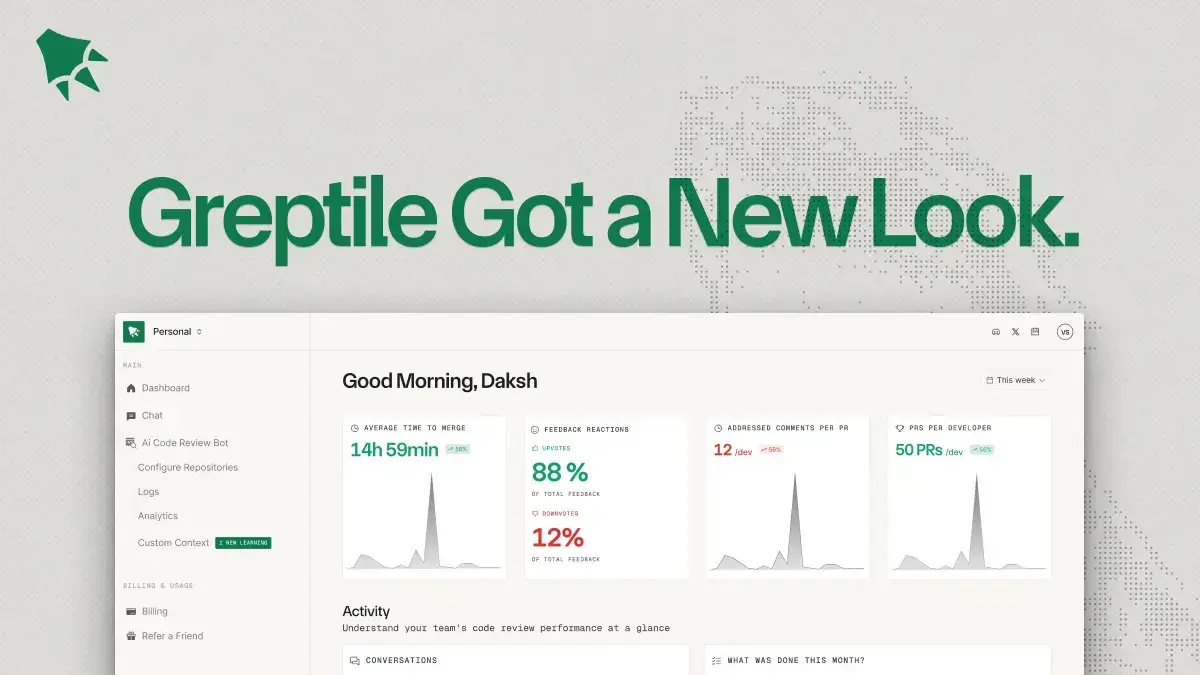
Greptile analyzes entire repositories to produce contextual feedback on pull requests. Most code review tools examine only the lines that changed. Greptile maps relationships between functions, classes, variables, and dependencies across the full codebase before it evaluates a change.
Why use Greptile?
Teams dealing with large, interconnected codebases often find that isolated code review misses regressions that span multiple files. Greptile reduces that risk and cuts review cycle times, which matters most when you are shipping frequently.
Greptile pros
Reviews full codebases rather than isolated changes.
Pull requests are merged up to four times faster.
Provides click-to-accept fixes for minor issues.
Adapts to team-specific coding patterns over time.
Supports self-hosting and custom LLM support.
Greptile cons
More expensive than basic code review tools.
Limited to code review rather than broader AI coding assistance.
Initial integration setup can be time-consuming.
Greptile pricing
Standard Pricing: The service costs $30 per seat per month (each seat includes 50 reviews per month).
Any reviews beyond the initial 50-review allocation are charged at $1 per additional review.
2. CodeAnt AI
Website: codeant.ai
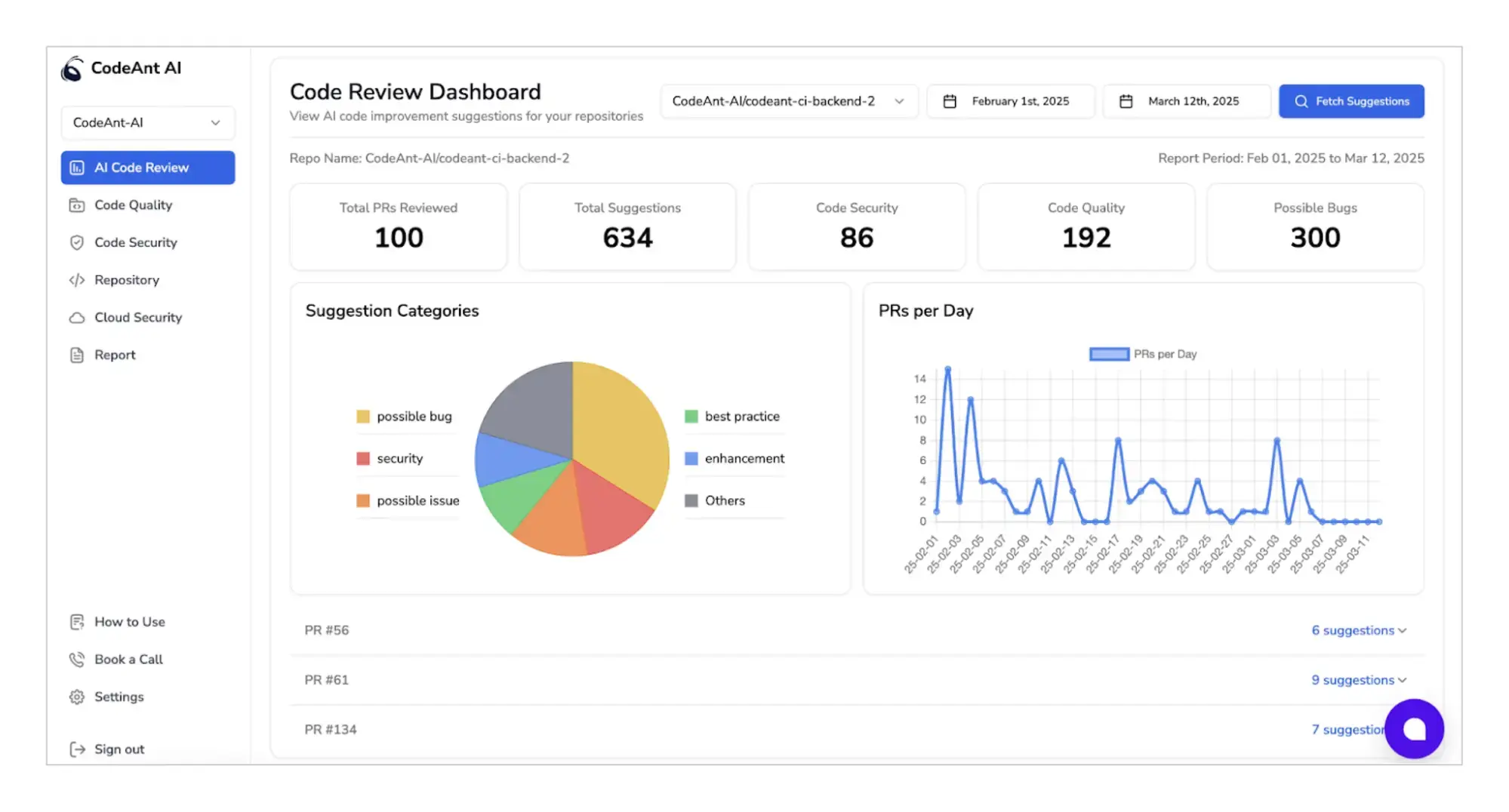
Category: AI code review and security platform
CodeAnt AI is a unified platform that combines code review, quality assurance, and security scanning. By consolidating multiple functions into a single tool, it reduces the need for separate solutions and helps development teams cut bugs by more than 50%.
Why use CodeAnt AI?
Teams managing separate tools for review, quality, and security often end up with gaps where each tool’s coverage ends. Consolidating these into one system gives a more complete picture of code health.
CodeAnt AI pros
Single platform for review, quality, and security.
Approximately 50% cheaper than running equivalent separate tools.
Applies automated fixes directly to repositories.
Generates compliance and audit-ready reports.
CodeAnt AI cons
Switching from a multi-tool setup requires a workflow change.
Heavy dependency on one platform creates a single point of failure.
May lack the depth of dedicated, specialized tools in each category.
CodeAnt AI pricing
Premium: $24/ user/ month.
Enterprise: Custom pricing for large organizations.
Free trial: 14-day trial available.
3.Kodus
Website: https://kodus.io/
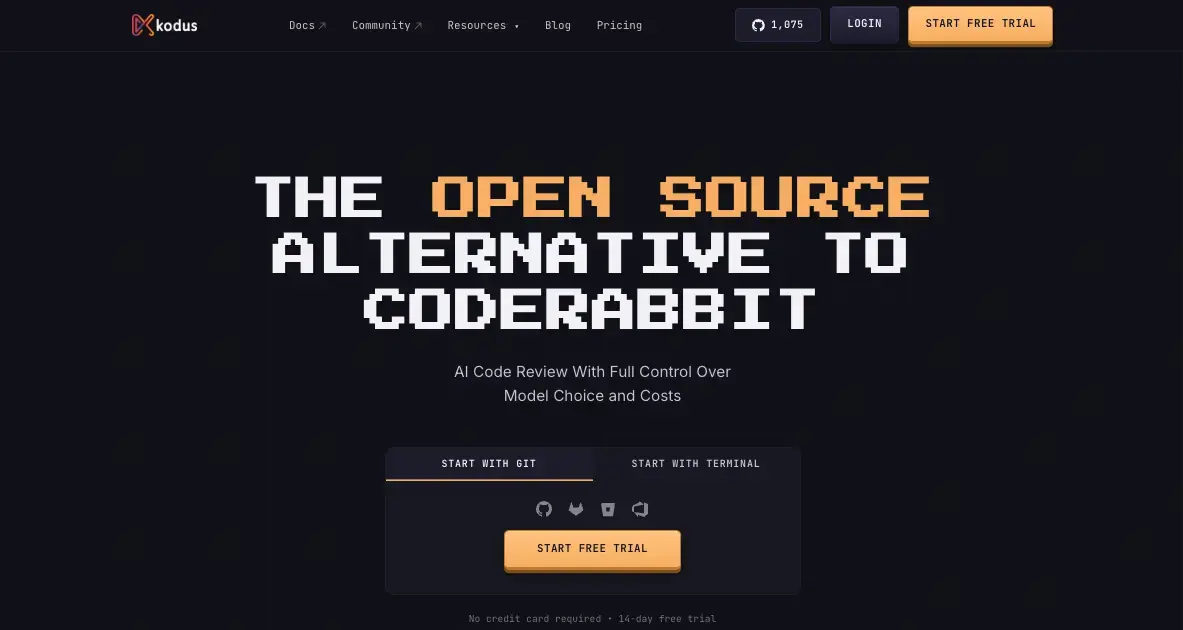
Category: Open source AI code review
Kodus is an open source AI code review platform built for engineering teams that want more control over how reviews work and more context behind each analysis. Its review agent, Kody, works directly inside the pull request workflow across GitHub, GitLab, Bitbucket, and Azure DevOps, commenting like a normal reviewer without requiring teams to leave their existing tools.
What separates Kodus from most code review tools is how it handles context. Teams can define custom review rules in plain language, scoped to specific folders or file types, so the agent applies internal engineering standards rather than generic best practices. MCP plugins extend that context further, pulling in Jira tickets, specs, and workflow data during the review itself. Code decisions that depend on product requirements or shared architecture patterns get reviewed with that information in frame, not just the diff.
Kodus is model-agnostic and supports BYOK across OpenAI, Anthropic, Gemini, and other OpenAI-compatible providers. Token costs go directly to your model provider with no markup.
Why use Kodus?
Teams that have outgrown generic AI review suggestions need a way to encode their own engineering standards into the review process without building internal tooling to do it. Kodus makes that possible while keeping review policy version-controlled alongside the code itself.
Kodus pros
Repository-level context, not just PR-level. Semantic analysis combined with repository search catches regressions that break contracts or behaviors elsewhere in the system, not just in the changed file
Custom rules at global, repository, and directory level, written in natural language and stored as Markdown files inside the repo
Real BYOK on every plan, including Community. No token markup, no vendor lock-in, model choice stays with the team
MCP plugins bring external context into the review: tickets, specs, acceptance criteria, operational flows
Kodus cons
BYOK model means token costs are a separate variable to manage
Self-hosted setup requires platform engineering effort to configure well
Newer entrant with a smaller community compared to established review tools
Kodus pricing
Community: Free. BYOK. Self-hosted or cloud.
Teams: $10/developer/month + token costs (BYOK).
Free trial: 14-day free trial
Enterprise: Custom pricing. Self-hosted or cloud.
4. Marker.io
Website: marker.io
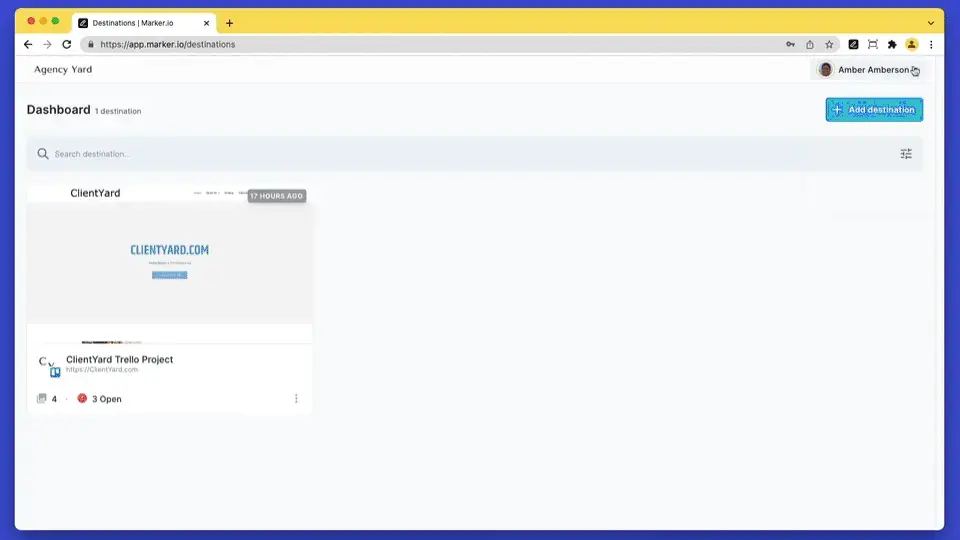
Category: Visual bug reporting
Marker.io simplifies bug reporting with annotated screenshots, session replays, and automatic context capture. It integrates directly into project management tools like Jira, Trello, and Asana.
Why use Marker.io?
Bug reports that lack context waste developer time. Reproducing an issue from a vague description is a well-known frustration. Marker.io removes that friction by attaching all relevant technical details automatically.
Marker.io pros
Reports include screenshots, logs, browser info, and environment data.
Integrates directly with major project management platforms.
Session replays show what happened before the bug occurred.
Reduces back-and-forth between testers and developers.
Marker.io cons
Can be expensive for startups.
Focused on bug reporting only.
Video storage requirements can add up at scale .
Marker.io pricing
Starting price: $39/ month.
Team: $149/month.
Enterprise: Custom pricing.
Free trial: 15-days.
5. Jam
Website: jam.dev
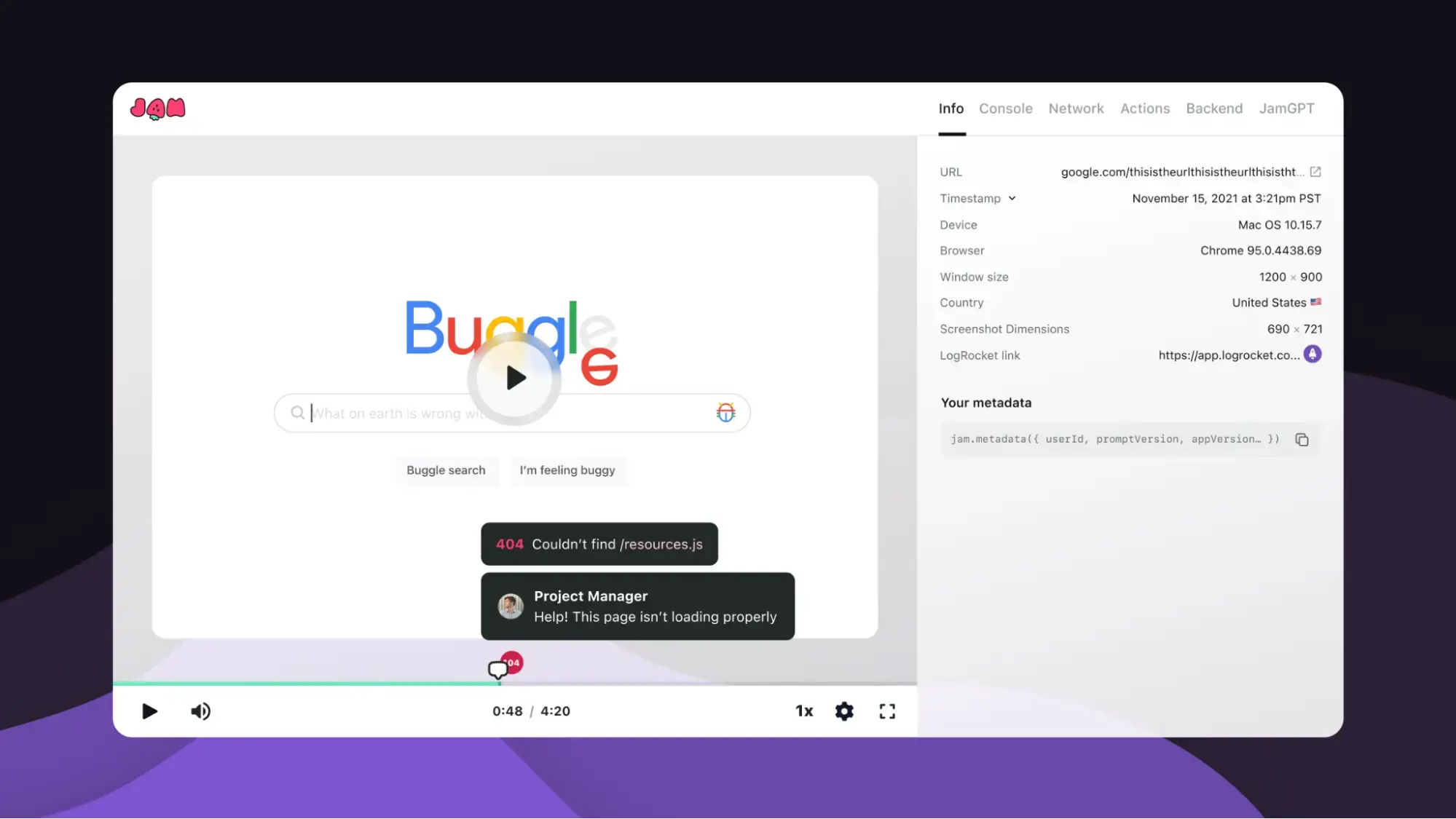
Category: One-click bug reporting
Jam is a browser extension that captures screenshots, logs, and recordings to generate bug reports instantly. It integrates with Jira, GitHub, and Slack.
Why use Jam?
It removes friction in bug reporting, providing developers with complete technical context in a single click. It makes the reporting process fast enough that developers and testers actually use it.
Jam pros
One-click capture with comprehensive technical data.
AI fills in report details automatically.
Works with most major development and project management platforms.
Reduces the time between bug discovery and documentation.
Jam cons
Free plan limits recording frequency and storage.
Primarily browser-focused with limited mobile coverage.
Video storage costs can increase with heavy use.
Jam pricing
Free tier: available with limitations.
Team plan: $14 per creator per month.
Enterprise: Custom pricing.
6. Early
Website: startearly.ai
Category: AI testing automation
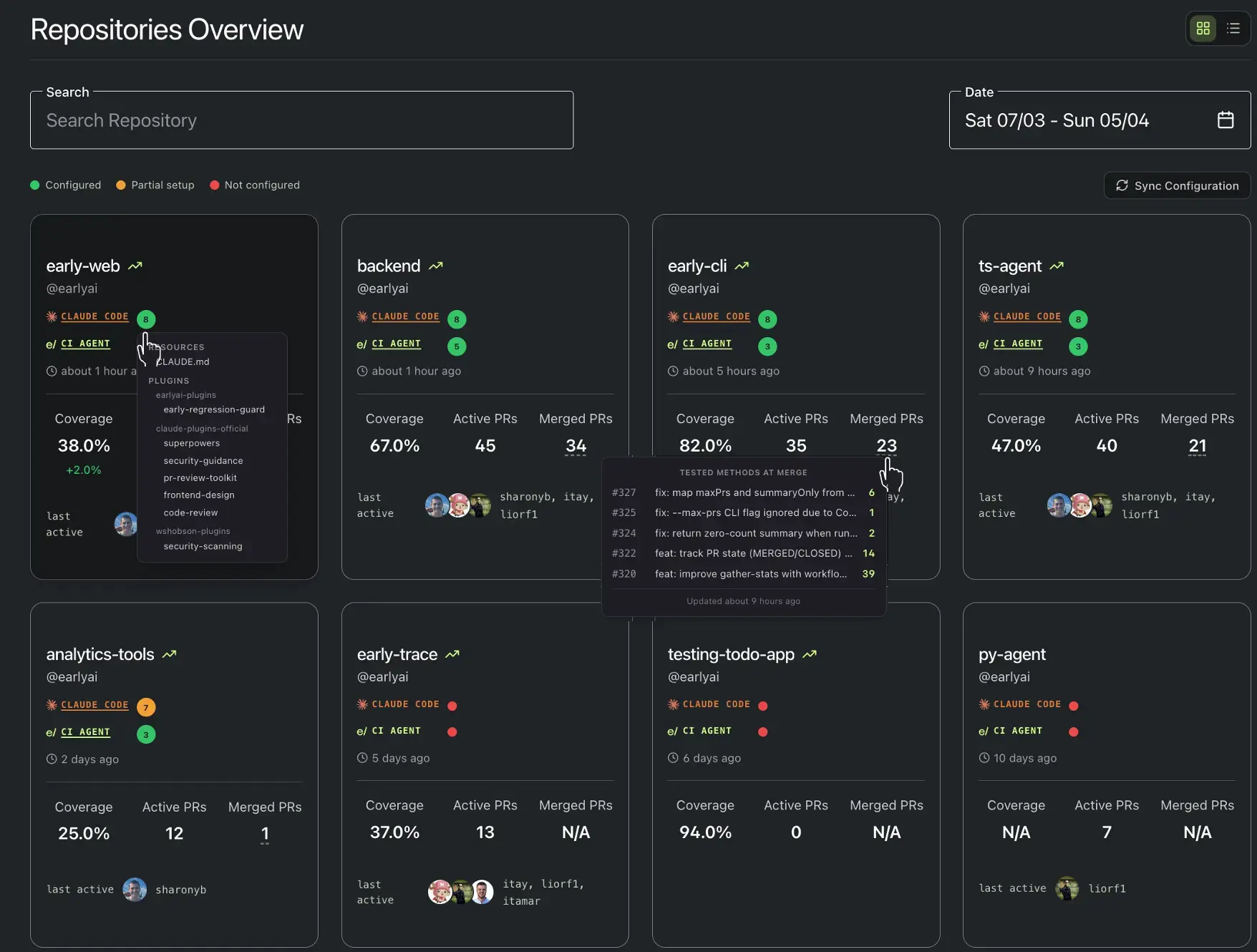
Early automates unit testing using AI agents that independently generate and execute tests. It reduces the burden of manual test creation while helping developers maintain high-quality codebases.
Why use Early?
Test coverage is one of the most consistently underfunded parts of development. Manual test writing competes with feature work and usually loses. Automating that process raises coverage without adding to developer workload.
Early pros
Generates unit tests automatically using AI.
Reduces time spent on manual test creation.
Fits into existing development workflows.
Improves code reliability without adding maintenance burden.
Early cons
Pricing and feature documentation are limited publicly.
Focused specifically on unit testing, not integration or end-to-end.
Newer entrant competing with established testing framework.
Early pricing
Pricing: Not publicly listed.
Target: Individual developers and small teams.
7. DevZero
Website: devzero.io
Category: Cloud development environments
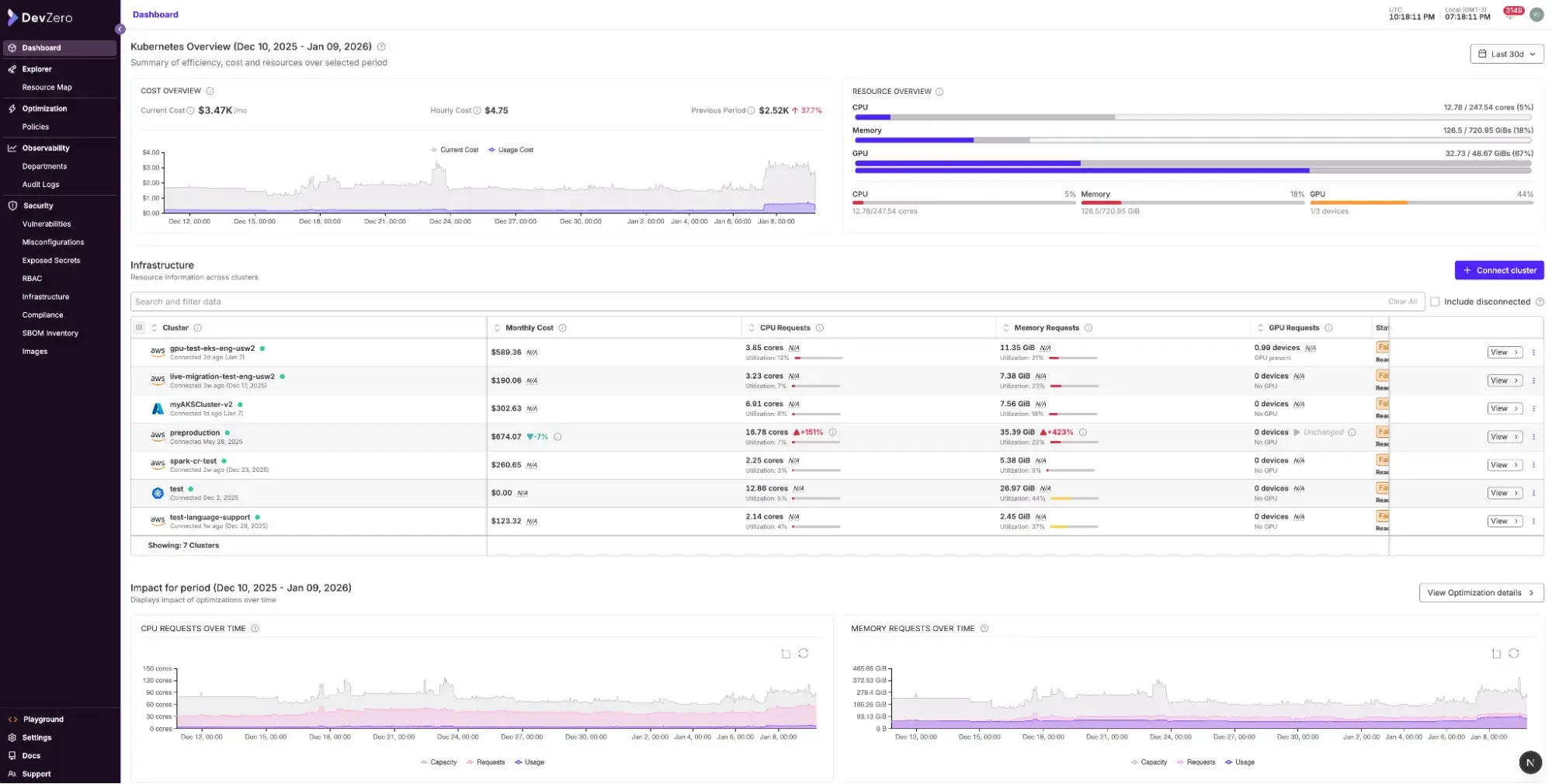
DevZero provides cloud development environments built on MicroVMs that mirror production configurations. Every developer on the team works in an identical, reproducible setup.
Why use DevZero?
Environment inconsistencies between developer machines and production are a well-documented source of bugs that are expensive to trace. DevZero removes that variable by standardizing the development environment itself.
DevZero pros
Eliminates local vs production differences.
Dynamic resource allocation.
Shared team environments improve collaboration on complex issues.
Fast setup.
DevZero cons
No transparent public pricing
Adds complexity for small projects that may not need it
Requires reliable internet connectivity
DevZero pricing
Custom pricing only (Previously $39.95 per user per month).
Enterprise: Self-hosting available.
Scaling & Optimization: $7/CPU/month (Covers up to 2,000 CPUs)
8. Port
Website: getport.io
Category: Internal developer portals
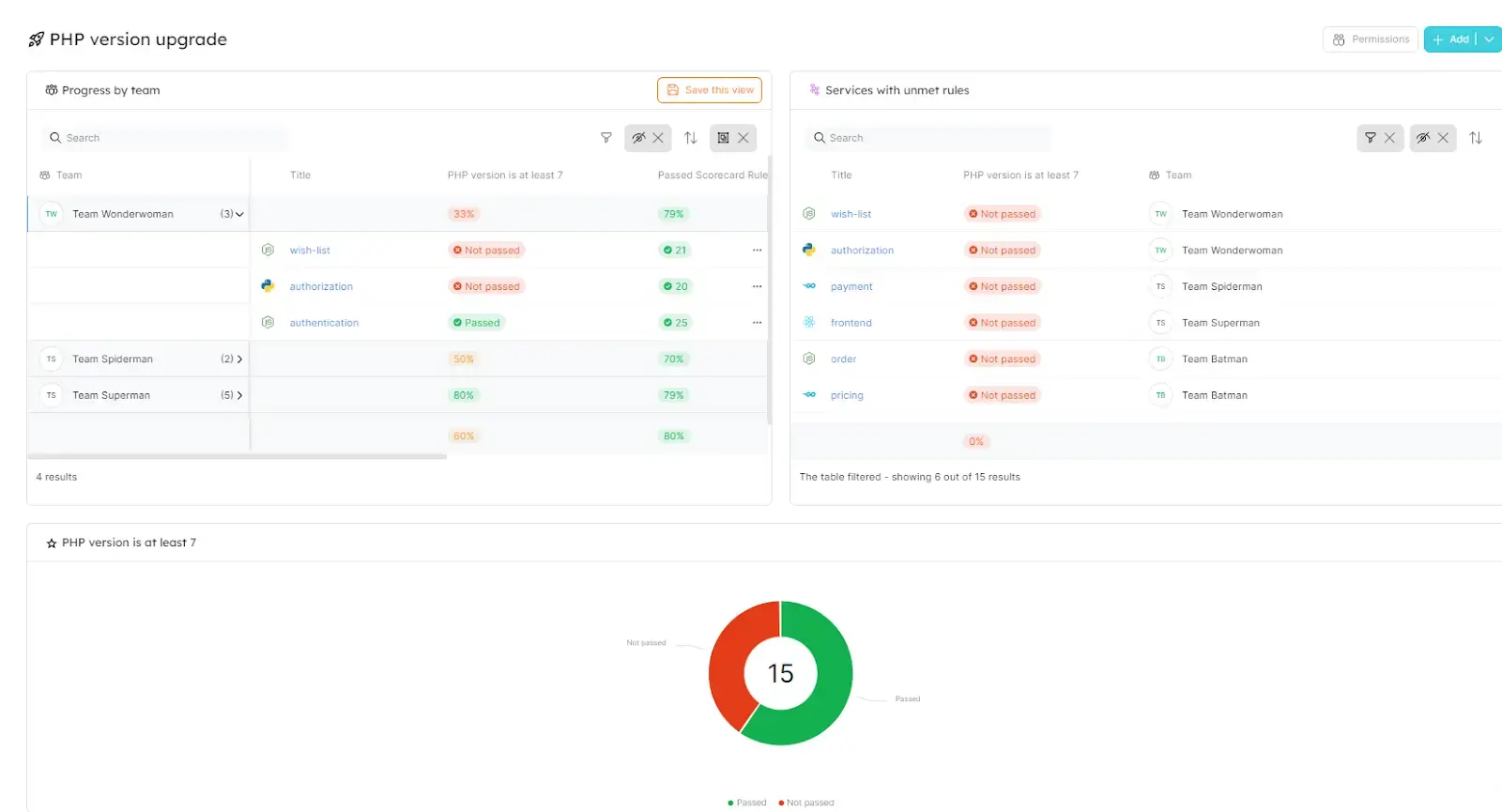
Port helps organizations build internal developer portals without custom engineering. It centralizes services, assets, infrastructure, and workflows into a single interface where developers can manage their own environments without waiting on platform or ops teams.
Why use Port?
As microservice architectures grow, the cognitive overhead of tracking what exists, where it runs, and who owns it becomes a real problem. Port gives teams a structured way to manage that complexity without building internal tooling from scratch.
Port pros
No-code portal configuration.
Combines service catalog, self-service workflows, and automation.
Scales across large engineering organizations.
Fast to set up and onboard.
Port cons
May be too complex for smaller teams with simpler architechtures.
Requires platform engineering knowledge to configure well
Balancing simplicity and advanced features take deliberate effort.
Port pricing
Free tier: Available with limits.
Basic: $30/seat/month
Standard: $40/seat/month
Enterprise: Custom pricing for large organizations.
9. Swimm
Website: swimm.io
Category: Code documentation management
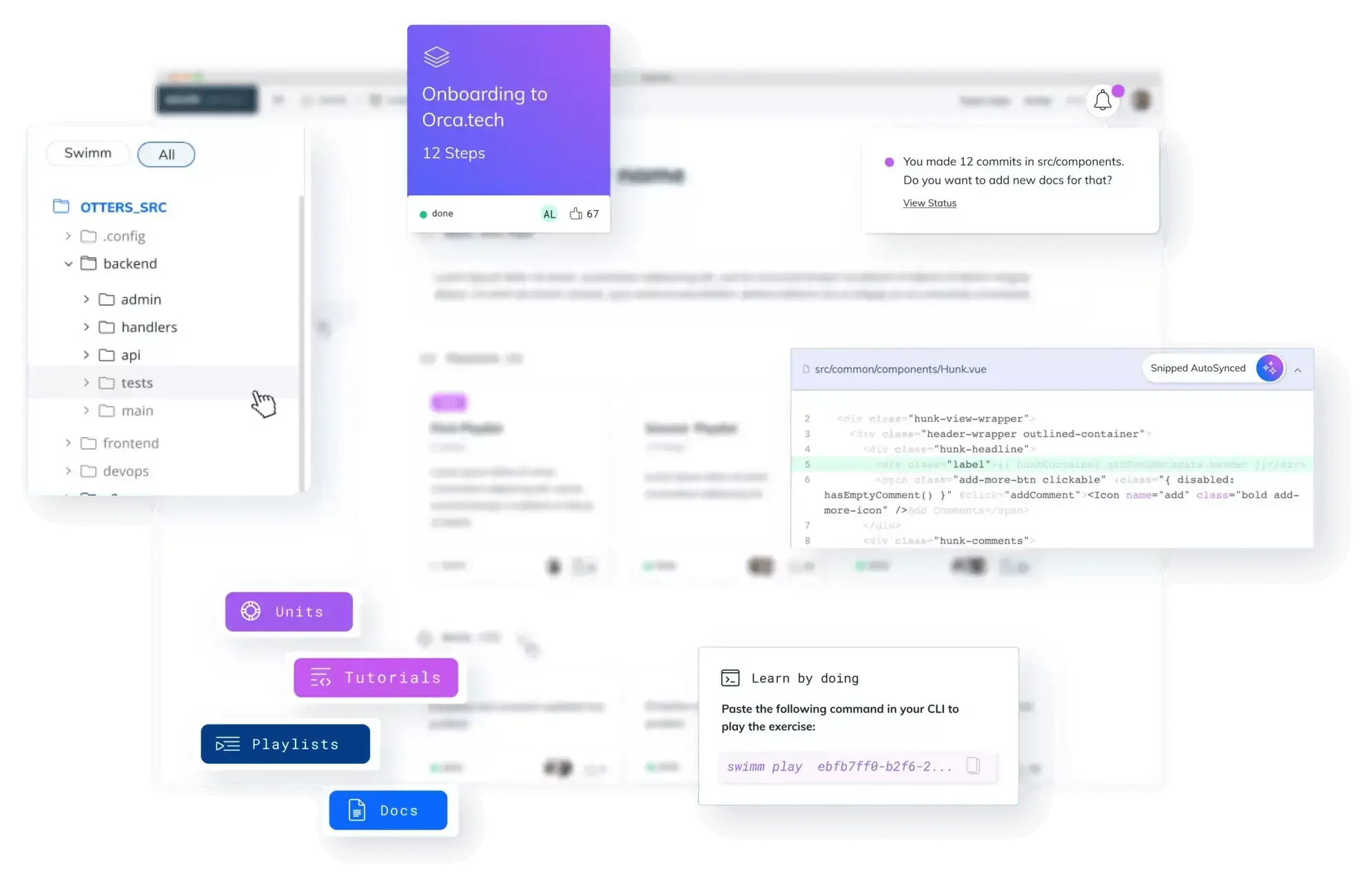
Swimm creates “living documentation” that stays in sync with code changes. Its IDE plugins ensure developers always have up-to-date, contextual documentation.
Why use Swimm?
Outdated documentation is often worse than no documentation. It creates false confidence. Swimm solves this by making documentation part of the code change process rather than an afterthought.
Swimm pros
Documentation syncs with code changes automatically.
IDE integration surfaces docs in the developers working context.
Preserves architectural knowledge across team turnover.
Supports collaborative documentation across teams.
Swimm cons
Requires CI integration to function correctly.
Teams must commit to keeping documentation current.
Enterprise-focused pricing with no public plans.
Swimm pricing
- Custom pricing only.
10. Beagle Security
Website: beaglesecurity.com
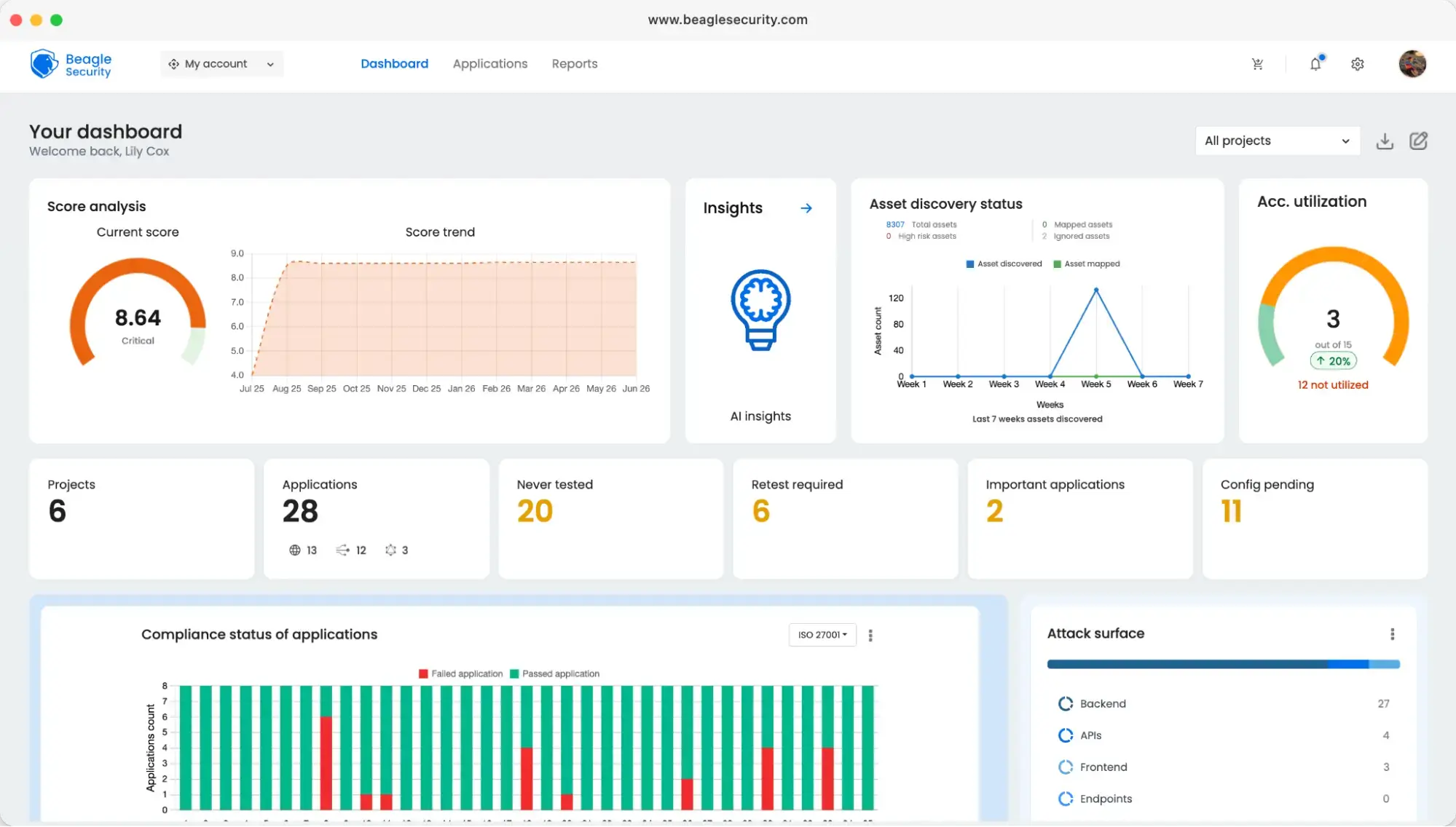
Category: Agentic AI-powered application security testing
Beagle Security offers agentic AI penetration testing for web apps and APIs. It uses AI to simulate real-world attacks and integrates seamlessly with CI/CD pipelines.
Why use Beagle Security?
Most organizations that rely on manual, point-in-time penetration tests end up with security assessments that go stale between releases. Beagle Security makes testing continuous. Every deployment can be tested, not just the ones that happen to fall near a scheduled audit.
The platform supports modern API types including GraphQL, and includes a business logic recorder for testing complex user flows that automated scanners typically miss. For teams dealing with compliance requirements, it generates reports mapped to GDPR, HIPAA, and PCI DSS standards without requiring manual documentation.
Beagle Security pros
Continuous, agentic penetration testing integrated into CI/CD.
Business logic recorder tests multi-step workflows, not just endpoints.
Support GraphQL alongside REST APIs.
Compliance reports generated automatically for GDPR, HIPAA, and PCI DSS.
Agentic AI testing that adapts to application behavior.
Beagle Security cons
Requires security knowledge.
Higher investment for professional use.
Needs DevSecOps alignment.
Beagle Security pricing
Essential tier: $119/month
Advanced tier: $359/month
Enterprise: Custom pricing for large-scale use.
Free trial: 14 days
11. GitHub Copilot
Website: github.com/features/copilot
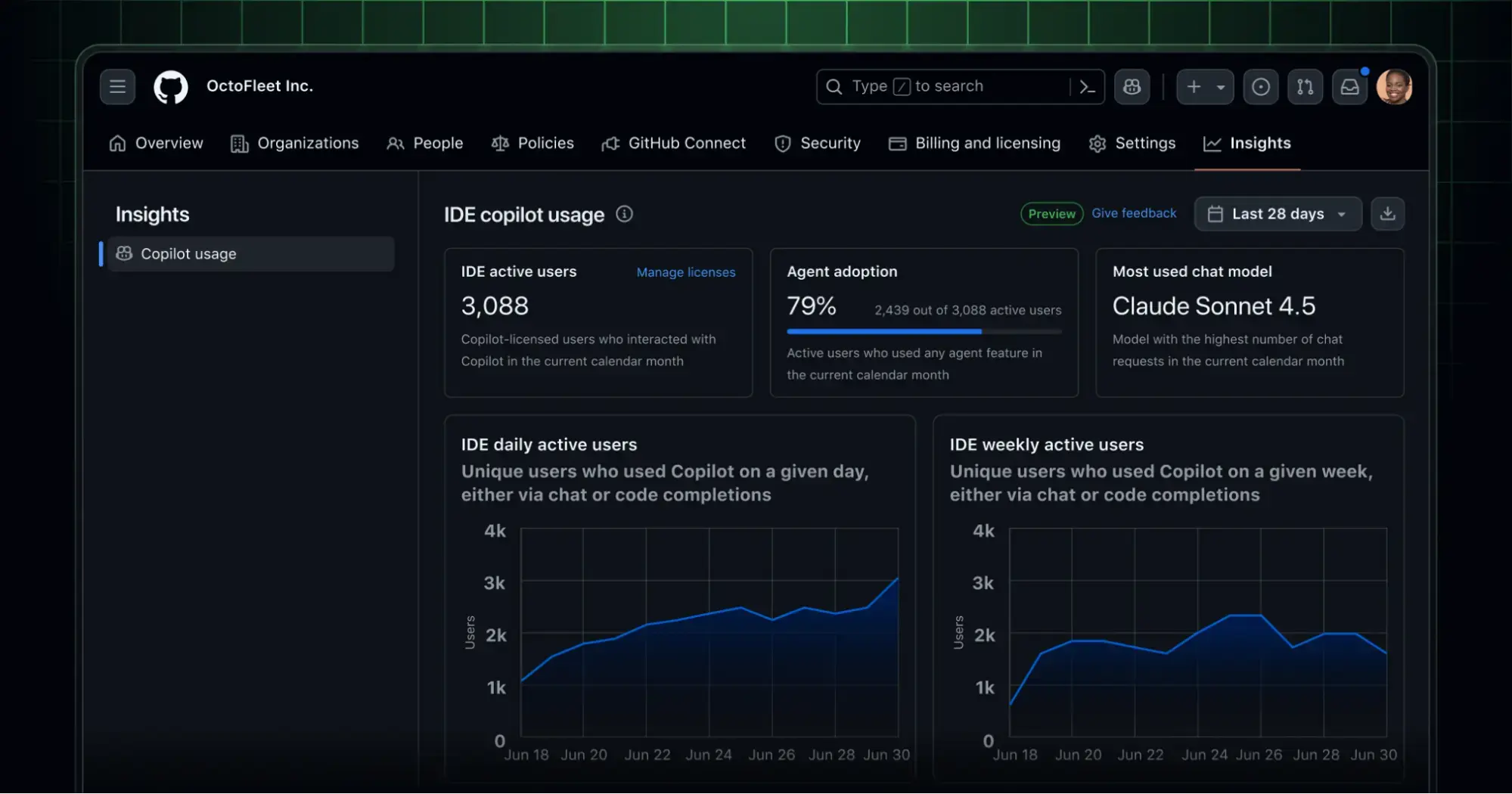
Category: AI coding assistant
GitHub Copilot provides real-time code suggestions, completions, and conversational AI assistance directly inside IDEs. It draws on the context of your current file and repository to generate relevant suggestions.
Why use GitHub Copilot?
Reducing the time spent on boilerplate, repetitive patterns, and syntax lookup is where Copilot delivers consistent value. For developers working across multiple languages or frameworks, it lowers the cost of context-switching.
GitHub Copilot pros
Used by millions of developers with board community support.
Context-aware suggestions tailored to project code.
Helps developers work in unfamiliar languages and frameworks.
Enterprise plan includes strong admin and security features.
GitHub Copilot cons
Over-reliance can weaken the manual coding skills.
Suggestion quality varies by context.
Costs scale significantly across large teams.
GitHub Copilot pricing
Pro: $10/month.
Business: $19/user/ month.
Enterprise: $39/user/month.
Free: Available for students and open-source maintainers.
12. ProofHub
Website: proofhub.com
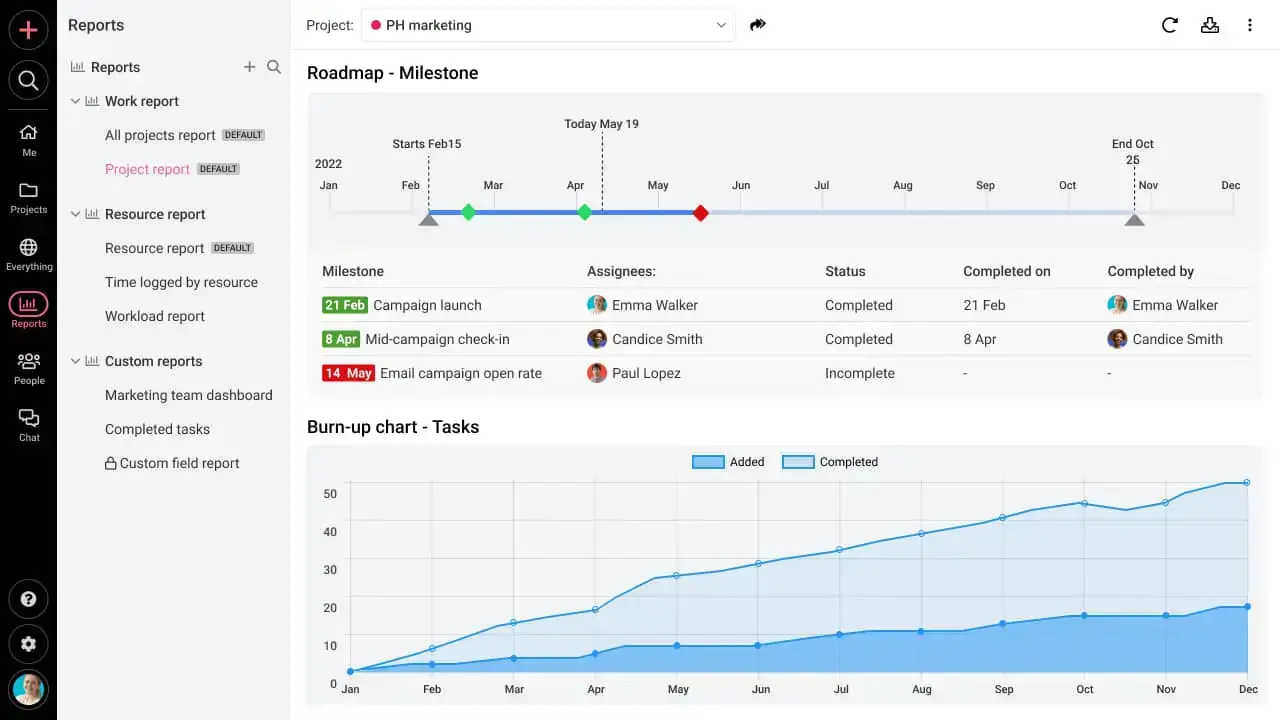
Category: Project management and collaboration
ProofHub is an all-in-one project management platform with flat-rate pricing for unlimited users. It combines tasks, time tracking, file sharing, and communication tools.
Why use ProofHub?
It eliminates the need for multiple apps by consolidating project management, collaboration, and reporting into a single platform.
ProofHub pros
Flat pricing that does not scale with user count.
Combines management, communication, and time tracking.
Low learning curve relative to enterprise alternatives.
ProofHub cons
No free plan available for small teams.
Reporting is less advanced than competitors.
Fewer third-party integrations.
ProofHub pricing
Essential plan: $45/ month.
Ultimate control: $150/ month.
Free trial: 14 days.
13. Spacelift
Website: spacelift.io
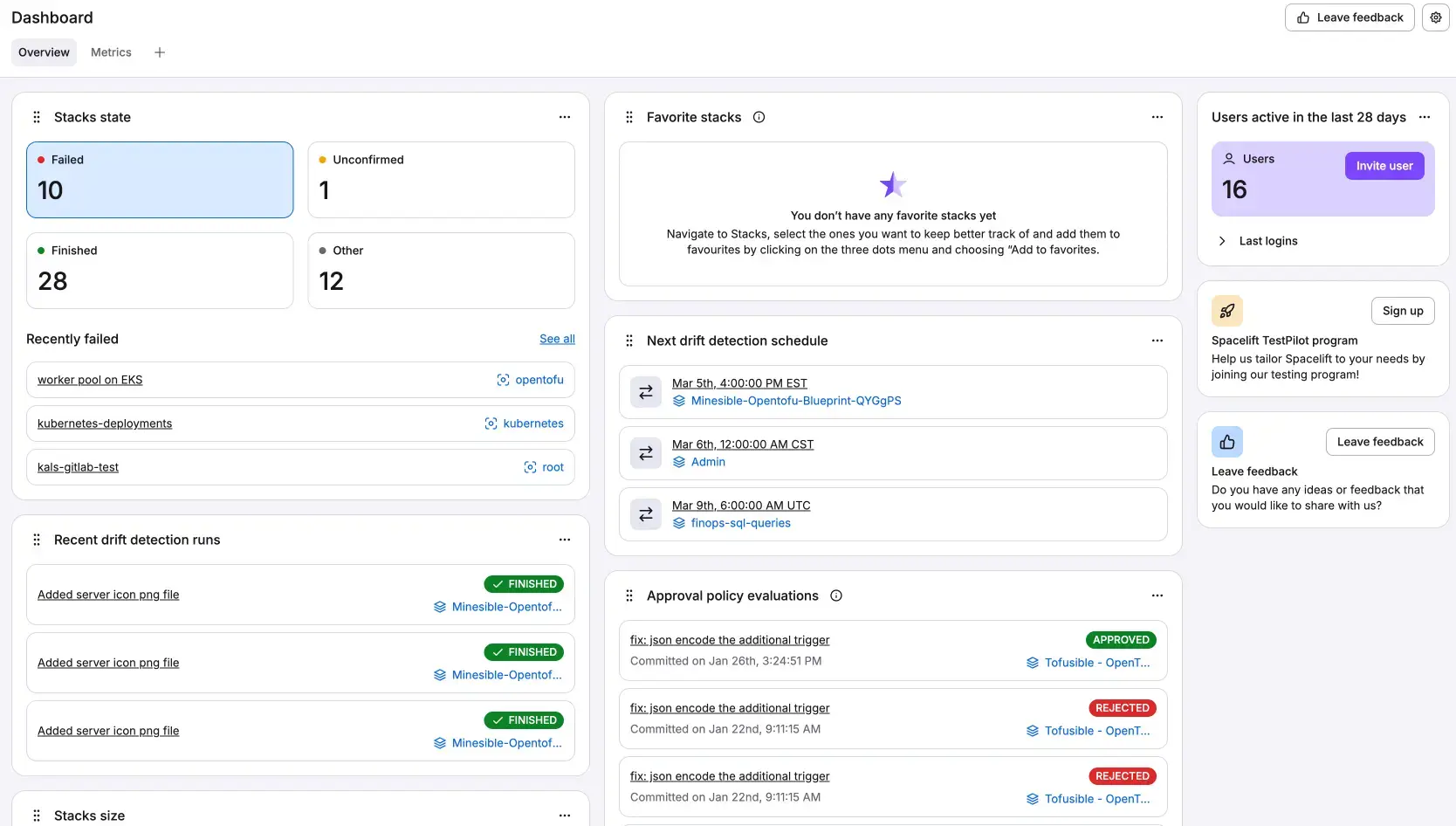
Category: Terraform automation
Spacelift is an advanced automation platform for Infrastructure as Code workflows. It adds policy enforcement, drift detection, dependency management, and multi-tool support on top of Terraform and other IaC tools.
Why use Spacelift?
Infrastructure drift is a common and costly problem. When what is deployed diverges from what is declared in code, diagnosing failures becomes significantly harder. Spacelift monitors for drift automatically and enforces governance policies before changes are applied.
Spacelift pros
Handles complex stack dependencies and nested infrastructure.
Unlimited compliance and governance policies.
Automatic drift detection with monitoring and remediation support.
Works with Terraform, Pulumi, and more.
Spacelift cons
Requires platform engineering knowledge to configure and maintain.
Higher price than basic alternatives.
Configuration takes time.
Spacelift pricing
Free tier: With limited features.
Starting plan: $399/month.
Enterprise: Custom pricing.
14. DocuWriter.ai
Website: docuwriter.ai
Category: AI documentation generator
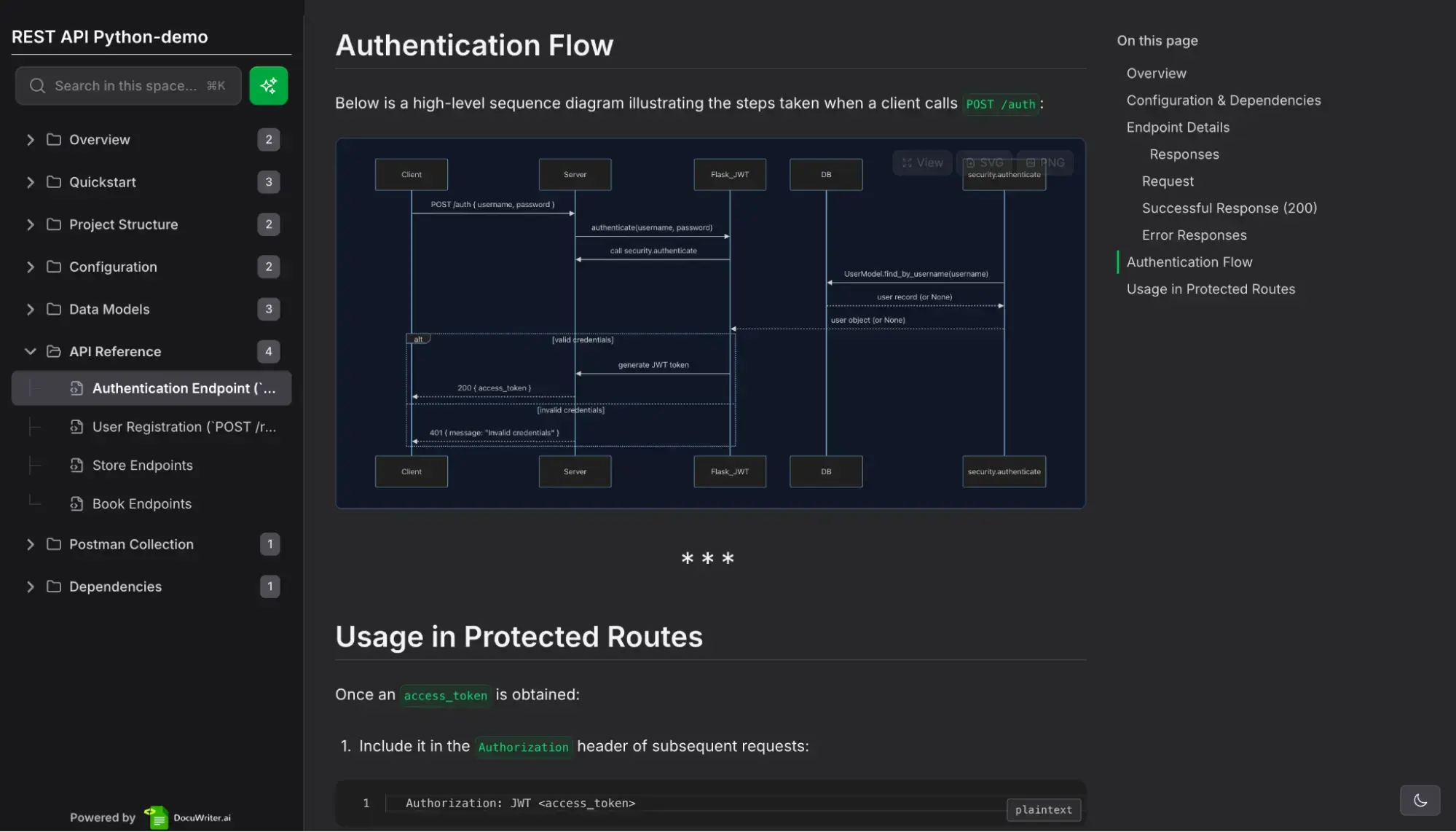
DocuWriter.ai automates code documentation, tests, and technical content creation directly from source files. It eliminates the manual effort of writing and maintaining documentation.
Why use DocuWriter.ai?
It accelerates documentation workflows while ensuring technical accuracy and consistency across projects.
DocuWriter.ai pros
Fully automated documentation generation from source files.
Exports to multiple output formats.
Affordable entry-level pricing.
DocuWriter.ai cons
Quality depends on AI accuracy.
Automated style may not fit all organizational standards.
Ongoing subscription cost for infrequent use.
DocuWriter.ai pricing
Professional: $33/ month (yearly billing).
Enterprise: $86/ month (yearly billing).
Unlimited: $199/ month (yearly billing).
15. Everhour
Website: everhour.com
Category: Time tracking and project management
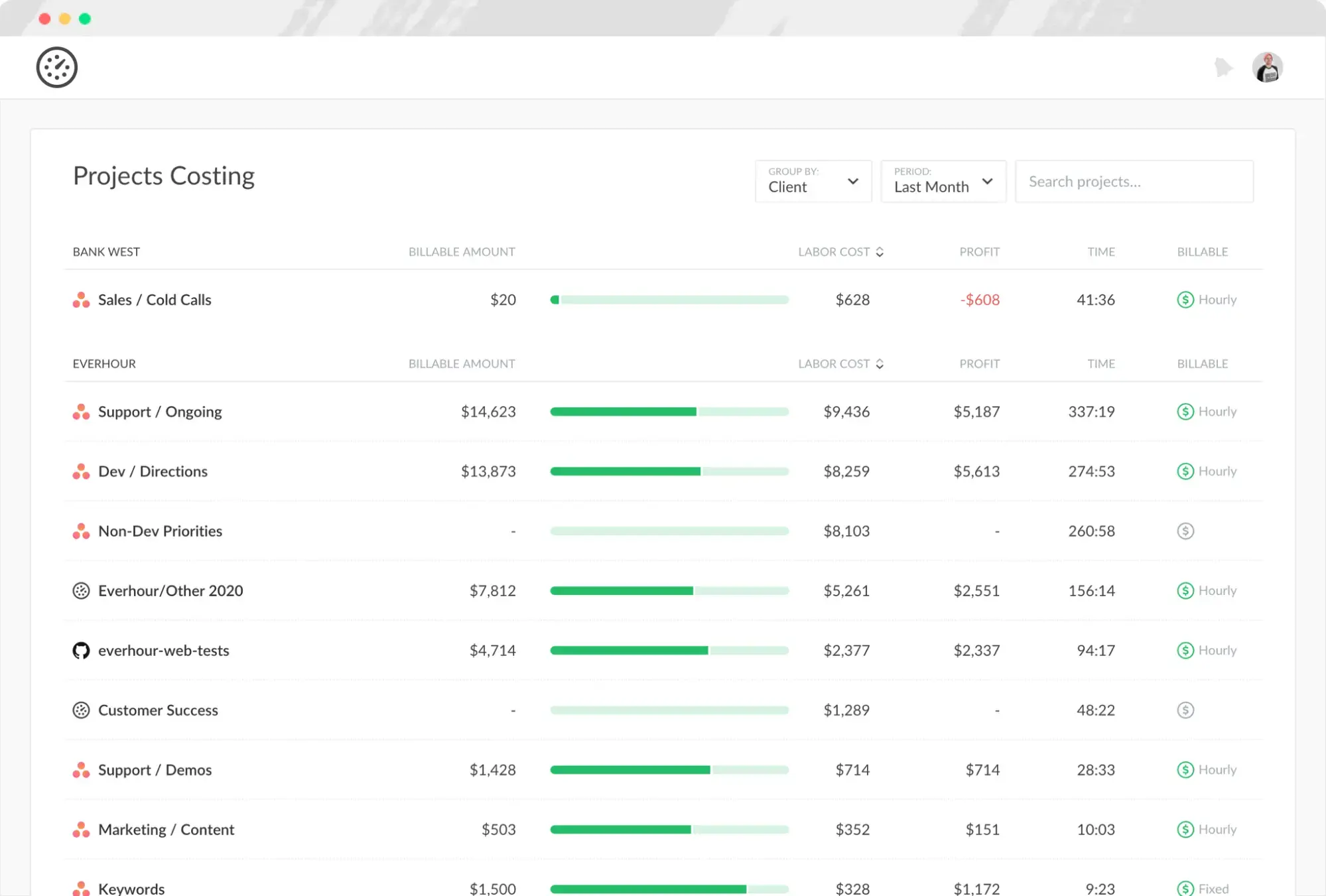
Everhour integrates time tracking, budget monitoring, and resource planning directly into project management tools. It surfaces time and budget data inside tools like Asana, Trello, and GitHub rather than requiring a separate application.
Why use Everhour?
Everhour gives managers visibility into where time is being spent without requiring developers to switch context to a separate tracking tool.
Everhour pros
Time tracking embedded inside existing project management platforms.
Detailed analytics on project profitability and workload distribution.
Supports timers, manual entry, and scheduled reports.
Everhour cons
Primarily focused on time tracking rather than broader project management.
Works best when paired with a PM tool.
Mobile apps lack desktop feature depth.
Everhour pricing
Free tier: Available with restrictions.
Team plan: $8.50 per user per month.
Enterprise: Custom pricing.
Tools by category
Here’s a quick reference grouping of the 15 tools by their primary use case:
| Category | Tools |
|---|---|
| AI-powered coding assistants | GitHub Copilot, Greptile, CodeAnt AI, Early |
| Security and code quality | Beagle Security, CodeAnt AI, Greptile |
| Project management | ProofHub, Everhour, Axify |
| Documentation and knowledge | Swimm, DocuWriter.ai |
| DevOps and infrastructure | Spacelift, DevZero, Port |
| Collaboration and bug tracking | Marker.io, Jam |
Choosing the right tools for your team
The right combination depends on team size, architecture, and the specific bottlenecks causing the most friction. A 10-person startup has different needs than a 200-person engineering organization with microservices spread across multiple clouds.
Start by identifying where work actually slows down. If code review cycles are long, tools like Greptile or CodeAnt AI address that directly. If your team ships features but security assessments happen once a quarter, a tool like Beagle Security closes that gap. If documentation is consistently outdated, Swimm or DocuWriter.ai are worth evaluating.
Practical considerations before committing:
Stack compatibility: Confirm the tool integrates with your existing infrastructure and development workflows before investing in it.
Trial periods: Most tools on this list offer free trials. Use them on real work, not toy projects.
Staged adoption: Adding multiple tools at once creates change fatigue. Introduce one at a time and measure the impact before expanding.
Measurable outcomes: Define what success looks like before you start. Deployment frequency, review cycle time, and bug escape rate are concrete metrics that tell you whether a tool is delivering.
The future of developer productivity
Several trends will continue to shape how developer tools evolve over the next few years.
AI will become a default layer across the entire development lifecycle, not just code completion. Testing, security scanning, documentation, and infrastructure management will all benefit from AI agents that can act on context rather than just surface suggestions.
Automation will expand into areas that currently require manual judgment. More of the pipeline will run without human intervention, with humans focused on reviewing outputs rather than executing steps.
Developer experience will become a competitive differentiator. Teams that reduce friction in their workflows attract and retain engineers more effectively. Tools that prioritize usability alongside capability will win adoption.
Consolidation will reduce the number of separate tools teams need to manage. Platforms that cover multiple concerns without fragmenting workflows are already gaining ground over point solutions.
Final thoughts
The tools covered in this guide address the real constraints facing engineering teams: slow code review, poor test coverage, inconsistent environments, outdated documentation, security gaps, and limited delivery visibility.
None of them are a substitute for sound engineering practices. But the right tools make good practices easier to sustain at scale.
Security deserves specific attention. Shifting security left is not just a principle; it is a practical decision about where in the cycle defects are cheapest to fix. Tools like Beagle Security make that possible by fitting security testing into the same pipeline that already runs your builds and deployments.
If you are evaluating where to start, identify the problem that is causing the most visible friction for your team right now. The tools in this list give you concrete options for addressing it.
Ready to integrate security testing into your development workflow? Start a 14-day free trial of Beagle Security or schedule a demo to get started.








![Top 10 SDLC tools [2025]](/blog/images/blog-banner-three-cover.webp "Top 10 SDLC tools [2025]")