Best Google Cloud Platform (GCP) security tools by category
Google Cloud Platform (GCP) has rapidly grown into one of the top cloud providers, powering thousands of enterprise workloads across industries. From startups building scalable web applications to global enterprises managing hybrid cloud environments, GCP’s flexibility and speed make it a cornerstone of modern cloud strategy. However, this agility also introduces complex security challenges that demand a comprehensive set of tools to safeguard data, applications, and infrastructure.
In 2026, GCP security teams must navigate a diverse threat landscape where misconfigurations, exposed APIs, and identity misuse remain leading causes of cloud breaches. To address this, organizations are combining Google’s native security services with best-in-class third-party solutions to achieve continuous visibility, compliance assurance, and proactive defense. This guide explores the best GCP security tools by category for 2026, helping you choose the right mix for layered protection across your cloud environment.
Best GCP security tools by category [2026] TL;DR
| Category | Platform | Best for | Starting price |
|---|---|---|---|
| CSPM | SentinelOne Singularity Cloud | Multi project posture management & runtime visibility | Quote based |
| CNAPP | Wiz | Full stack workload protection across GCP, containers, & serverless | $24,000/year for 100 workloads |
| Application security (DAST) | Beagle Security | Continuous testing of GCP hosted web apps & APIs | Starts at $1,188/year |
| Network security | Google Cloud Armor | DDoS protection & edge network defense for GCP networks | Standard tier free, Managed Protection Plus from $3,000/month |
| Data protection | Google Cloud Key Management Service (KMS) | Encryption key management & data protection at scale | $ 0.06 per active key version/month |
| IAM | Cloud Identity | Centralized identity management & single sign on for Google Cloud | Free (Premium available) |
| Threat detection & response (TDR) | Google Security Operations (formerly Chronicle SIEM) | Cloud scale threat detection & investigation on GCP | Quote based |
Top 7 GCP security tools by category [2026]
GCP security tools for cloud security posture management (CSPM)
Cloud Security Posture Management (CSPM) helps GCP teams identify misconfigurations, compliance gaps, and risky permissions across multiple projects and organizations. Given GCP’s flexible IAM model and extensive service catalog, maintaining configuration hygiene requires continuous monitoring. CSPM tools provide visibility into cloud assets, enforce compliance frameworks, and automate remediation.
SentinelOne Singularity Cloud

SentinelOne Singularity Cloud delivers unified visibility and runtime protection across GCP environments. It connects directly with Google Cloud APIs to identify misconfigurations, insecure service accounts, and policy drift while providing automated remediation workflows. For hybrid users, it integrates posture, runtime, and container security into a single interface.
Key features
Integration with GCP projects, service accounts, and workload identity federation.
Multi-project visibility with automated misconfiguration detection.
Runtime protection for Google Kubernetes Engine (GKE) and Compute Engine workloads.
Compliance alignment with CIS and ISO benchmarks.
Custom dashboards and alerting through Security Command Center integration.
Pros
Comprehensive visibility for GCP organizations with multiple projects.
Strong runtime and container workload protection.
Agentless and agent-based options to reduce blind spots.
Consistent performance ratings and solid customer support.
Shortcomings / considerations
Pricing is quote-based and may scale with environmental complexity.
Some users note initial setup complexity for large GCP estates.
SentinelOne pricing
Custom enterprise pricing based on monitored GCP resources and workloads. Contact SentinelOne for an organization specific quote.
SentinelOne ratings & reviews
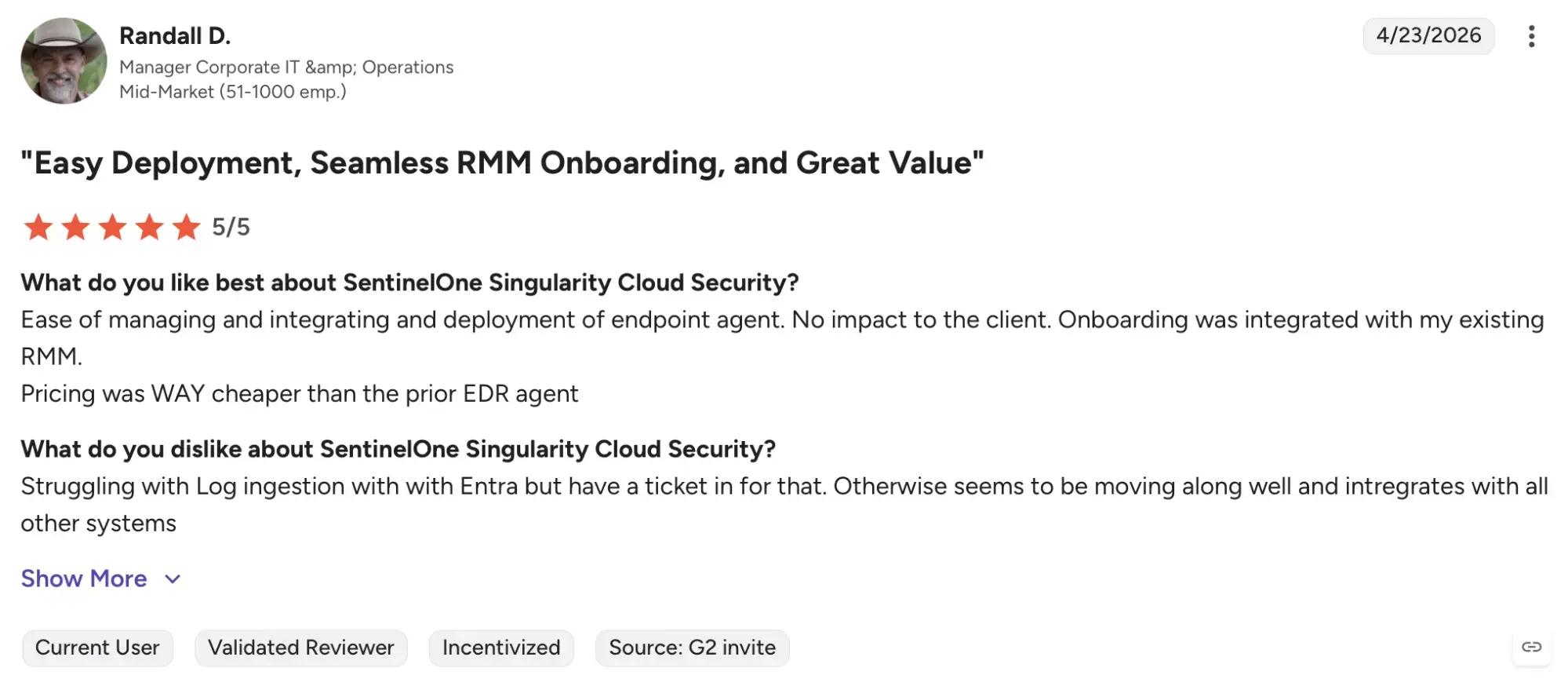
G2 rating: 4.9/5 (based on 113 reviews)
SentinelOne Singularity Cloud maintains strong customer satisfaction. Users highlight its comprehensive visibility into GCP assets and smooth integration with APIs. Some note that deployment across large multi-project environments can require fine-tuning during initial setup.
Cloud native application protection platform for GCP security (CNAPP)
Cloud Native Application Protection Platforms (CNAPP) offer end-to-end protection for workloads, containers, and serverless applications on GCP. They combine vulnerability management, configuration assessment, and runtime monitoring under one framework. CNAPPs help unify DevSecOps visibility for organizations deploying workloads across Compute Engine, Kubernetes, and Cloud Functions.
Wiz

Wiz provides full stack visibility and protection for GCP workloads, containers, and serverless functions. Designed for agentless scanning, Wiz integrates through the GCP console to detect risks, misconfigurations, and vulnerabilities without performance impact. It offers detailed context across identities, data exposure, and runtime risk, giving teams actionable insights within minutes.
Key features
Agentless scanning across Compute Engine, GKE, Cloud Run, and Cloud Functions.
Infrastructure-as-Code scanning for Terraform and Deployment Manager templates.
Identity risk mapping for GCP IAM roles and service accounts.
Runtime context to prioritize exploitable vulnerabilities.
Integration with Google Cloud Security Command Center.
Pros
Broad coverage of GCP workloads with minimal performance impact.
Easy integration through API access without agents.
Excellent visualization of identity and workload relationships.
Highly rated for usability and actionable reporting.
Shortcomings / considerations
Higher pricing tier compared to smaller CNAPP competitors.
Alert volume can be high without tuning.
Designed primarily for large or complex GCP deployments.
Wiz pricing
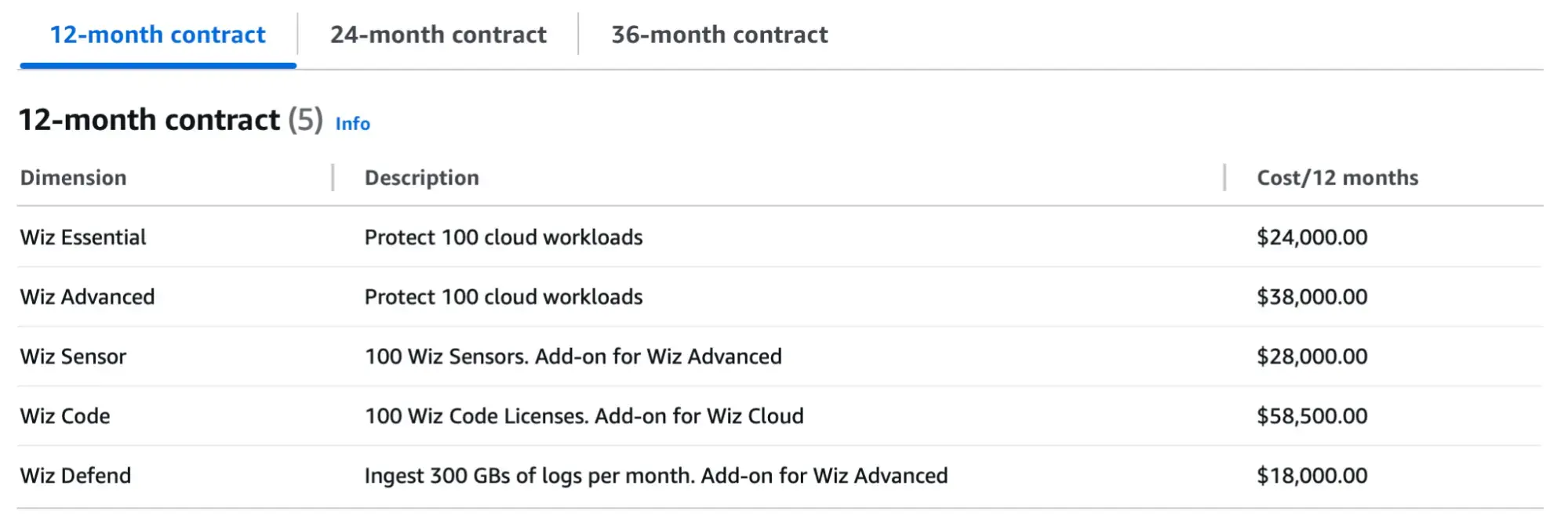
Source: AWS Marketplace
Wiz Essential: $24,000/year (100 workloads)
Wiz Advanced: $38,000/year (100 workloads)
Actual pricing depends on workload volume and subscription tier.
Wiz ratings & reviews
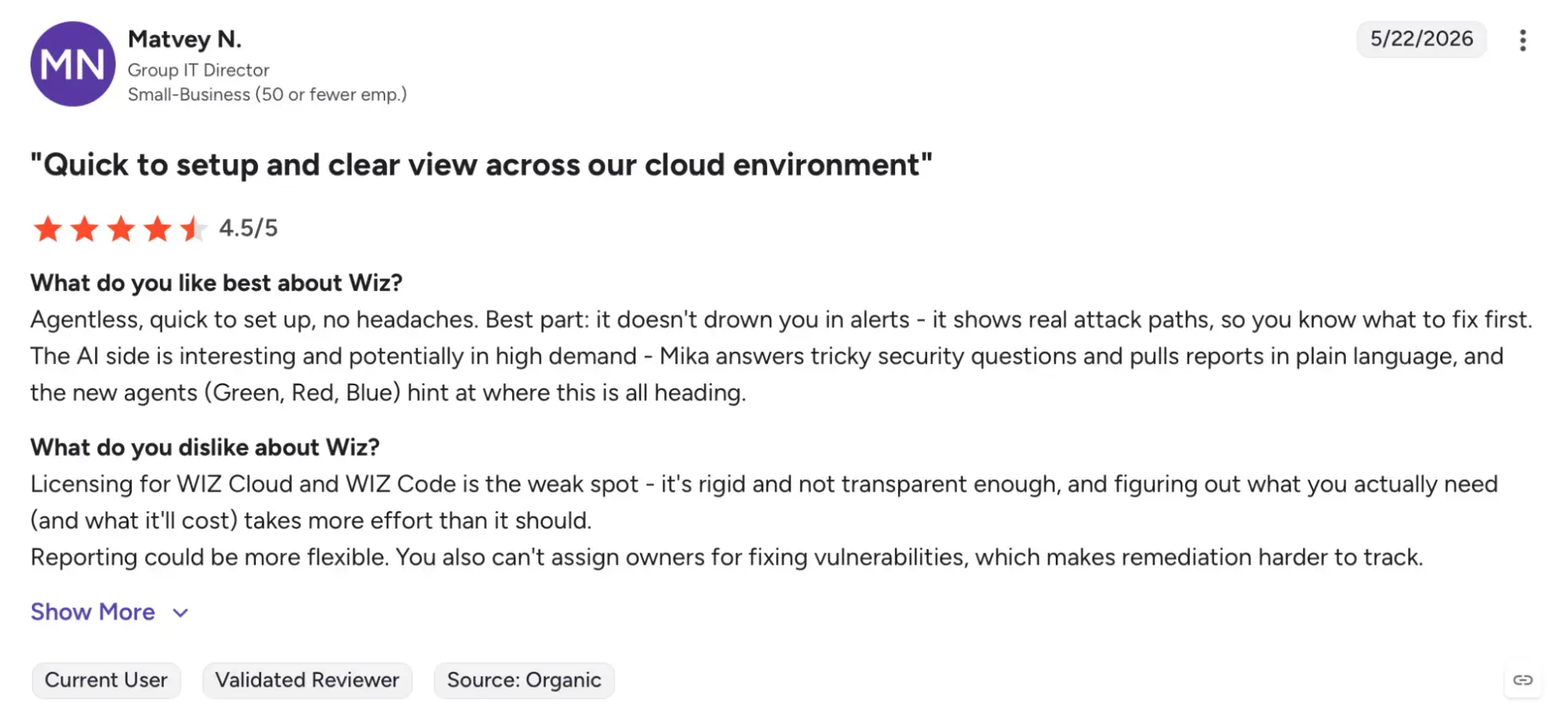
G2 rating: 4.7/5 (based on 794 reviews)
Wiz has an average rating of 4.7 out of 5 from hundreds of verified users. Reviewers consistently praise its agentless design and accuracy in identifying misconfigurations within GCP environments. A few note that while it excels in visibility and scale, tuning alerts is important to prevent noise in large deployments.
GCP security tools for application security / DAST
Applications and APIs hosted on GCP require ongoing security testing to detect vulnerabilities before attackers exploit them. Dynamic Application Security Testing (DAST) solutions simulate real attacks against running web apps and APIs, revealing potential weaknesses in authentication, logic, or configuration. Integrating DAST into GCP CI/CD pipelines enables automated security validation during development.
Beagle Security
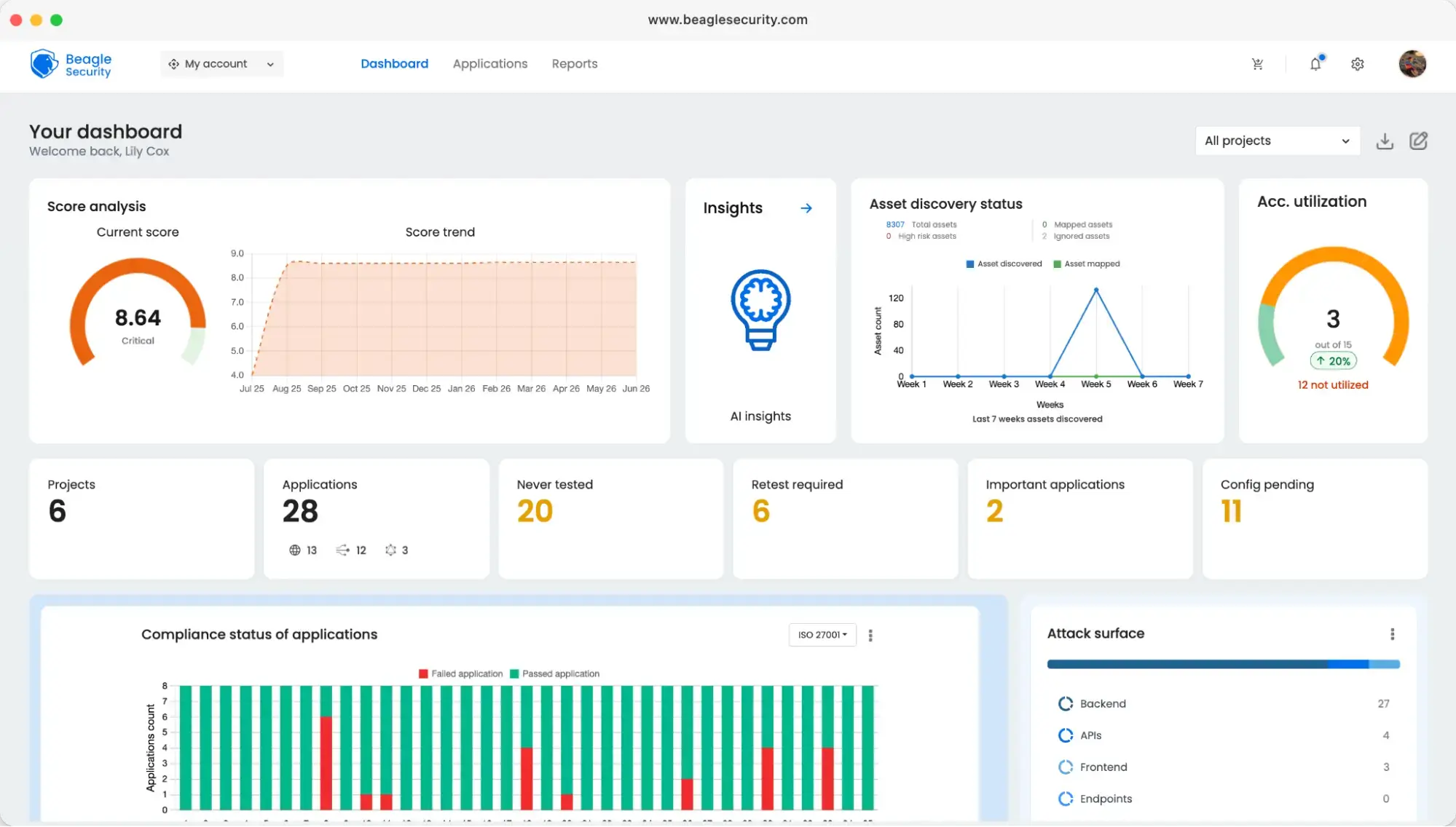
Beagle Security provides agentic AI penetration testingtailored for web applications and APIs hosted on GCP. It supports Google Cloud Build, Cloud Deploy, and Cloud Code, enabling automated testing workflows for teams following DevSecOps principles. The platform runs simulated attacks on live GCP environments, identifies exploitable vulnerabilities, and provides actionable remediation guidance.
Key features
Automated DAST for GCP-hosted web apps and APIs.
Integration with Cloud Build and Cloud Deploy for continuous testing.
AI-driven vulnerability validation and zero false positive assurance.
Reports aligned with OWASP Top 10 and ISO 27001 frameworks.
Dashboard insights for security trend monitoring.
Pros
Excellent fit for GCP DevOps pipelines.
User-friendly automation and detailed remediation reporting.
Strong support for API-first architectures.
Good value for mid-sized GCP workloads.
Shortcomings / considerations
Focused on application layer only; no container or infra scanning.
May require additional configuration for multi-region testing.
Beagle Security pricing
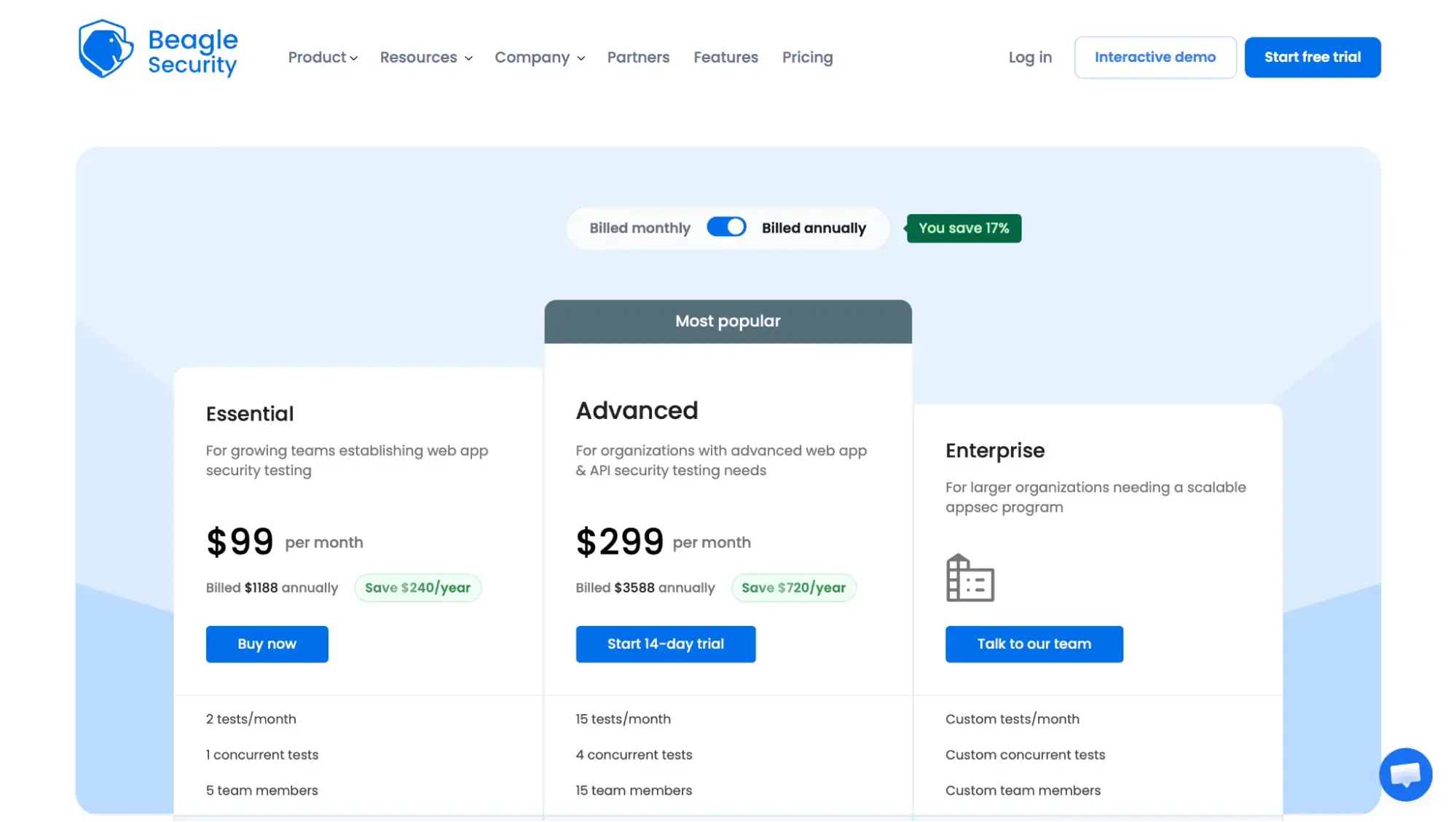
Essential plan: $1,188/year (2 tests per month)
Advanced plan: $3,588/year
Enterprise plans: Starting at $6,850/year
Beagle Security ratings & reviews
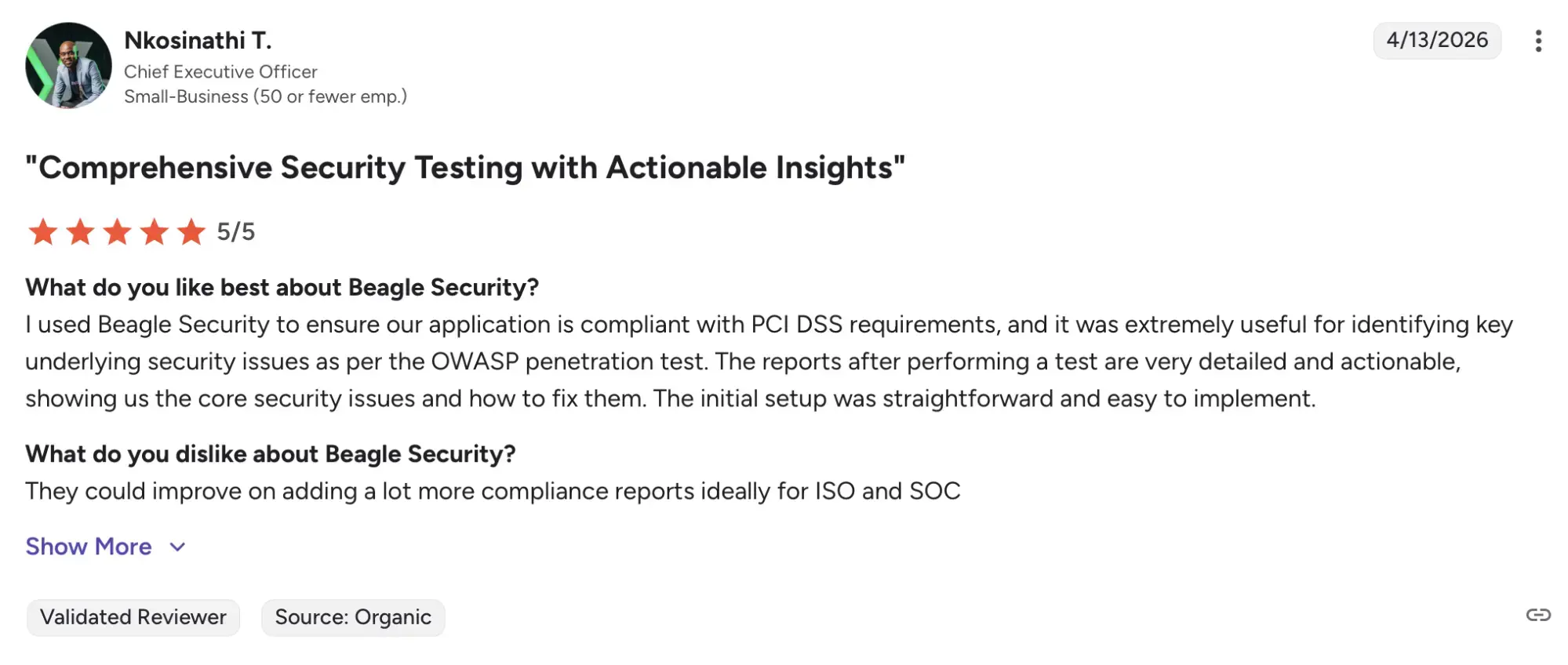
G2 rating: 4.7/5 (based on 88 reviews)
Beagle Security holds a G2 rating of 4.7 out of 5 from verified users. Feedback highlights its intuitive interface, GCP pipeline compatibility, and time-saving automation. Reviewers also appreciate its detailed API vulnerability insights and the accuracy of AI-driven testing. Some suggest expanding integrations beyond standard GCP services for broader enterprise use.
GCP security tools for network security
Network security forms the first layer of defense in Google Cloud, safeguarding workloads from DDoS attacks and unauthorized access. GCP provides built-in edge protection and customizable rules through Cloud Armor, which integrates directly with Google Cloud Load Balancing and Cloud CDN.
Google Cloud Armor
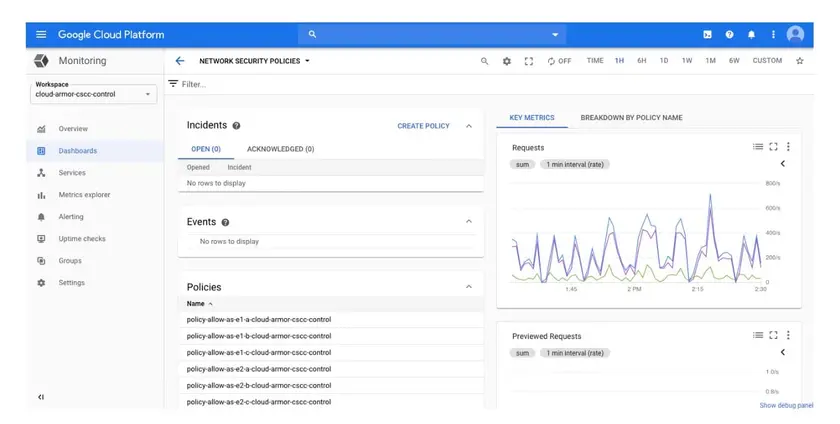
Google Cloud Armor is Google’s managed DDoS protection and web application firewall service. It automatically protects applications deployed on GCP against volumetric, protocol, and application-layer attacks. The service combines edge-level filtering with custom security policies that teams can configure directly in the Google Cloud Console.
Key features
Layer 3–7 DDoS protection with Google’s global edge network.
Preconfigured WAF rules against common exploits.
Integration with Cloud Load Balancing and Cloud CDN.
Threat intelligence and adaptive filtering via machine learning.
Available Managed Protection Plus tier for enterprise coverage.
Pros
Native to GCP with minimal setup required.
Effective DDoS mitigation and edge filtering.
Integrated with Cloud Monitoring and Logging for visibility.
Free baseline protection for all projects.
Shortcomings / considerations
Managed Protection Plus adds cost for smaller workloads.
Primarily network-layer protection; not focused on app logic.
Google Cloud Armor pricing
Standard tier: Free baseline protection
Managed Protection Plus: $3,000/month plus $30 per resource beyond the first 100.
Google Cloud Armor ratings & reviews
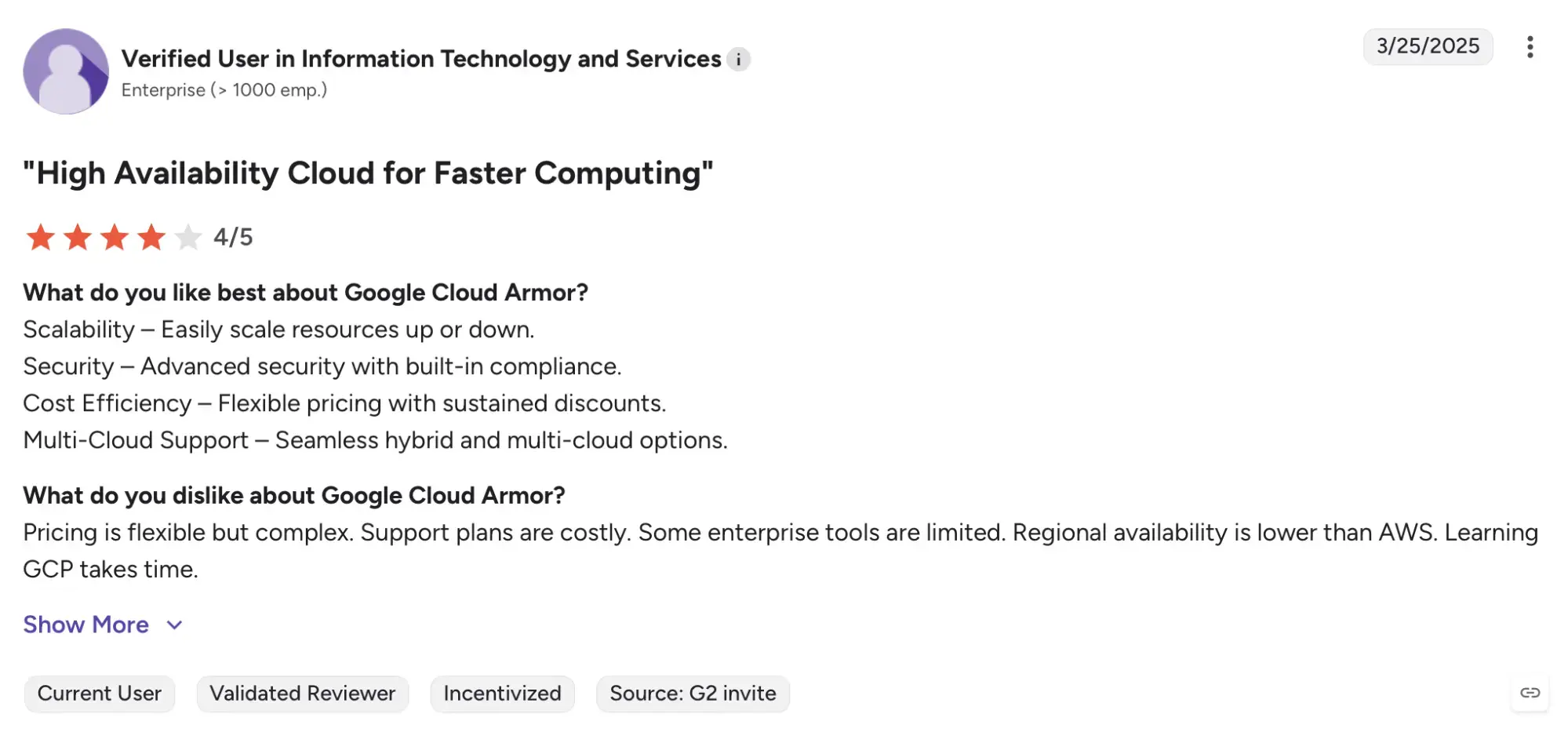
G2 rating: 4/5 (based on 23 reviews)
Google Cloud Armor receives consistent positive feedback across customer forums and review platforms for its ease of use and strong default protection. Users appreciate that standard protection is included by default in GCP while noting that the advanced tier offers enterprise-grade visibility and support at additional cost.
Data protection tools for GCP security
Protecting sensitive data stored in GCP is critical for compliance and privacy. Google Cloud Key Management Service (KMS) helps organizations manage encryption keys and protect data across workloads, databases, and storage buckets. It ensures data remains encrypted both at rest and in transit.
Google Cloud Key Management Service (KMS)
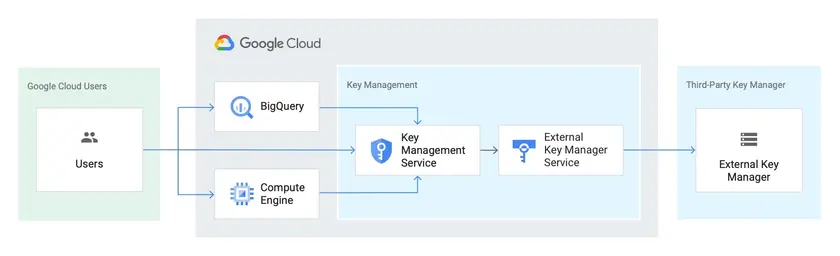
Google Cloud KMS provides centralized control over cryptographic keys used by GCP services and applications. It integrates directly with BigQuery, Cloud Storage, and Compute Engine to encrypt data using customer-managed or Google-managed keys. It supports automatic rotation, audit logging, and FIPS 140-2 validation for compliance.
Key features
Centralized key creation, import, and management.
Integration with GCP storage and compute services.
Automated key rotation and usage audit logging.
Hardware and software key protection with FIPS validation.
Customer-managed and externally hosted keys supported.
Pros
Fully integrated with GCP workloads and APIs.
Compliance-ready encryption for enterprise use.
Scalable for large data volumes and projects.
Shortcomings / considerations
Costs increase with key usage and active versions
Primarily designed for data protection, not data discovery
Google KMS pricing
$0.06 per active key version per month
$0.03 per 10,000 key operations
Google KMS ratings & reviews
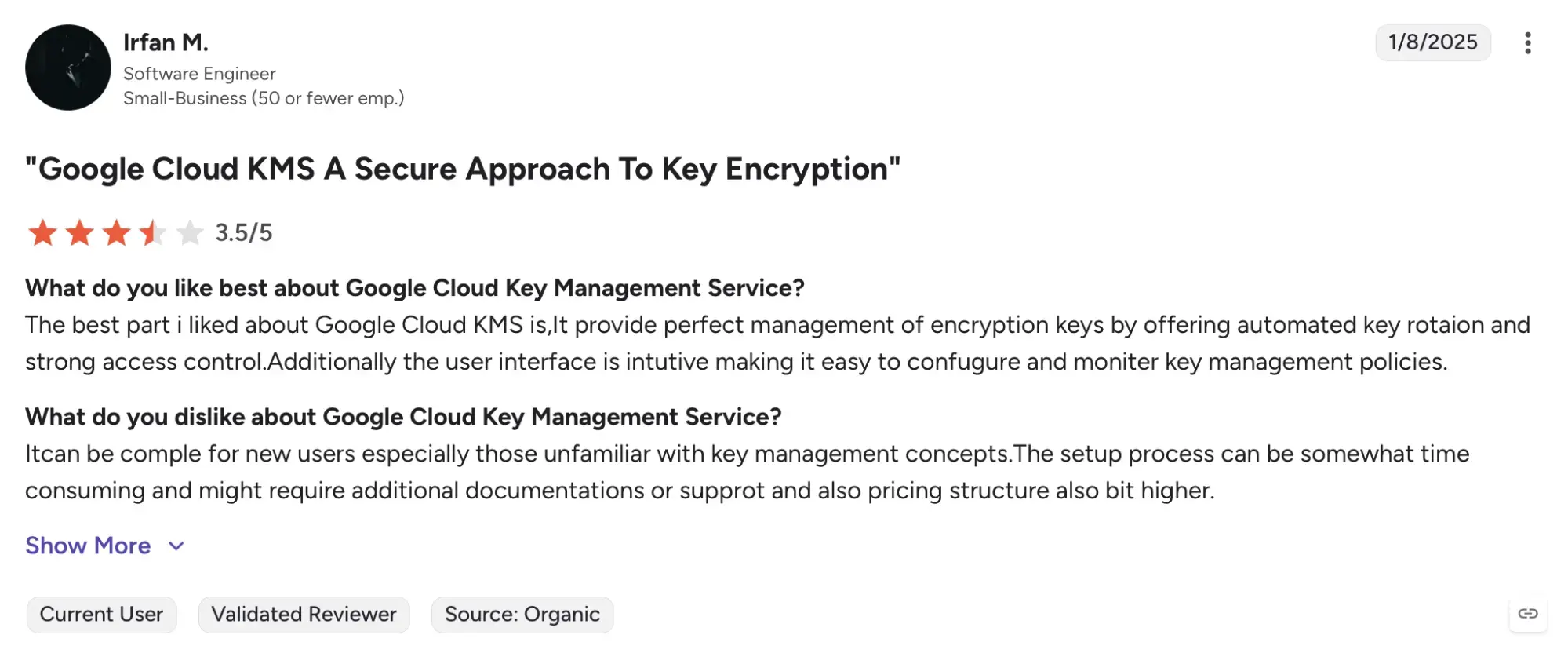
G2 rating: 4.6/5 (based on 17 reviews)
Google Cloud KMS is highly regarded among GCP administrators for its simplicity and integration depth. While official G2 data is limited, users highlight its reliability for meeting encryption and compliance requirements. Some mention that fine grained permission management is essential when operating across multi-team environments.
GCP tools for IAM
Identity and access management underpins all GCP security. Cloud Identity extends enterprise identity management with features like single sign-on, user lifecycle control, and multi-factor authentication. It integrates natively across Google Workspace and GCP for unified access governance.
Cloud Identity
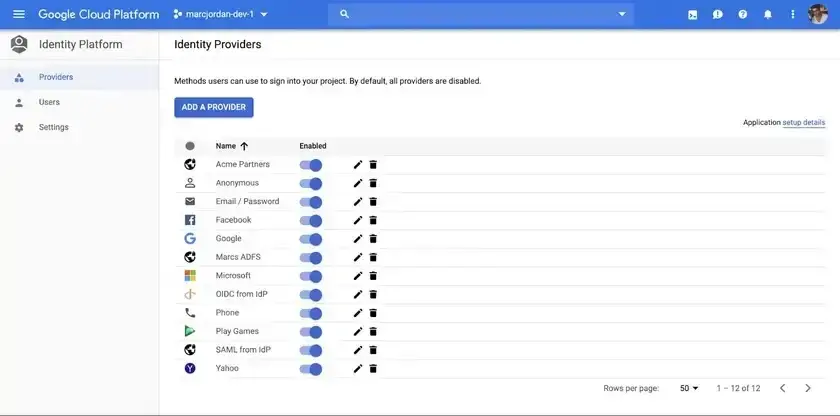
Cloud Identity offers a unified identity solution that manages user access across Google Cloud services. It simplifies identity provisioning, enables centralized SSO, and provides granular access controls for GCP resources. The platform ensures that only authorized users can access cloud assets and integrates seamlessly with existing enterprise directories.
Key features
Centralized SSO and user lifecycle management.
Integration with Google Workspace and GCP IAM.
Built-in multi-factor authentication and device management.
Security reports and suspicious login alerts.
Pros
Free baseline edition for small organizations.
Deep integration with Google Workspace and GCP IAM.
Simple management through Google Admin Console.
Shortcomings / considerations
Premium features require subscription.
Limited customization compared to full IAM suites.
Cloud Identity pricing
Free edition available.
Premium edition available as add-on license.
Cloud Identity ratings & reviews
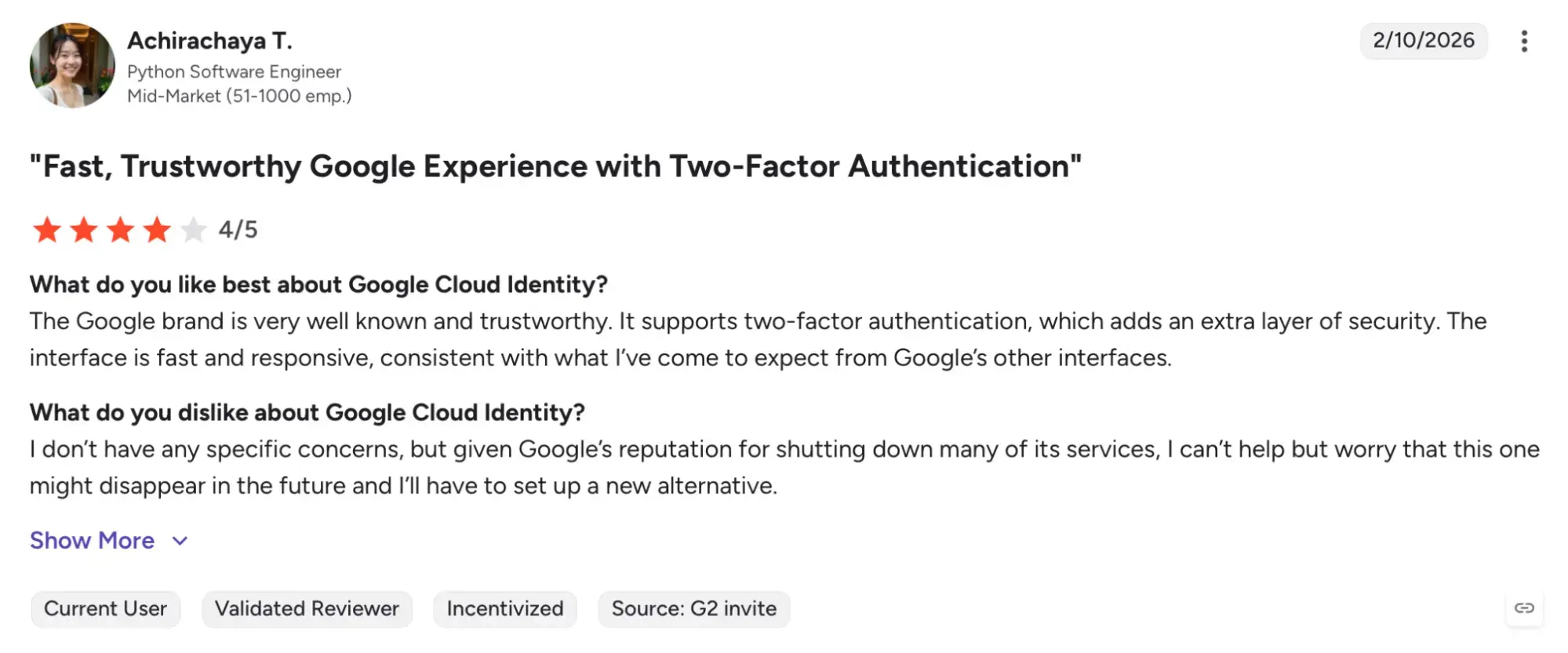
G2 rating: 4.3/5 (based on 33 reviews)
Cloud Identity receives positive community feedback for its integration simplicity and ease of deployment. Although formal G2 ratings are limited, IT administrators commend its streamlined SSO capabilities and policy enforcement within the GCP ecosystem.
GCP security tools for threat & response (TDR)
Real time detection and response help GCP customers identify and mitigate active threats before they escalate. Google Security Operations (formerly Chronicle SIEM)brings Google’s threat intelligence and scalable analytics to cloud-native security operations.
Google Security Operations (formerly Chronicle SIEM)
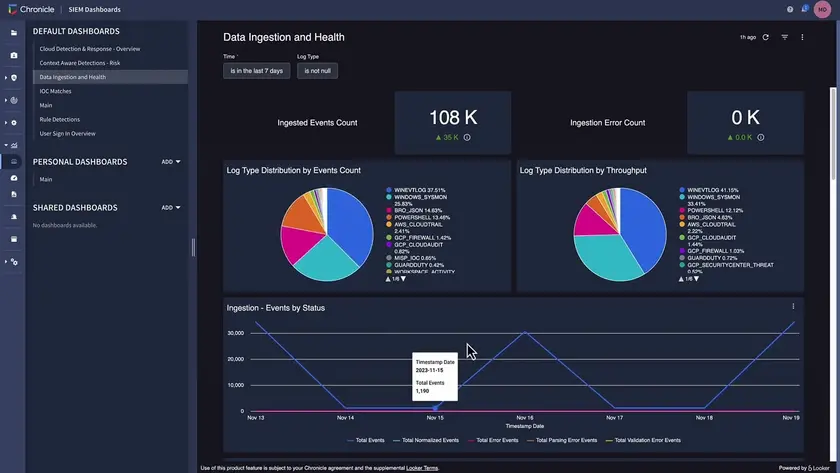
Google Security Operations (formerly Chronicle SIEM) is part of Google Cloud’s Security Operations suite, providing cloud-scale threat detection, investigation, and response. Built on Google’s infrastructure, it analyzes petabytes of data across logs, events, and telemetry to identify emerging threats and provide contextual insights.
Key features
Ingestion of logs from GCP, AWS, and on-prem environments.
Built-in threat detection rules and AI-driven correlation.
Integration with Google Security Command Center.
High-speed querying and investigation capabilities.
Long-term data retention and unified dashboard.
Pros
Scalable log ingestion and real-time analytics.
Strong correlation with Google Threat Intelligence data.
Ideal for large enterprises running on GCP.
Shortcomings / considerations
Requires customization to tailor detections.
Enterprise-level pricing limits accessibility for small teams.
Google Security Operations (formerly Chronicle SIEM) pricing
Custom pricing based on data ingestion and storage. Contact Google Cloud for enterprise pricing details.
Google Security Operations (formerly Chronicle SIEM) ratings & reviews
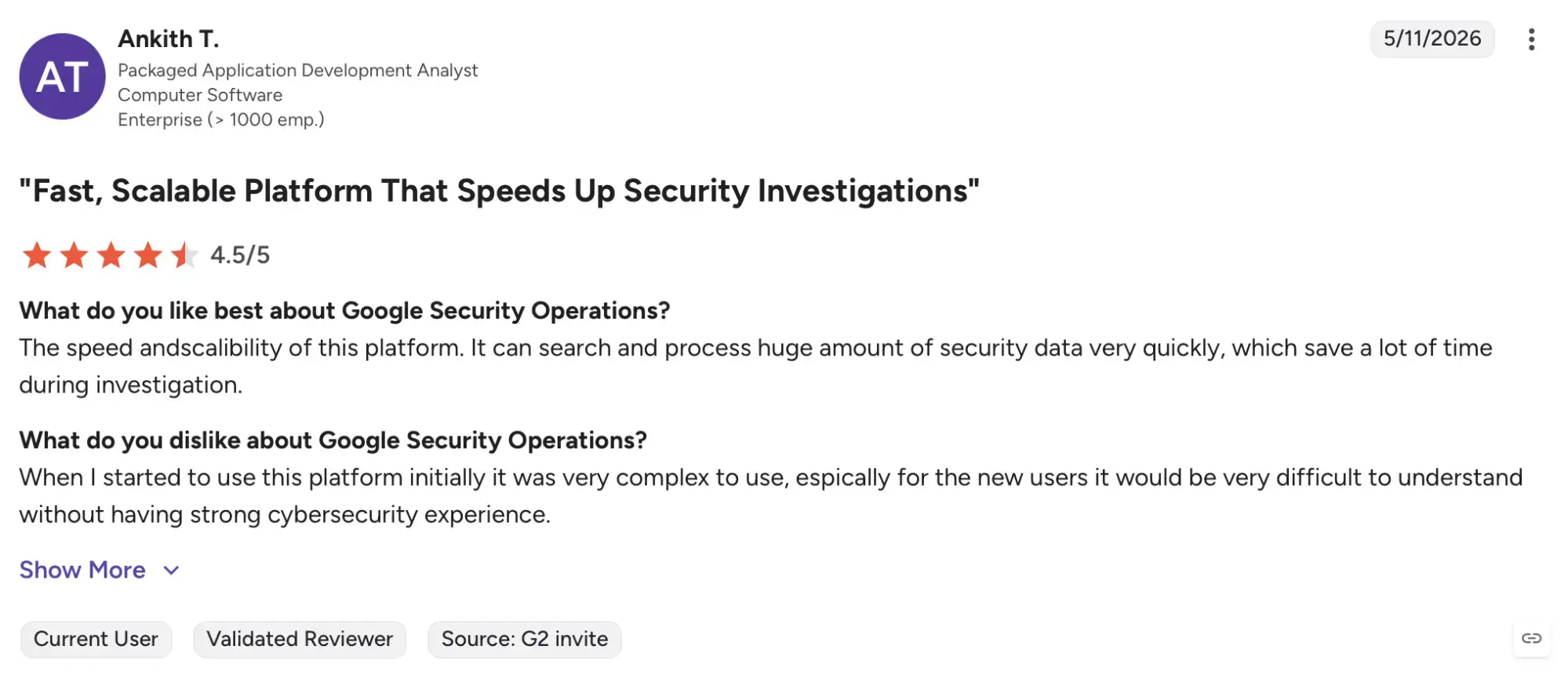
G2 rating: 4.4/5 (based on 54 reviews)
Users praise its speed, scalability, and ability to handle massive data volumes across hybrid environments. Some note that advanced customization is needed to maximize its detection potential in specific GCP configurations.
Top considerations when choosing GCP security tools
- Specific use case
Choose tools aligned with your organization’s security priorities. For example, Beagle Security strengthens application testing for GCP APIs, while Cloud KMS ensures compliant encryption for stored data.
- Integration
Prioritize tools that integrate natively with GCP services. Google’s own products like Cloud Armor and Google Security Operations integrate seamlessly through the Google Cloud Console and Security Command Center.
- Ease of use
Assess usability and learning curve. GCP native tools are familiar for teams using Google Workspace, while third-party options like Wiz and SentinelOne may offer deeper capabilities at the cost of added complexity.
- Reports & analytics
Look for solutions that integrate with Cloud Logging and Cloud Monitoring for unified visibility. Reporting should align with compliance frameworks such as ISO, PCI DSS, and GDPR.
- Support
GCP native tools include support under Google Cloud Support plans, while third-party vendors offer varying SLAs. Evaluate documentation quality and responsiveness.
- Budget
Understand pricing models. GCP native services often follow usage-based billing, while third-party tools use subscription or quote-based pricing. Factor scalability and multi-project environments into cost planning.
- Deployment options
Consider deployment flexibility. GCP native services activate instantly via console, while third party tools may require API connections or agents. Choose based on environment scale and governance needs.
Final thoughts
Securing workloads on Google Cloud Platform requires a comprehensive, layered strategy. GCP native tools like Cloud Armor, Cloud KMS, and Cloud Identity provide foundational coverage for network defense, encryption, and access control, while advanced solutions such as Wiz and SentinelOne add cross-environment visibility and runtime protection.
Each organization’s ideal mix depends on its workload distribution, compliance obligations, and operational scale. Enterprises with modern CI/CD pipelines can benefit from integrating Beagle Security for continuous application and API testing, while teams handling sensitive data may prioritize KMS and Chronicle SIEM for encryption and detection.
Building a resilient GCP security stack begins with understanding your risks and selecting the right combination of native and partner tools to achieve both visibility and control. For organizations seeking deep application security integrated into their Google Cloud workflows, Beagle Security offers a practical and developer-friendly way to strengthen your GCP security posture.
FAQs
What is the biggest security mistake organizations make in Google Cloud?
Many organizations focus on protecting workloads while overlooking identity and access management. Excessive permissions, unused service accounts, and misconfigured IAM policies remain some of the most common causes of cloud security incidents.
How many security tools does a typical GCP environment need?
There is no fixed number. Most organizations use a combination of cloud posture management, vulnerability management, application security testing, logging, and threat detection. The exact mix depends on the size of the environment and compliance requirements.
How do organizations measure the effectiveness of their GCP security tools?
Common metrics include reduction in misconfigurations, remediation time for security findings, vulnerability trends, compliance status, incident frequency, and overall visibility into cloud assets and risks.


![Top ZAP alternatives and competitors [October 2026]](/blog/images/top-zap-alternatives-cover.webp "Top ZAP alternatives and competitors [October 2026]")




![Top 10 penetration testing companies [2026]](/blog/images/top-penetration-testing-companies-cover.webp "Top 10 penetration testing companies [2026]")




![Top vendor application security tools [2026]](/blog/images/top-vendor-application-security-testing-tools-2026-cover.webp "Top vendor application security tools [2026]")



![Top Snyk alternatives & competitors [2026]](/blog/images/top-snyk-alternatives-cover.webp "Top Snyk alternatives & competitors [2026]")