What to look for in an application security dashboard

Run enough security scans and you’ll quickly end up with hundreds, or even thousands of findings.
At first glance, that sounds like useful information. In reality, it’s often the opposite. A long list of vulnerabilities tells you what’s wrong, but it doesn’t tell you where to start, what’s changed since the last scan, or whether your security posture is actually improving and that’s exactly where an application security dashboard earns its place.
A good dashboard doesn’t replace detailed scan results. It helps you make sense of them. Instead of forcing you to dig through individual findings, it surfaces the information that matters most like what needs attention now, how risk is changing over time, and where your applications stand against the security and compliance requirements your organization cares about.
In this article, we’ll look at the key things every application security dashboard should provide and how those insights help security and engineering teams make faster, better informed decisions.
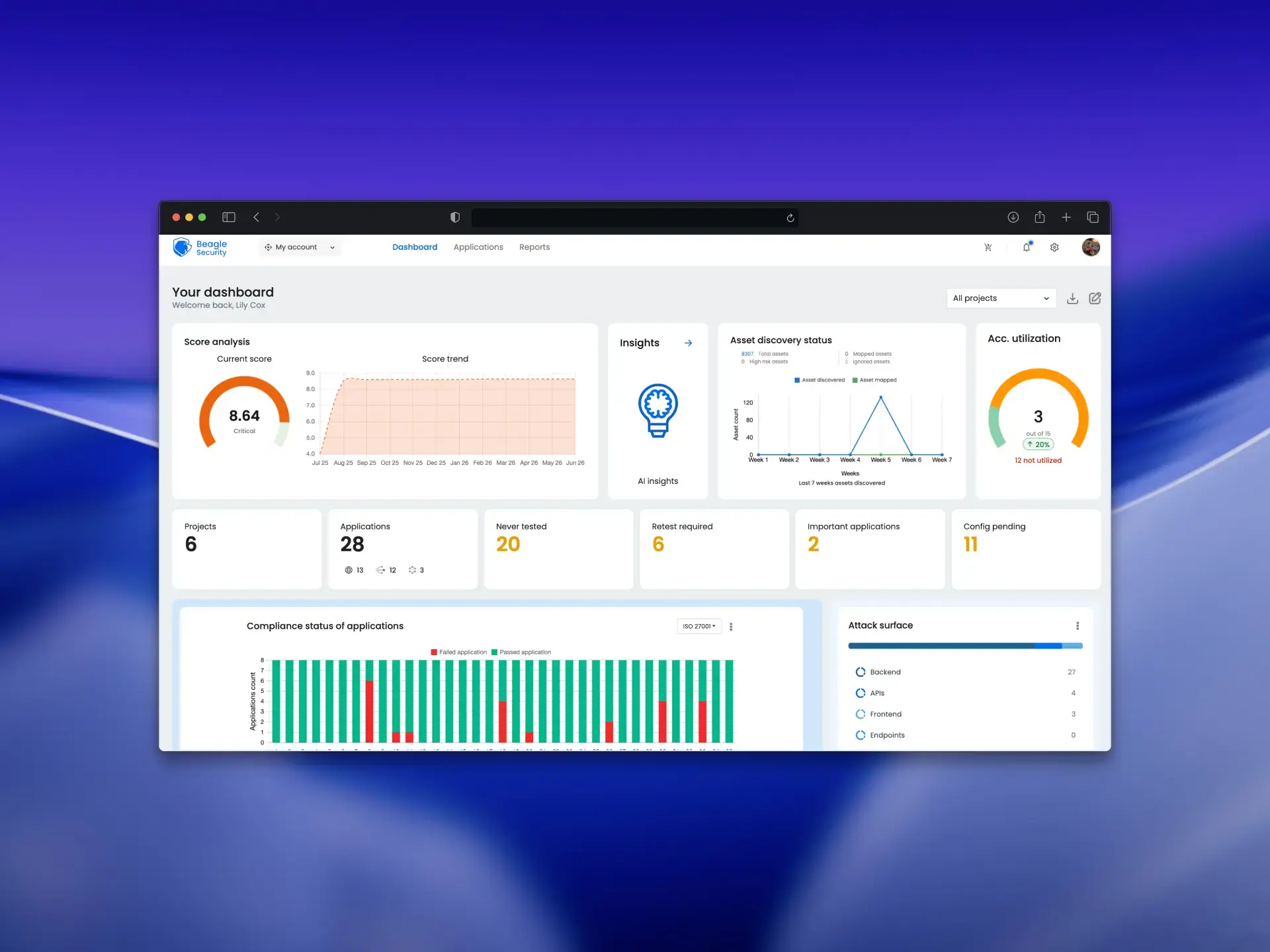
Why a list of vulnerabilities isn’t a dashboard
Every security tool can produce a list of vulnerabilities. The real question is whether that list actually helps you make decisions.
A spreadsheet or scan report with hundreds of findings tells you what was discovered, but it doesn’t tell you what deserves immediate attention, whether risk is increasing or decreasing, or how your team is progressing with remediation. As applications grow, simply adding more findings to the list doesn’t make it more useful, it just makes it harder to prioritize.
A good application security dashboard turns raw findings into an organized, actionable view. Instead of forcing you to review every vulnerability individually, it groups and summarizes information so you can quickly identify where the biggest risks are, what has changed since the last scan, and which issues need attention first.
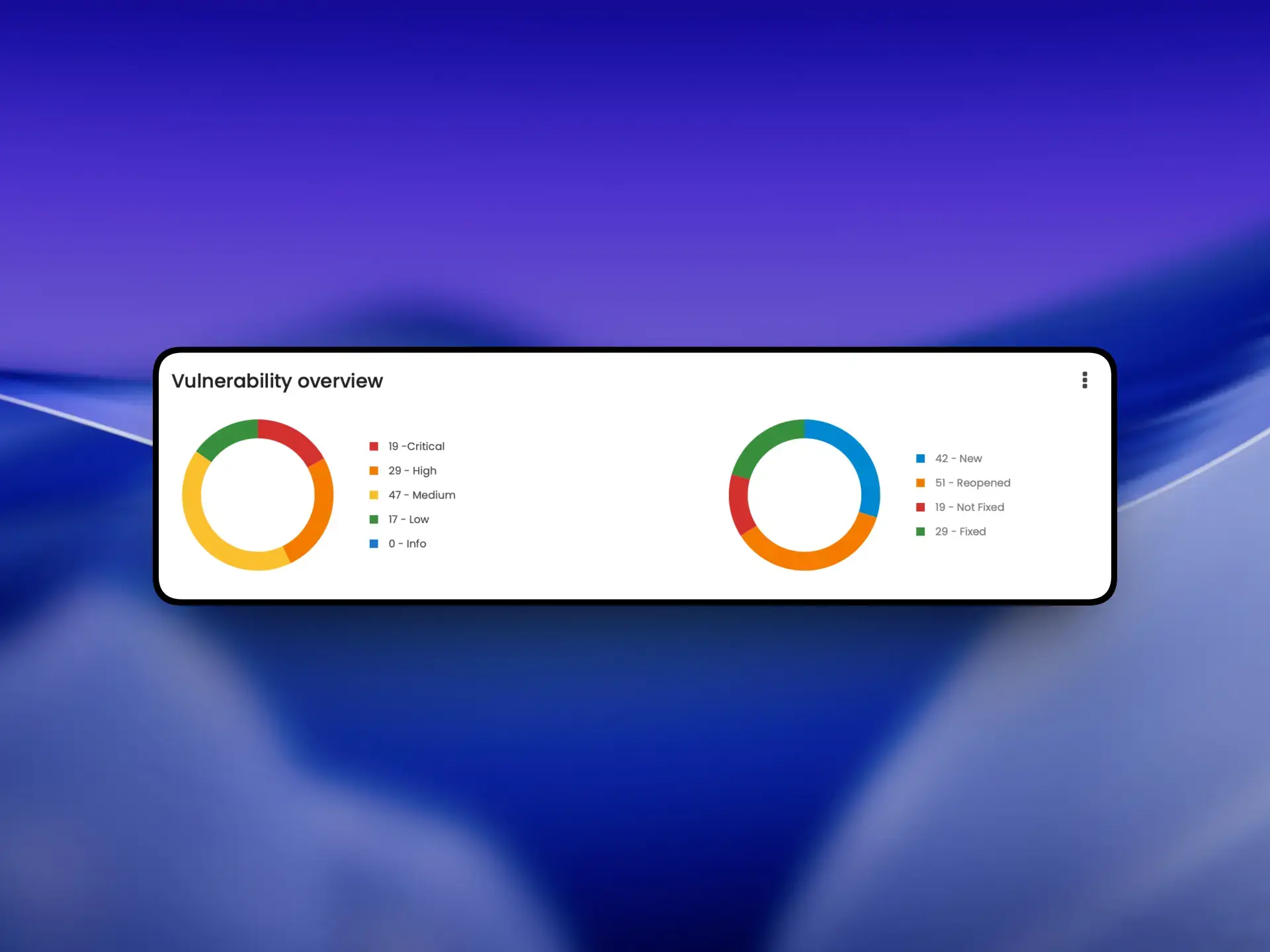
For example, a dashboard should make it easy to see how vulnerabilities are distributed by severity, which applications require attention, and whether any assets have been missed during testing. Beagle Security’s Vulnerability overview widget shows exactly this. What this does is, instead of presenting hundreds of findings in a single list, it organizes security information into a view that helps teams prioritize their next steps.
What the dashboard should surface at a glance
An application security dashboard should answer the questions your team asks every day without requiring you to dig through multiple reports or scan results. The goal is to quickly understand where your biggest risks are, what needs attention, and whether all your applications are being monitored.
One of the first things the dashboard should show is the overall state of your environment. Teams should be able to see how many applications are being managed, which ones require attention, and whether there are any gaps in testing or configuration.
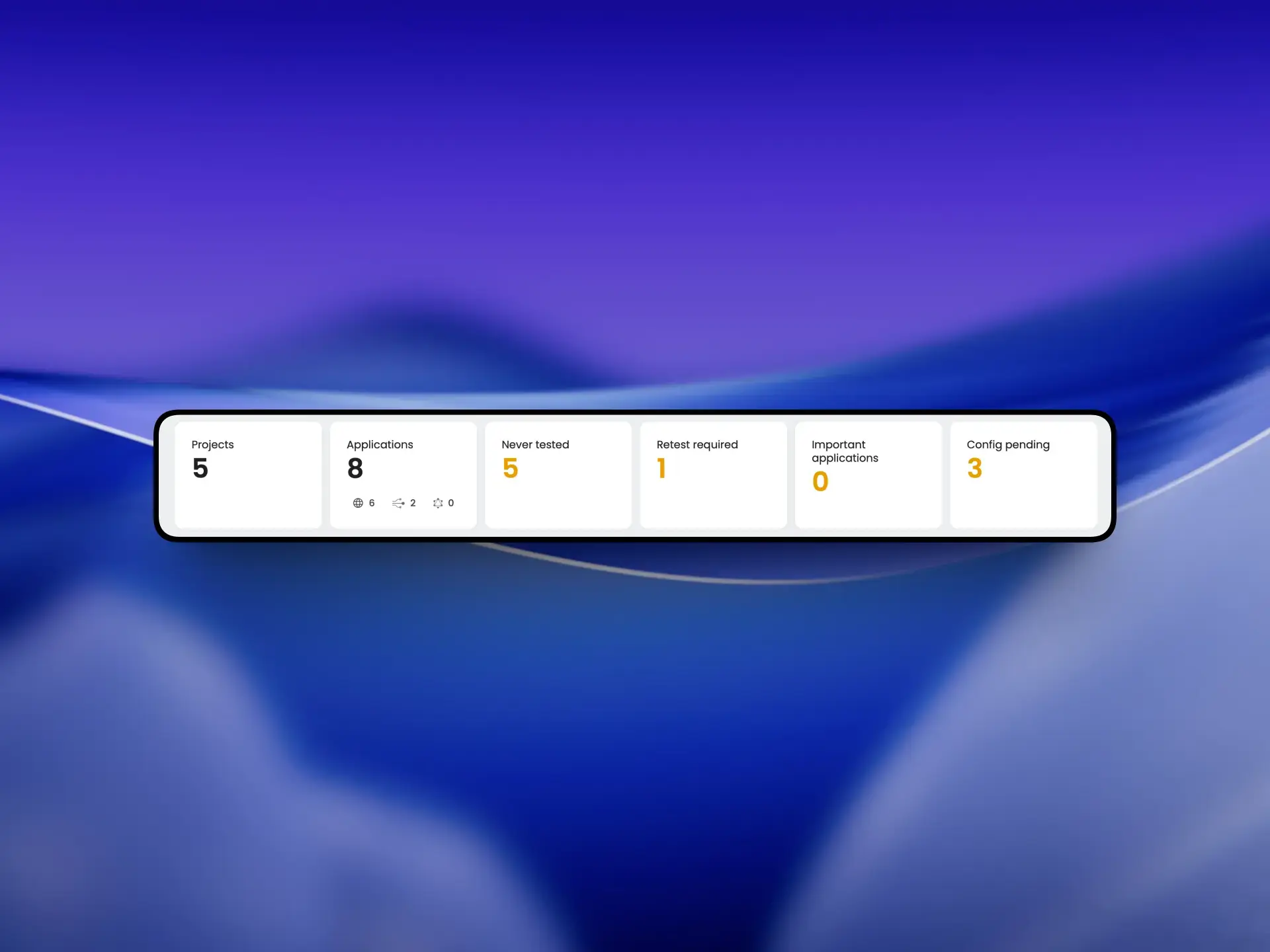
For example, Beagle Security’s Projects, Applications, Never tested, Retest required, Important applications, and ** Config pending** widgets provide an at-a-glance summary of your security program. Together, they help identify applications that haven’t been assessed, those that need to be retested, and projects that require immediate attention, allowing teams to prioritize their next actions.
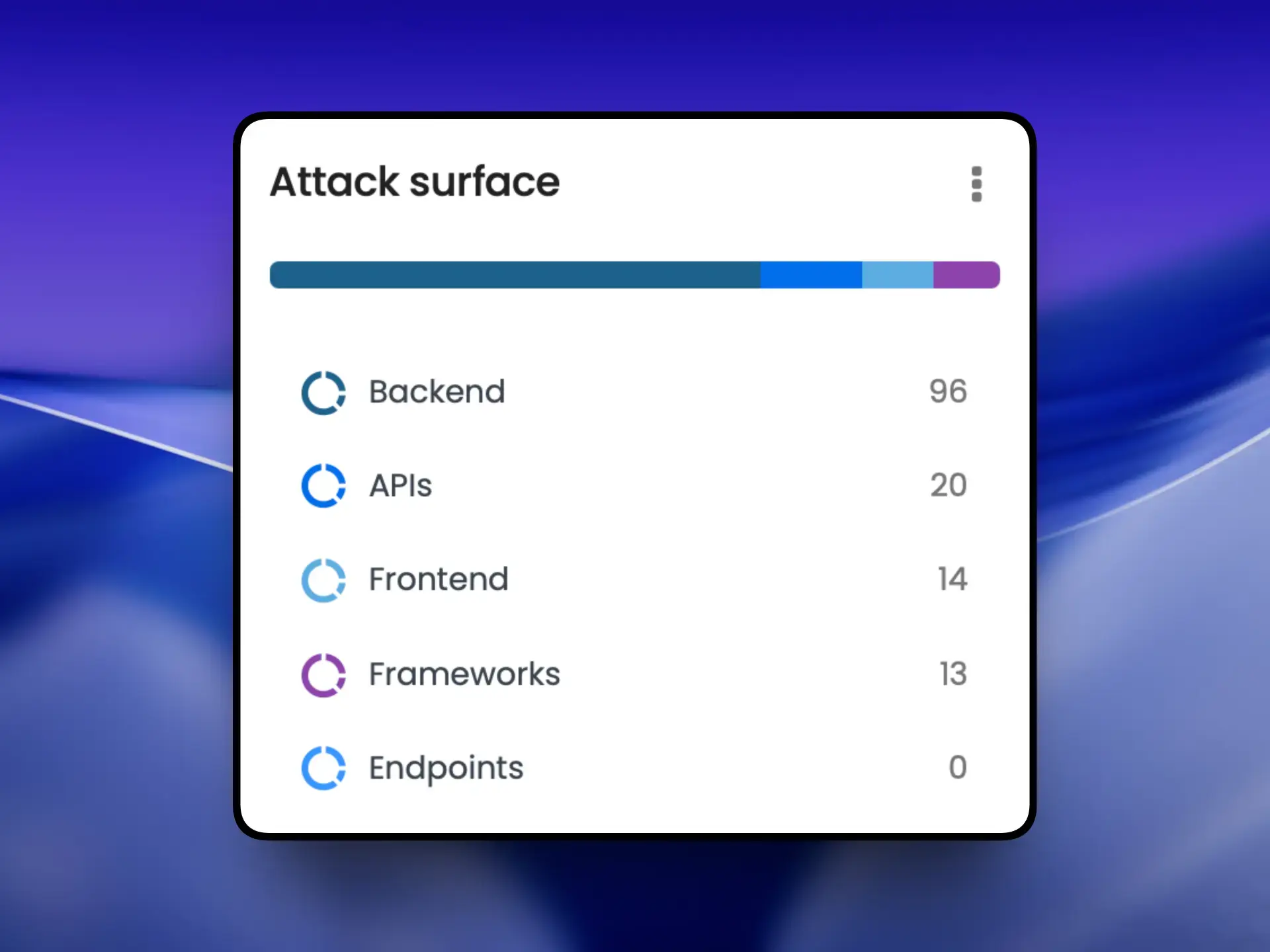
The dashboard should also provide visibility into the organization’s attack surface. As modern applications span web frontends, APIs, backends, and other exposed assets, security teams need a clear understanding of what is being monitored. Beagle Security’s Attack surface widget summarizes the different components that make up the application’s attack surface, helping teams quickly understand the scope of assets included in their security testing.
Tracking change over time
A single penetration test tells you where your application stands today meanwhile a good application security dashboard tells you whether your security posture is improving over time.
This is especially important for teams that release software frequently. After each release, new features, code changes, and infrastructure updates can introduce new vulnerabilities while existing ones are being fixed. Looking at a single scan in isolation makes it difficult to understand whether you’re making meaningful progress or simply replacing one set of issues with another.
That’s why a dashboard should include historical views that show how your security posture changes from one release to the next. Instead of asking, “What did we find today?”, teams can answer questions like, “Are we reducing our overall risk?” or “Are we fixing vulnerabilities faster than we’re introducing them?”
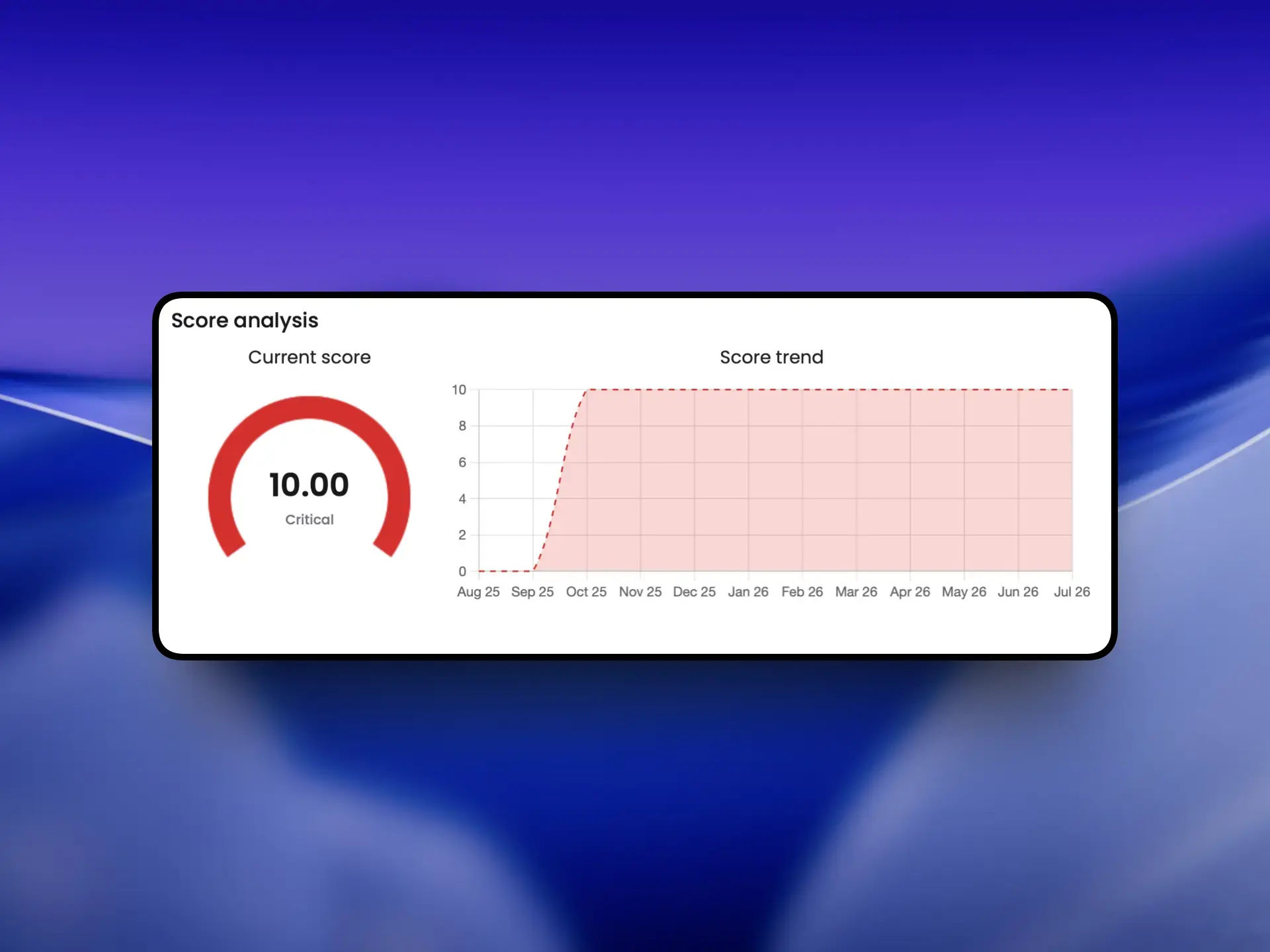
For example, Beagle Security’s Score analysis widget helps teams track how their overall security score changes over time, making it easy to measure progress across multiple test sessions.
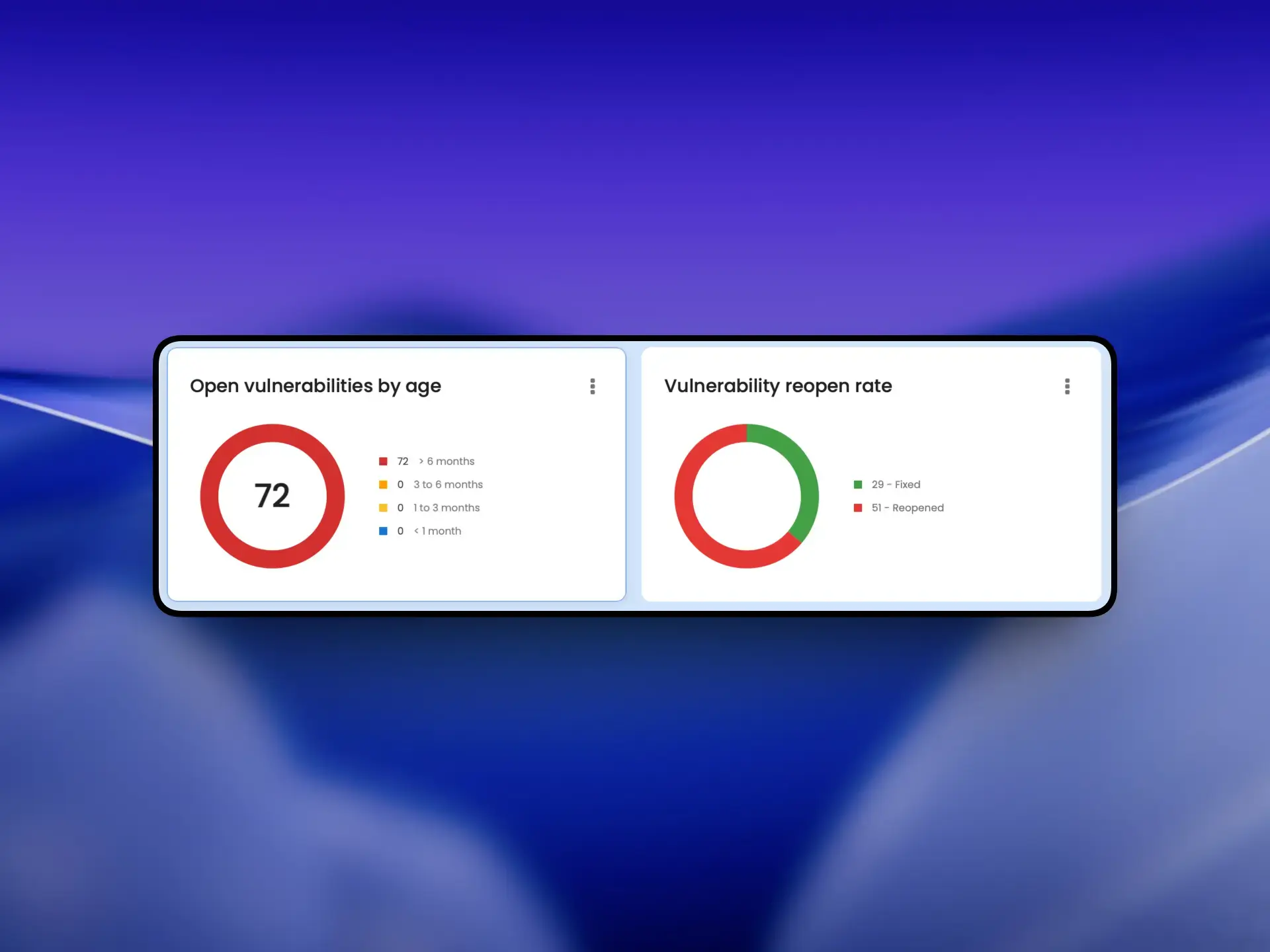
The Open vulnerabilities by age widget highlights vulnerabilities that have remained unresolved for extended periods, while the Vulnerability reopen rate widget helps identify issues that continue to reappear after remediation. Together, these widgets provide a clearer picture of long-term security posture rather than a single scan snapshot.
Compliance visibility
Finding vulnerabilities is only half the job. The other half is knowing what they mean for the audit you have coming up.
Without a centralized view, preparing for an audit often means reviewing individual scan results and manually mapping findings to different compliance frameworks. As applications grow and testing becomes more frequent, that process quickly becomes difficult to manage.
A good application security dashboard simplifies this by giving teams visibility into where they stand against frameworks such as SOC 2, HIPAA, PCI DSS, ISO 27001, and GDPR. Instead of digging through individual findings, teams can quickly identify compliance gaps, prioritize remediation efforts, and track progress as they work toward meeting their security and regulatory requirements.
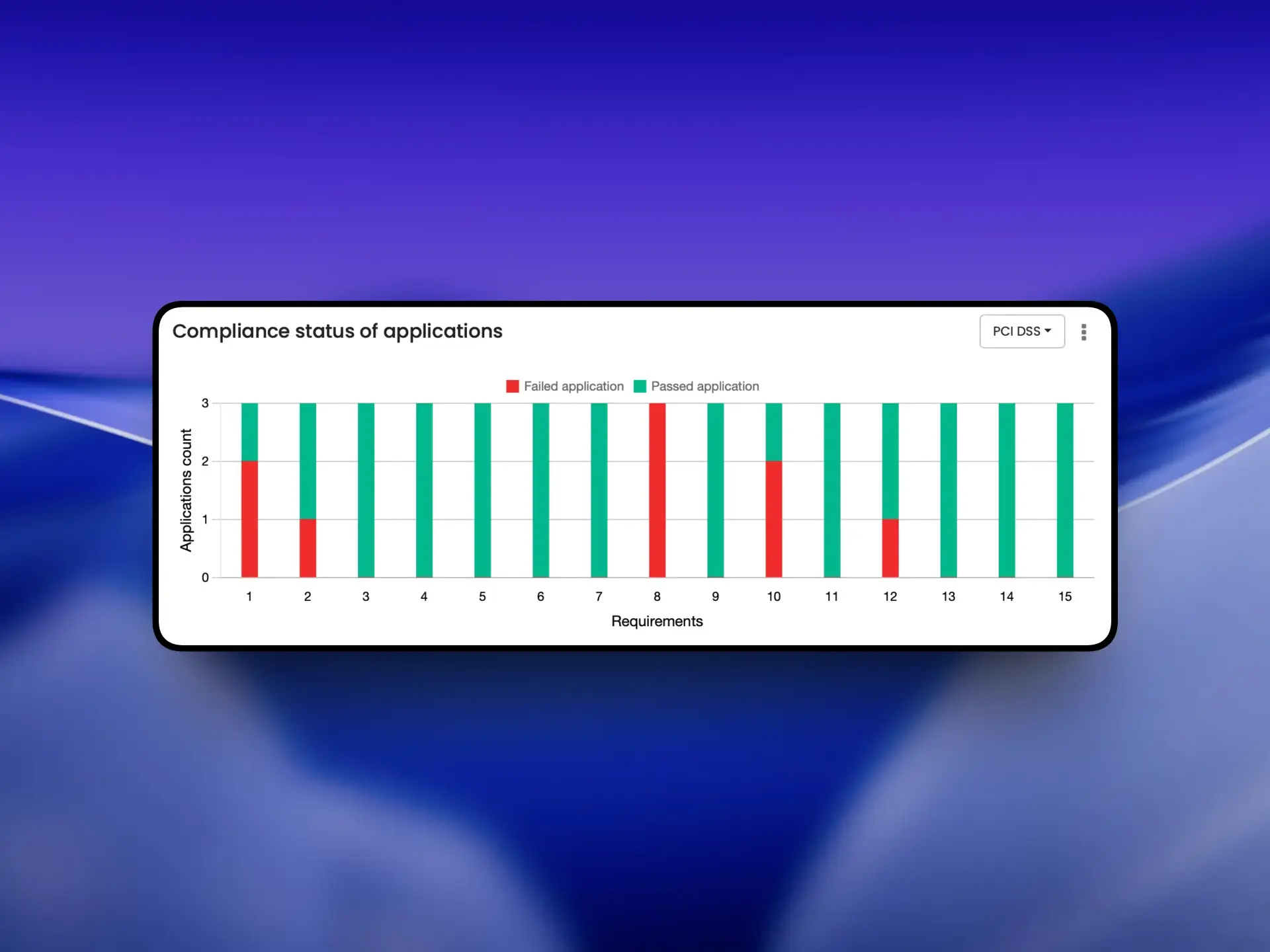
For example, Beagle Security’s Compliance status of applications widget provides a framework-specific view of your applications’ compliance status. By selecting frameworks such as HIPAA, PCI DSS or ISO 27001, teams can see how many applications have passed or failed individual compliance requirements, making it easier to identify gaps, prioritize remediation, and track progress toward meeting regulatory requirements.
Having this visibility also makes it easier for security, engineering, and compliance teams to work together. Everyone has access to the same high-level view, making audit preparation and compliance reporting more efficient.
Bringing it all together
A dashboard is only as useful as the decisions it helps you make faster.
When evaluating a dashboard, don’t just look at how much data it presents. Look at how well it helps your team answer everyday questions, make faster decisions, and focus remediation efforts where they’ll have the greatest impact.
The easiest way to judge a dashboard is to actually use one. Start a free trial, run a scan, and see whether the widgets answer the questions you’d actually ask.
FAQs
What should an application security dashboard include?
A good application security dashboard should provide more than a list of vulnerabilities. It should include a severity breakdown, asset coverage, scan status, historical security trends, and compliance visibility to help teams prioritize remediation and monitor their overall security posture.
How do application security dashboards help prioritize vulnerabilities?
Application security dashboards organize vulnerabilities by severity, age, and remediation status, allowing security and development teams to focus on the issues that pose the greatest risk instead of reviewing every finding individually.
Why is a dashboard better than a vulnerability report?
A vulnerability report shows individual findings from a single scan, while a dashboard organizes those findings into actionable insights. It helps teams understand risk, track remediation progress, monitor long-term security trends, and identify which applications require immediate attention.


![Top ZAP alternatives and competitors [October 2026]](/blog/images/top-zap-alternatives-cover.webp "Top ZAP alternatives and competitors [October 2026]")




![Top 10 penetration testing companies [2026]](/blog/images/top-penetration-testing-companies-cover.webp "Top 10 penetration testing companies [2026]")



![Top vendor application security tools [2026]](/blog/images/top-vendor-application-security-testing-tools-2026-cover.webp "Top vendor application security tools [2026]")



![Top Snyk alternatives & competitors [2026]](/blog/images/top-snyk-alternatives-cover.webp "Top Snyk alternatives & competitors [2026]")