How to test API security?

APIs are the invisible backbone of today’s digital infrastructure. From online banking and healthcare systems to e-commerce and SaaS platforms, APIs enable seamless communication between systems. But with this connectivity comes growing risk. In 2024 alone, over 80% of web traffic was API-based, and API attacks increased by more than 250%, according to multiple security reports. Attackers now focus on exploiting weak or misconfigured APIs to gain unauthorized access, exfiltrate sensitive data, or manipulate business logic.
As organizations continue to expand their API ecosystems, testing API security has become essential to safeguarding data, maintaining compliance, and preserving customer trust. API vulnerabilities can expose personally identifiable information (PII), financial data, and internal system logic to attackers. Yet many development teams still lack proper visibility into how their APIs are secured.
In this guide, we will walk through how to test API security effectively using Beagle Security. You’ll learn why API security testing is critical, how to configure different testing options, and how to analyze your results to strengthen your organization’s security posture.
Why is it important to test the security of APIs
Rapidly growing API vulnerabilities: APIs are among the top attack vectors in 2025, with misconfigured authentication, weak authorization, and exposed endpoints among the most exploited vulnerabilities.
Severe business impact: API breaches often lead to large-scale data leaks, brand damage, and regulatory penalties. The average cost of an API-related breach now exceeds $4.5 million USD.
Compliance requirements: Frameworks like PCI DSS, HIPAA, and ISO 27001 all require organizations to perform regular security assessments on APIs handling sensitive data.
Different from web application security: Unlike traditional web testing, API security testing focuses on logic flaws, endpoint-level vulnerabilities, and data exposure in stateless communications.
Modern architecture complexity: The rise of microservices, cloud-native deployments, and multi-environment APIs introduces new risks such as insecure inter-service communication and mismanaged authentication tokens.
How to test API security using Beagle Security
Beagle Security provides a comprehensive API testing capability that simulates real-world attacks to identify authentication flaws, data exposure, and business logic vulnerabilities. The platform’s flexible configuration options make it suitable for teams of all sizes and technical maturity levels.
Getting started
To begin testing your APIs, follow these steps to set up your application in Beagle Security:
- Navigate to the Applications section in your Beagle Security dashboard.
- Click New to create a new application.
- Select API as the application type. This is the key distinction from web applications.
- Enter the required details:
- Application name
- Base URL or endpoint
- Description (optional)
- Complete domain verification as prompted.
- Click Create to finalize the setup.
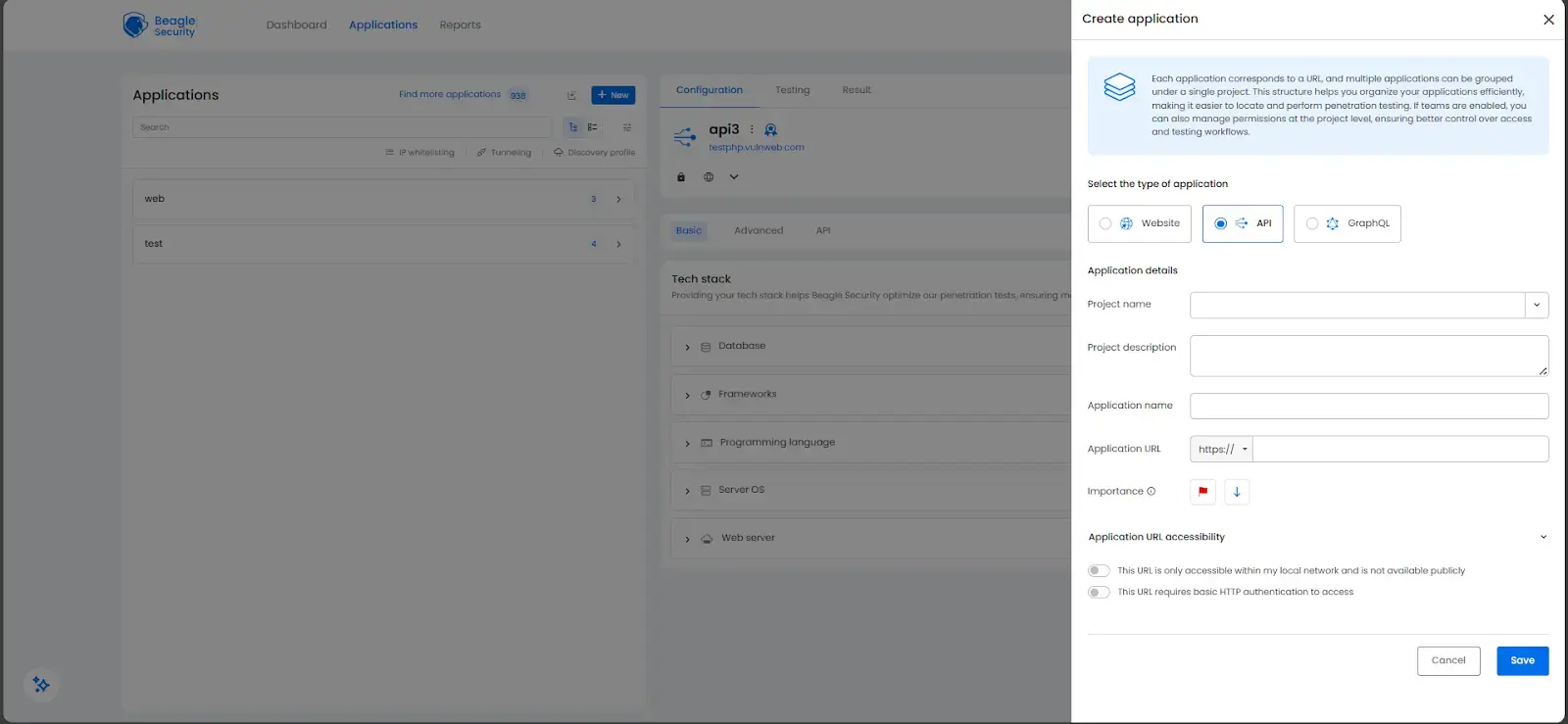
The setup process closely mirrors web application creation, with the main difference being the selection of “API” as your application type.
Deciding on the configuration setup for testing API security
Beagle Security offers multiple configuration methods for importing and managing your APIs, depending on your workflow preferences. You can sync directly from tools like Postman or upload API specifications manually.
To configure your APIs:
- Go to the API tab and click on Start API configuring
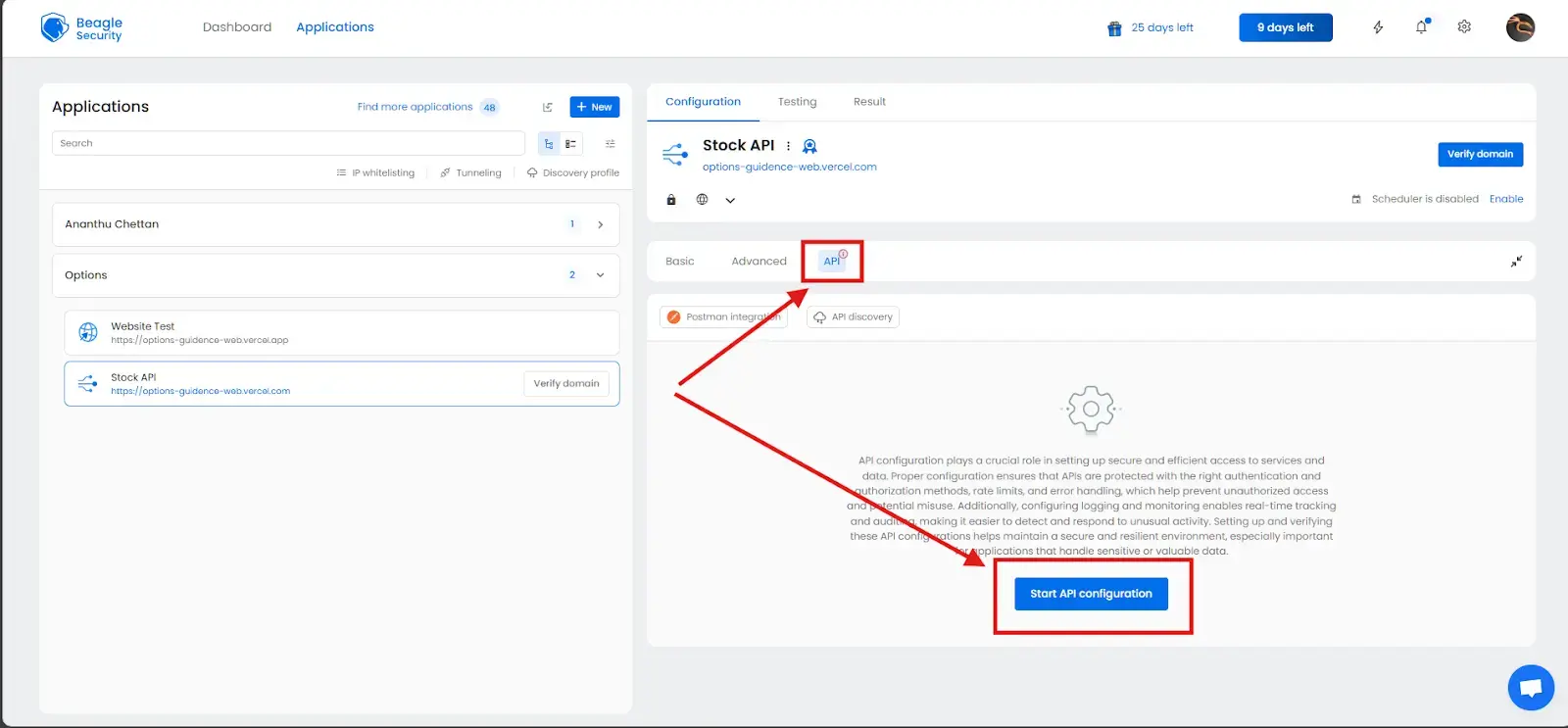
Direct sync with Postman
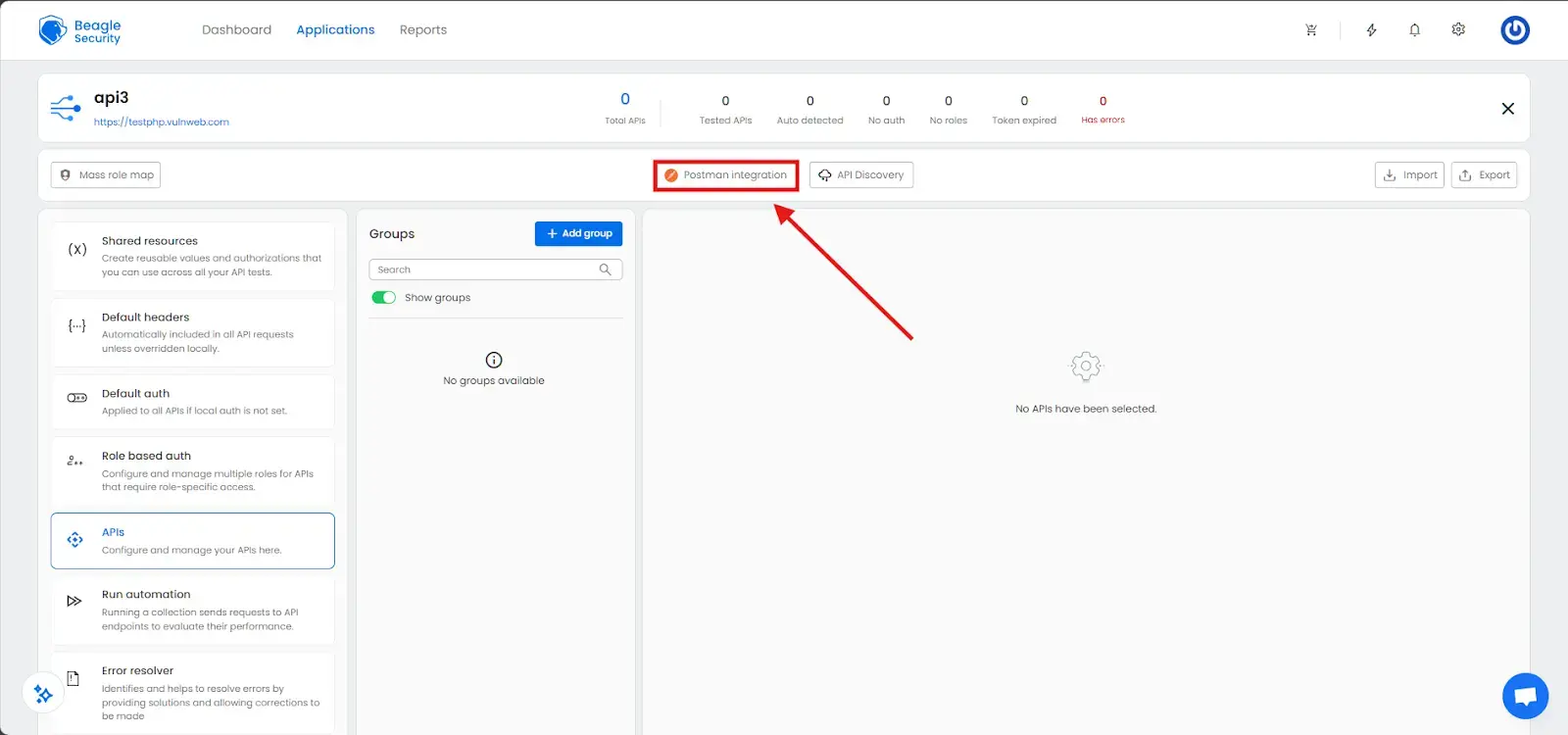
This option allows seamless one-click integration with your Postman workspaces.
Enter your Postman API key generated from your Postman account.
Choose your workspace, environment, and collection.
APIs will automatically sync with headers, parameters, and authentication already configured.
This ensures that your tests always reflect the latest version of your API collection.
Import APIs as JSON from Postman
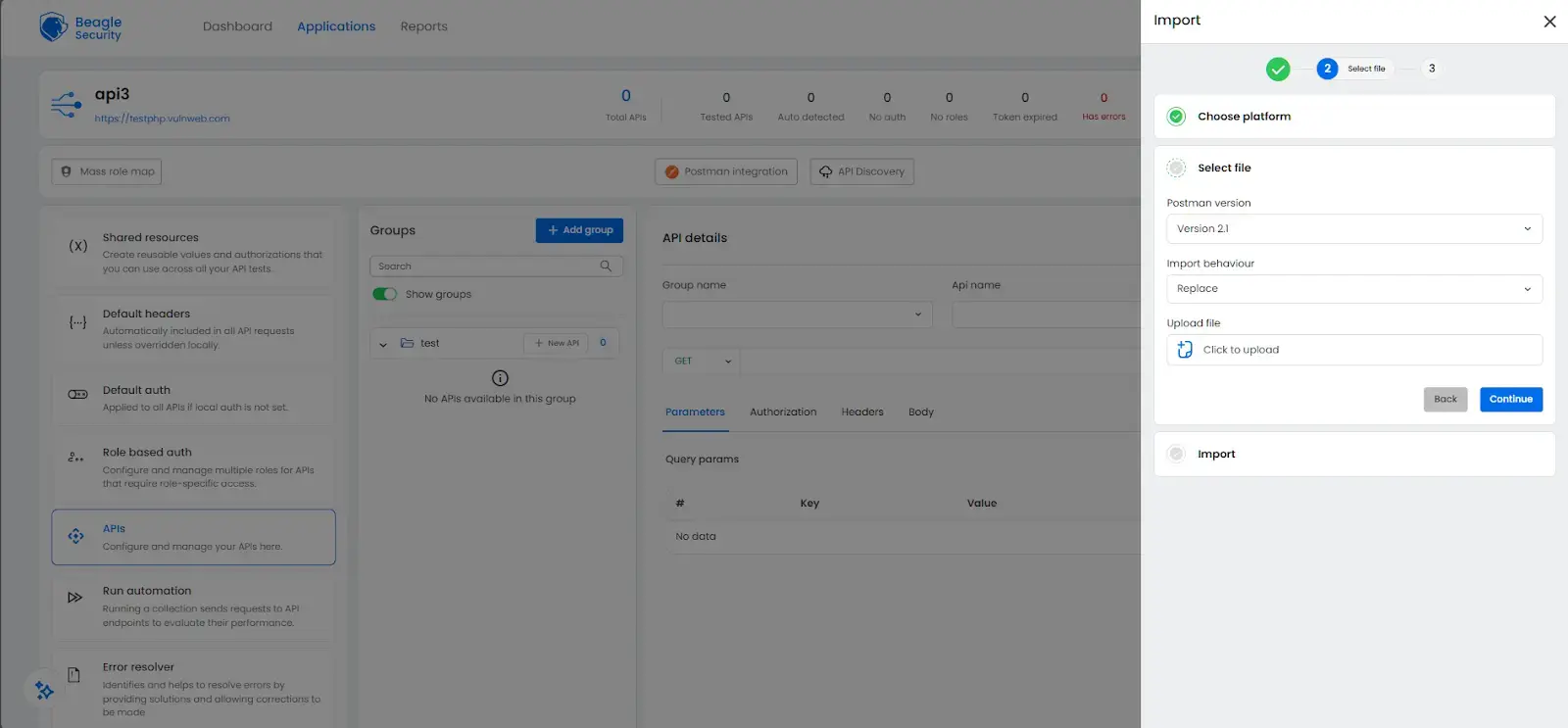
For teams preferring file-based imports, you can upload Postman collections manually.
Click Import and select Postman as the platform.
Choose the Postman version.
Upload your exported Postman collection JSON file.
Choose whether to Replace existing APIs or Merge them into your current setup.
This method is particularly useful for teams managing multiple API versions or environments.
Import APIs as JSON from Swagger or as OpenAPI spec
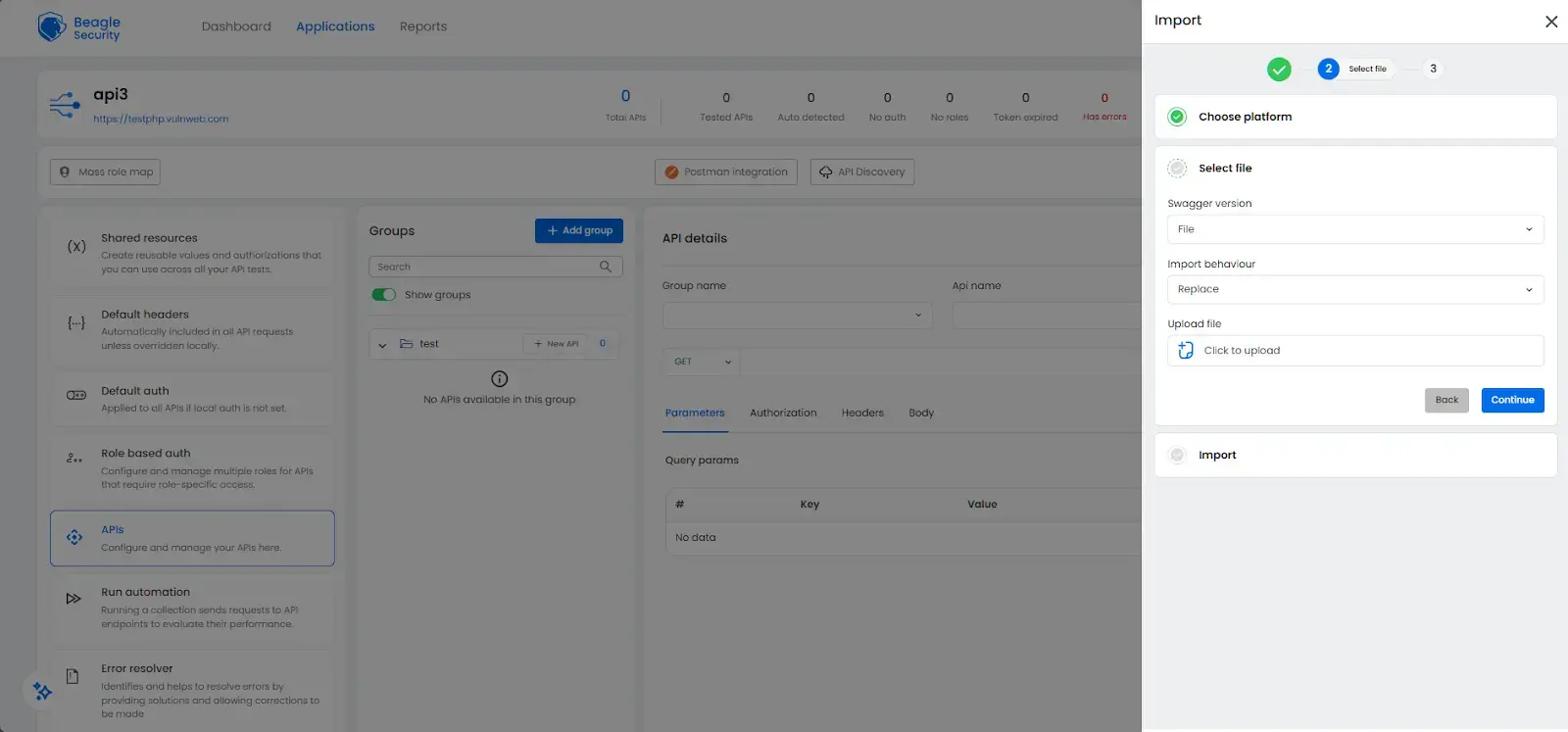
Beagle Security also supports importing APIs through OpenAPI (Swagger) specifications.
Click Import, then select Swagger as the platform.
Choose the File option to upload your OpenAPI JSON or YAML file.
The system automatically parses endpoints, methods, parameters, and schemas.
This approach is ideal for development teams that maintain OpenAPI specifications as part of their CI/CD pipelines.
Additional configurations for API security testing
Once your APIs are imported, Beagle Security allows additional configurations to ensure accurate and comprehensive testing. These include authentication setup, request headers, variables, and role-based access testing.
Setting up authorization
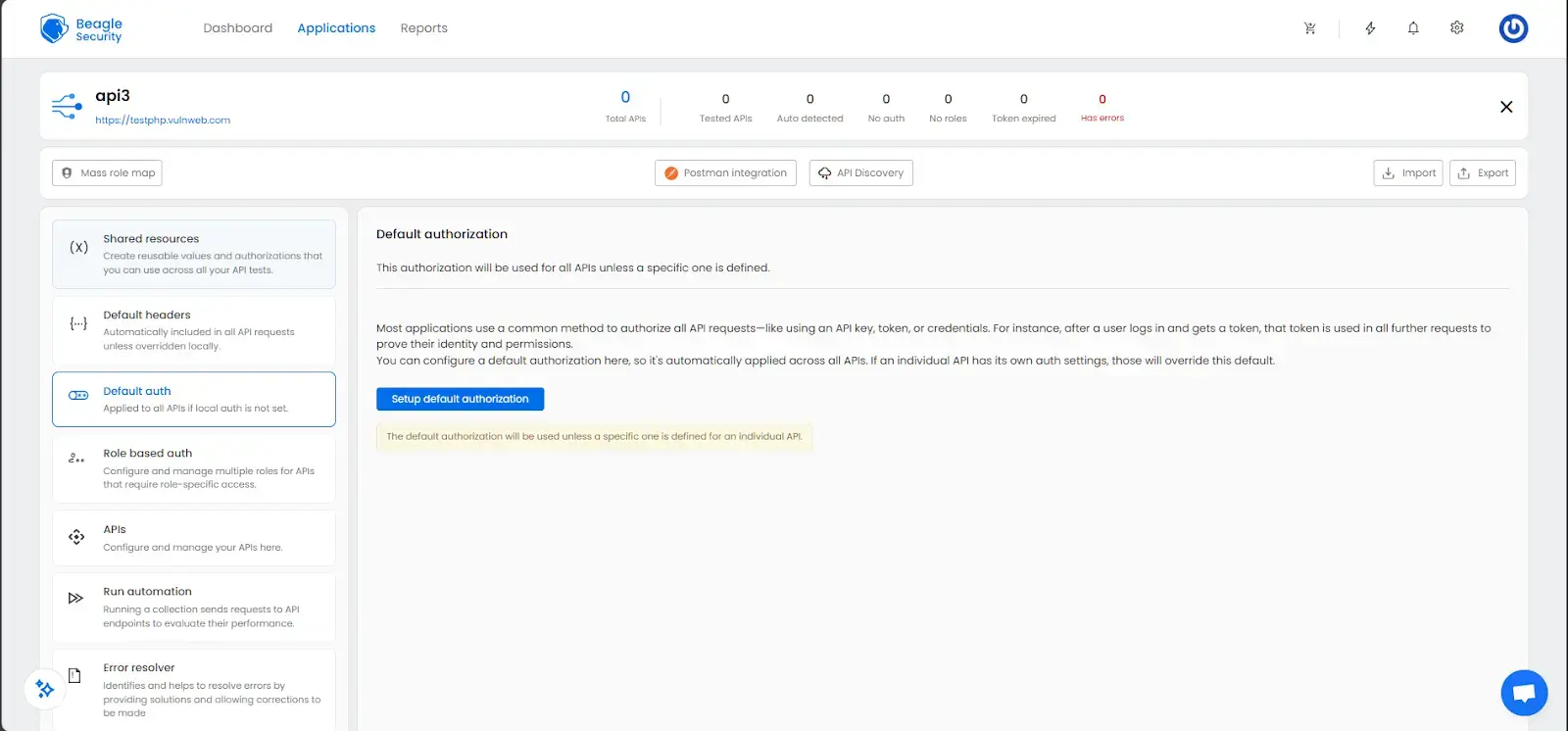
- Navigate to the Default auth section on the left sidebar.
- Click Setup default authorization.
- Choose the authorization type:
- API Key
- Bearer Token
- Basic Auth
- OAuth 2.0
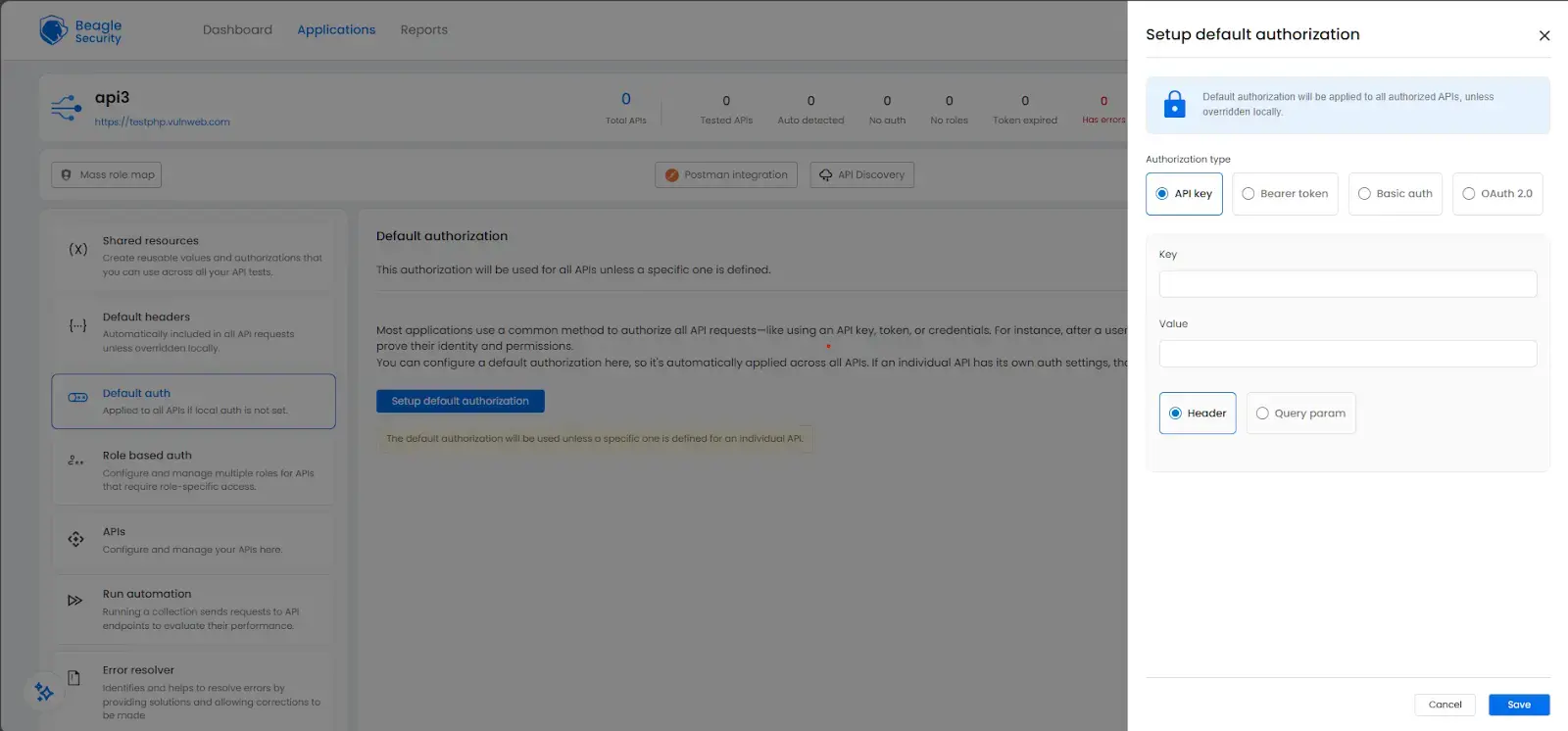

- Enter the credentials. For API keys, specify the key name and value, and indicate whether it belongs in the header or query parameter.
This configuration ensures that all endpoints are tested under the correct authorization context.
Setting up headers
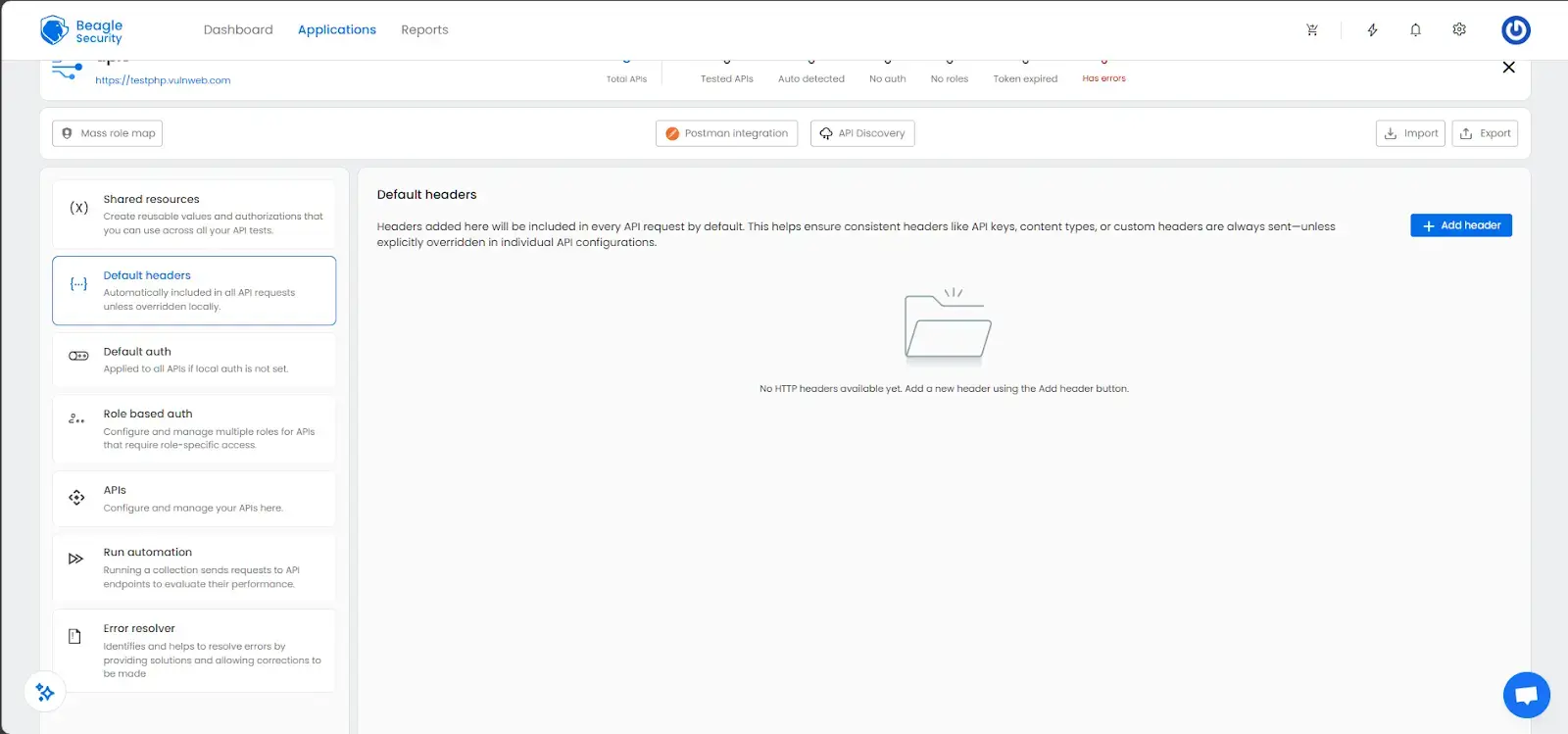
Go to the Default headers section.
Click Add Header.
Enter key-value pairs for headers like Content-Type, Accept, or custom authentication headers.
These headers apply automatically to all requests during testing, ensuring consistency across your API calls.
Setting up variables
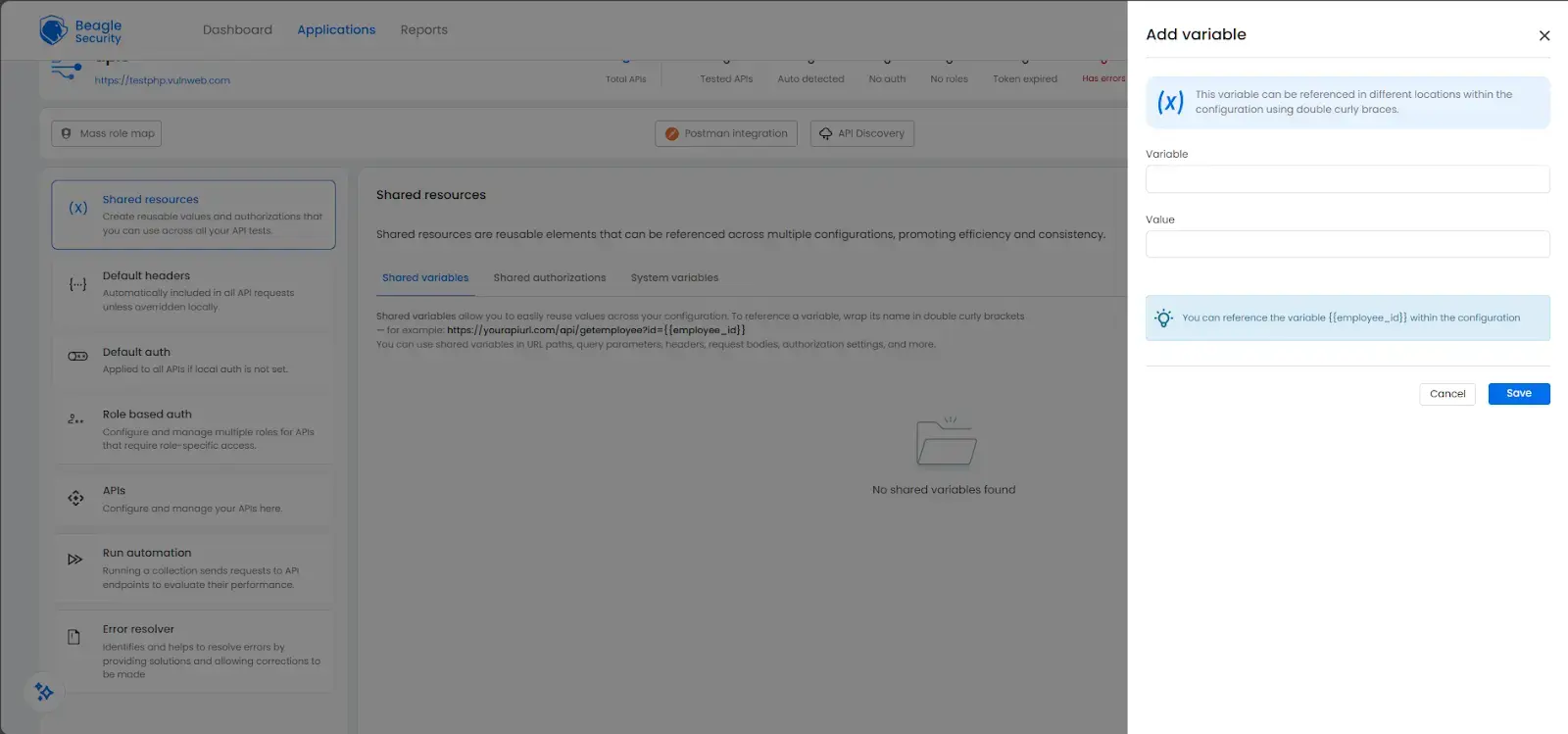
Open the Shared resources section and navigate to the Shared variables tab.
Click Add variable.
Define reusable variables such as employee_id, base_url, or authentication tokens.
Use double curly brackets like to reference variables in requests.
System-generated variables like , , and are automatically available.
Setting up role-based authorization
- Go to the Role based auth section.
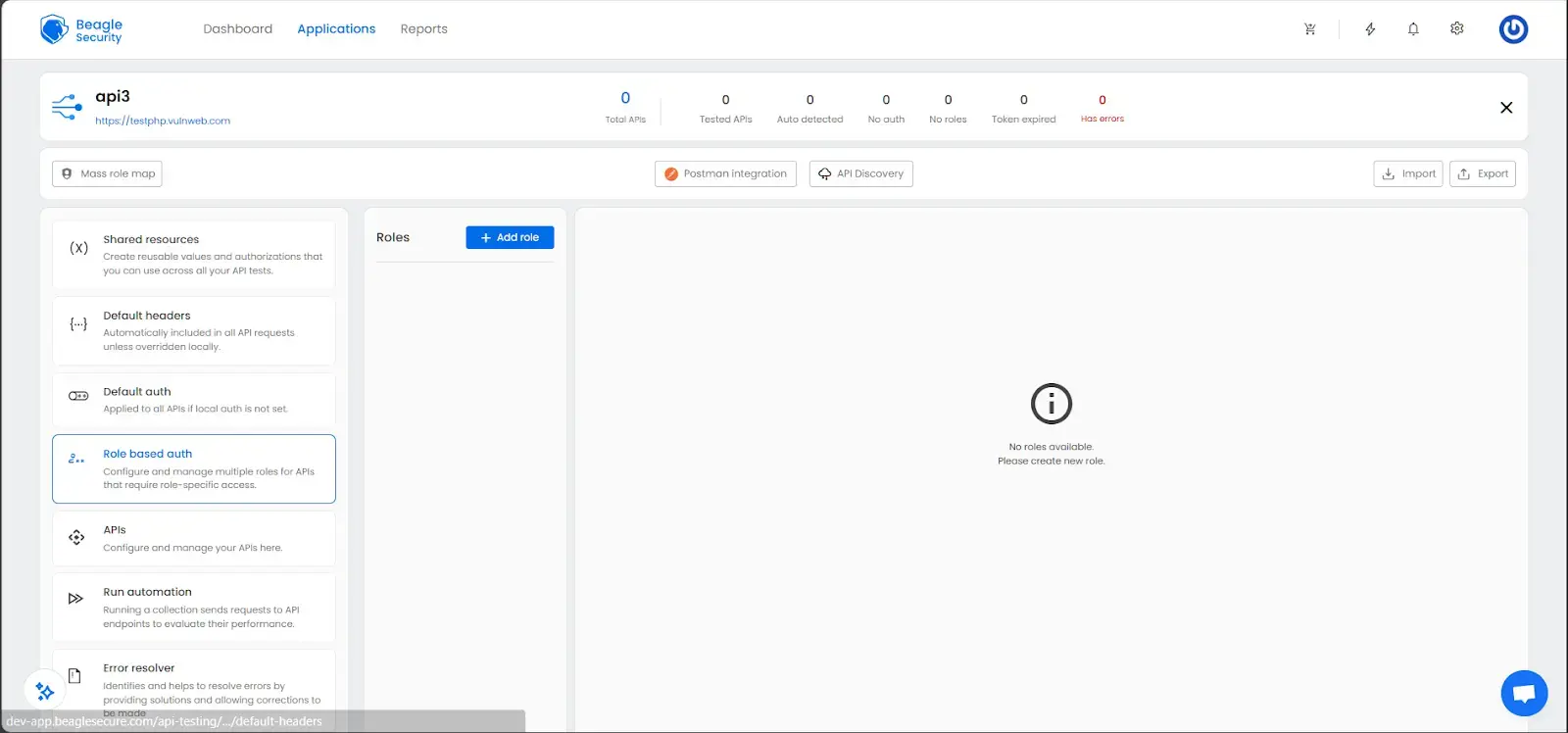

- Click Add role to create different roles (e.g., admin, user, guest).
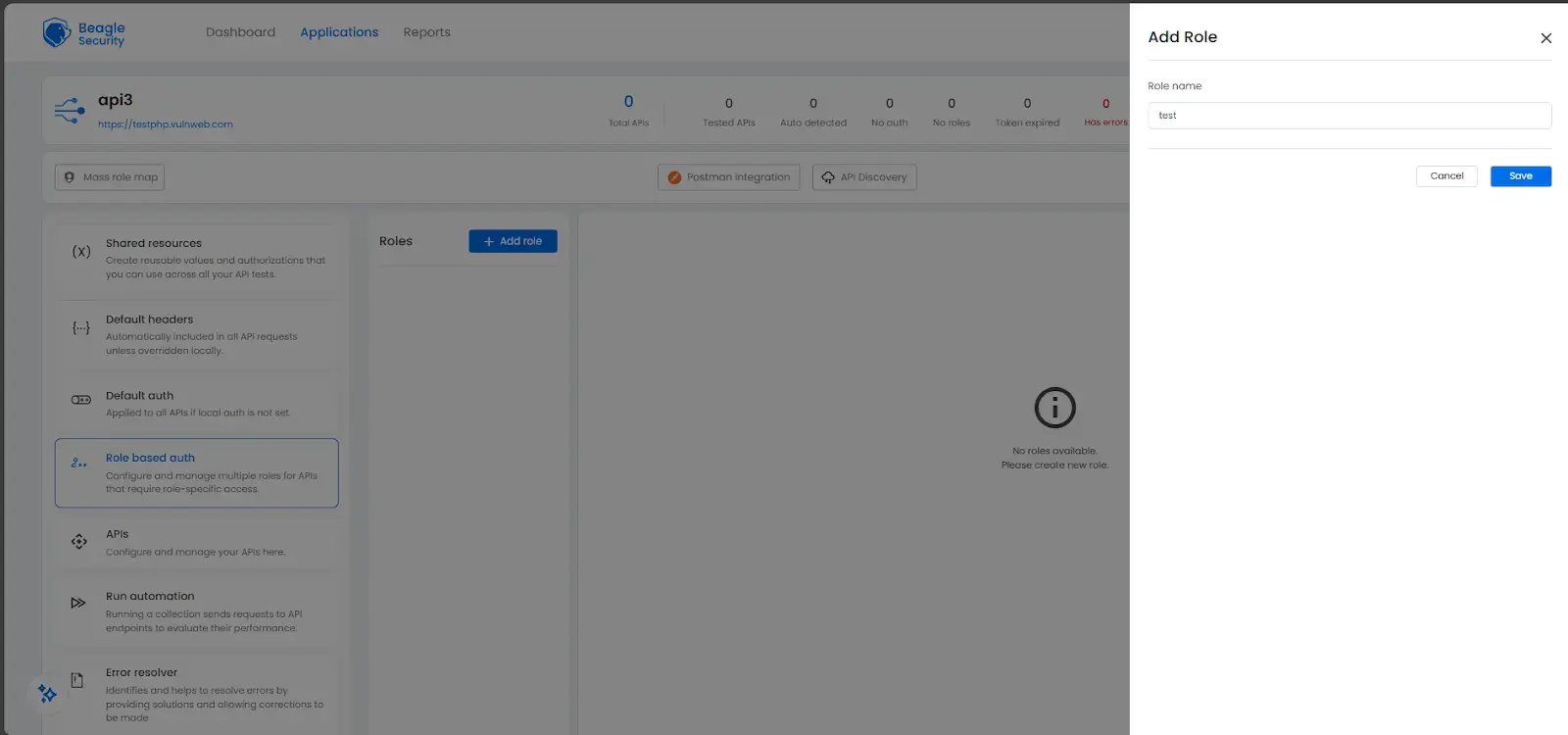

- Configure each role’s authentication credentials.
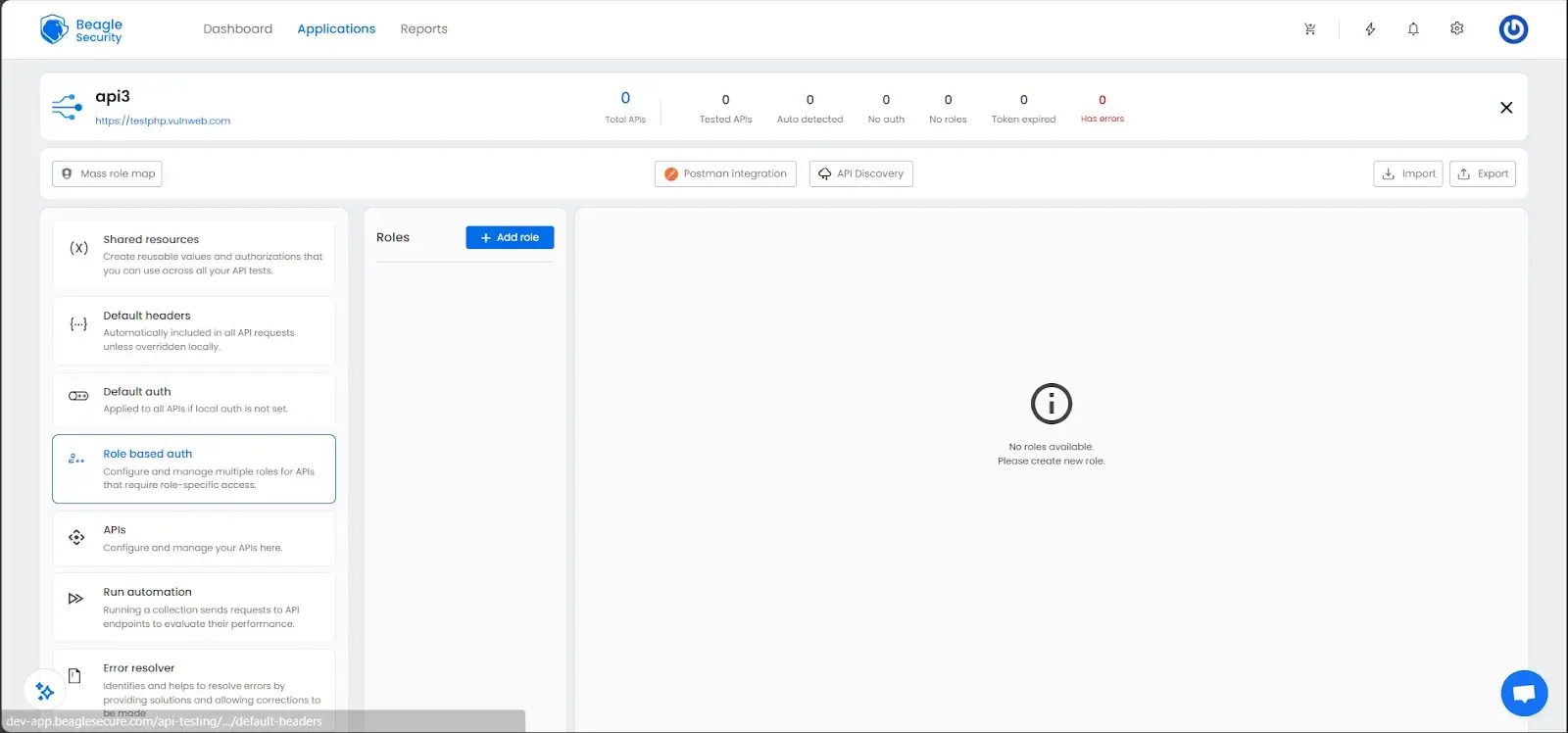

This allows Beagle Security to simulate access control scenarios and identify authorization flaws such as Broken Object Level Authorization (BOLA) or Insecure Direct Object References (IDOR).
Setting up additional configurations on an API level
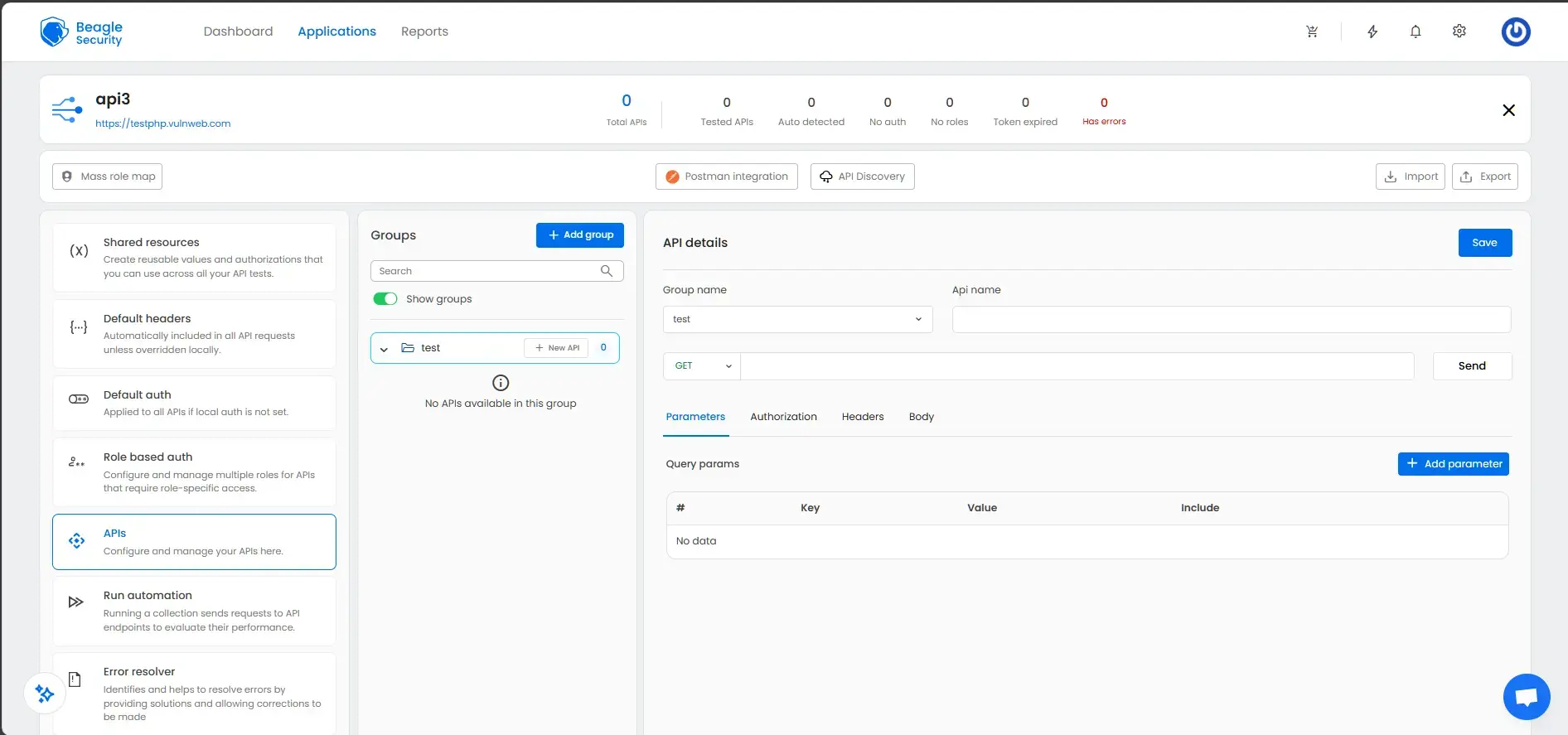
- In the APIs section, click Add group to organize related APIs.
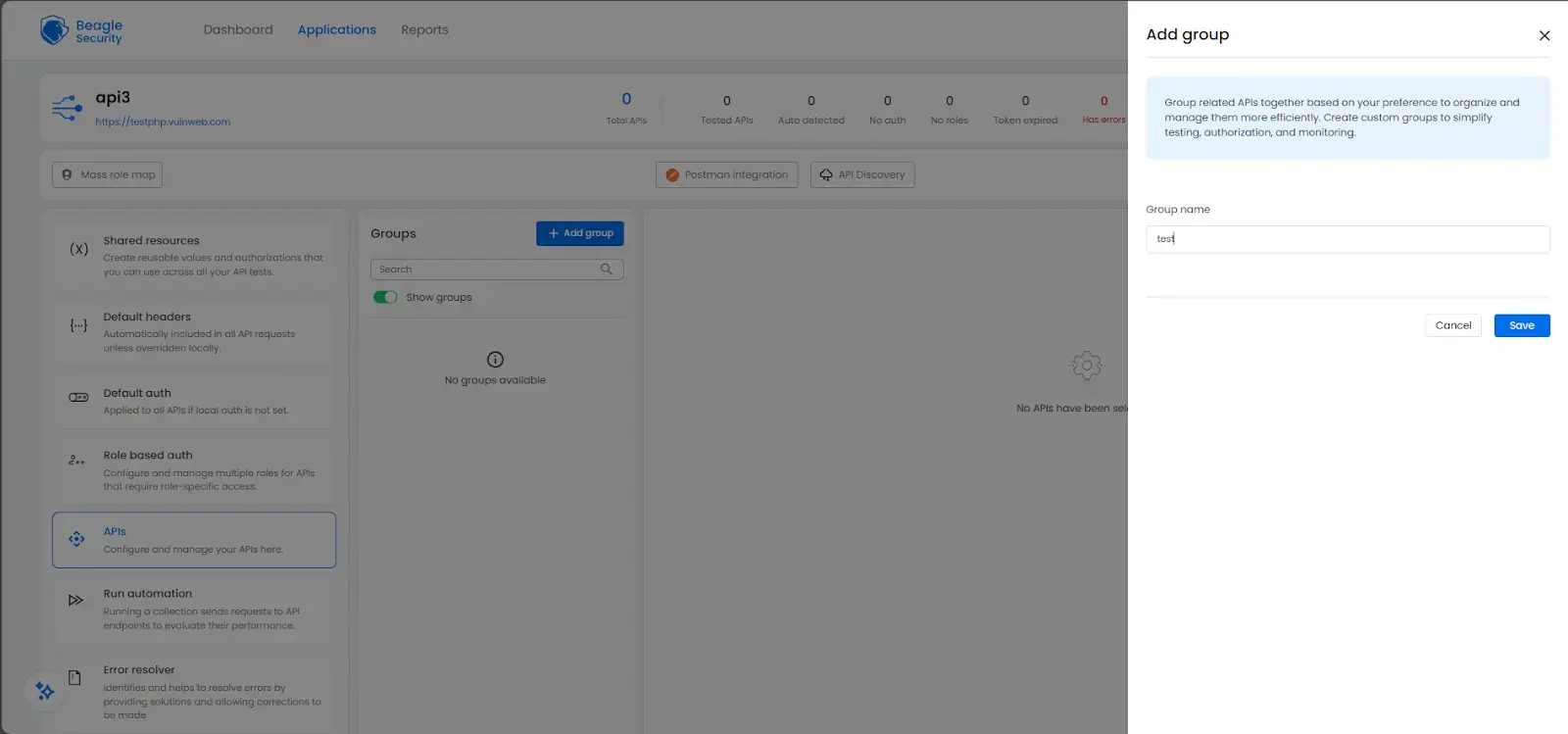

- Add APIs to each group using New API.
- For each endpoint, configure:
- HTTP method (GET, POST, PUT, DELETE)
- Endpoint URL
- Parameters (query, path, body)
- Authorization (override if needed)
- Headers
- Expected response codes
Once configurations are complete, click the Start test button at the top-right corner. You can also schedule tests to run automatically at regular intervals.
Viewing the penetration test results and reports
Beagle Security provides two comprehensive dashboards for reviewing API security testing results: The Application dashboard and the Result dashboard. Each offers different insights for both management and technical teams.
Application dashboard
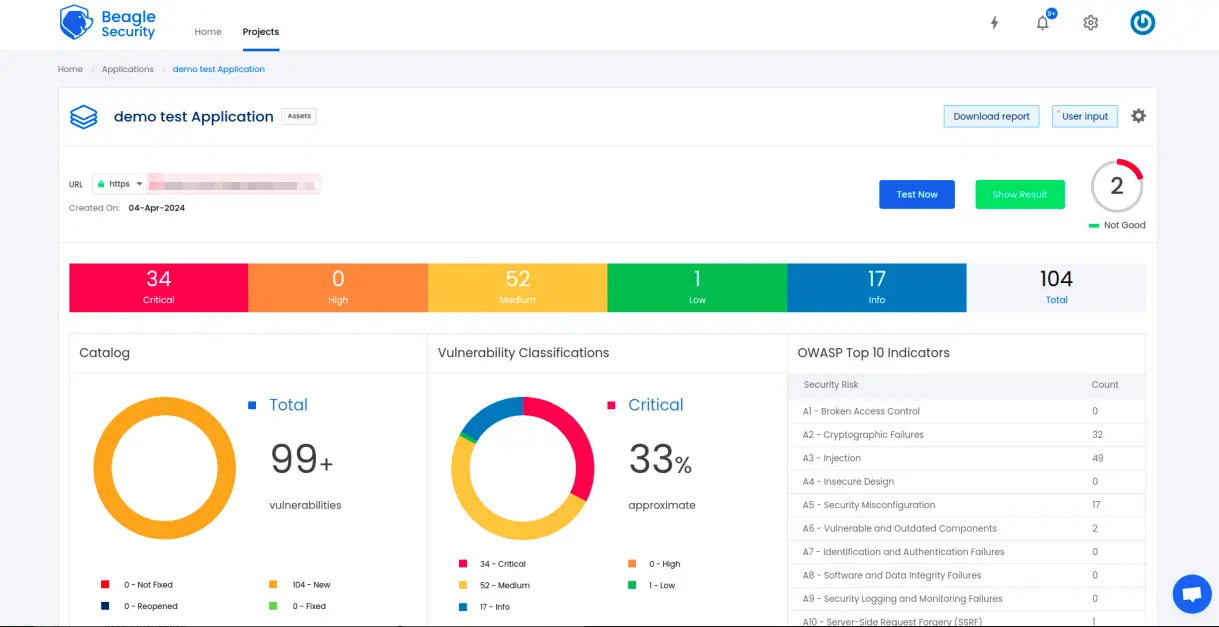
The Application dashboard presents a high-level overview of your API’s security posture, showing real-time vulnerability data and long-term trends.
Open vulnerabilities by severity:
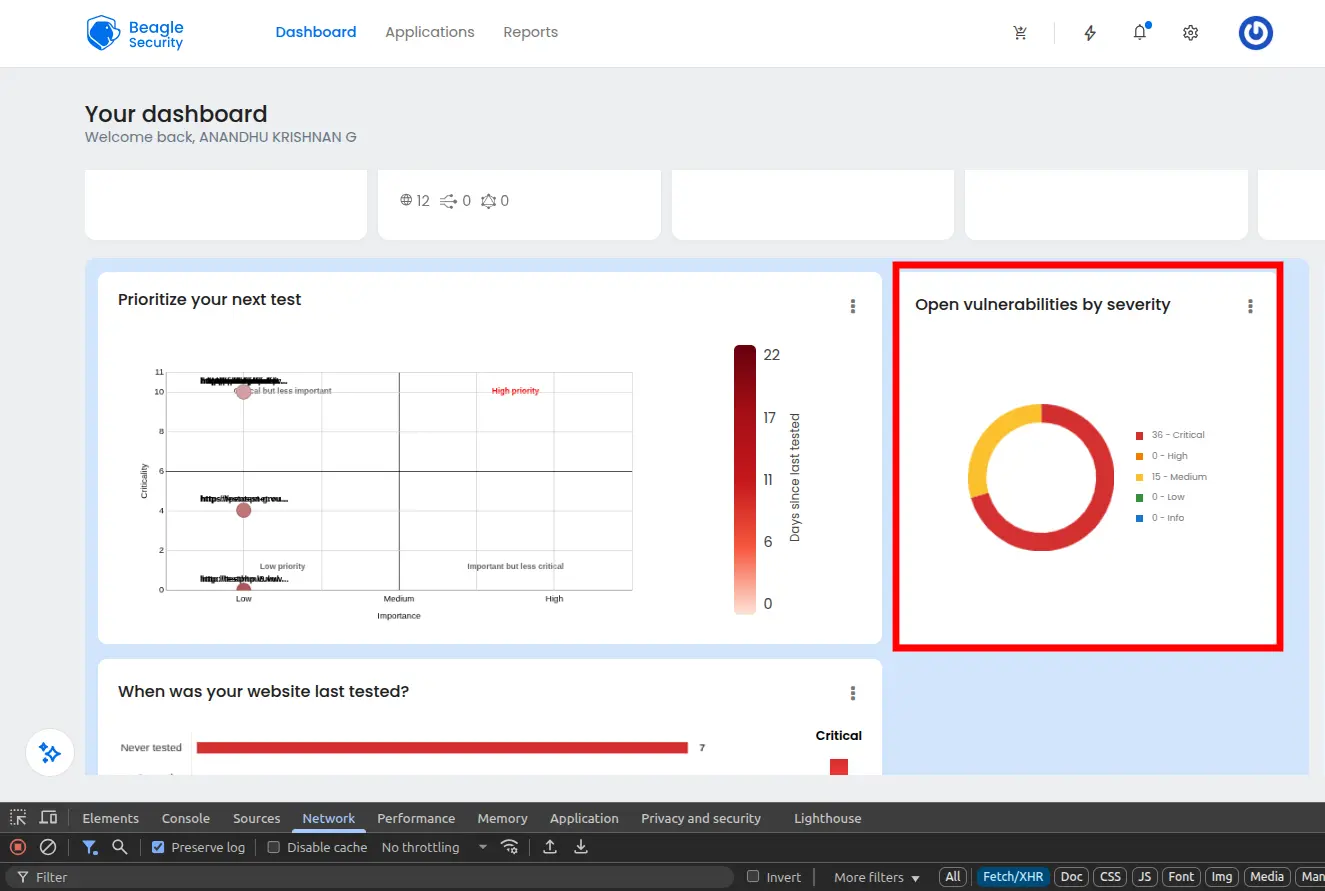
Displays vulnerabilities categorized by critical, high, medium, and low severity levels. This helps prioritize which issues to fix first.
Open vulnerabilities by age:
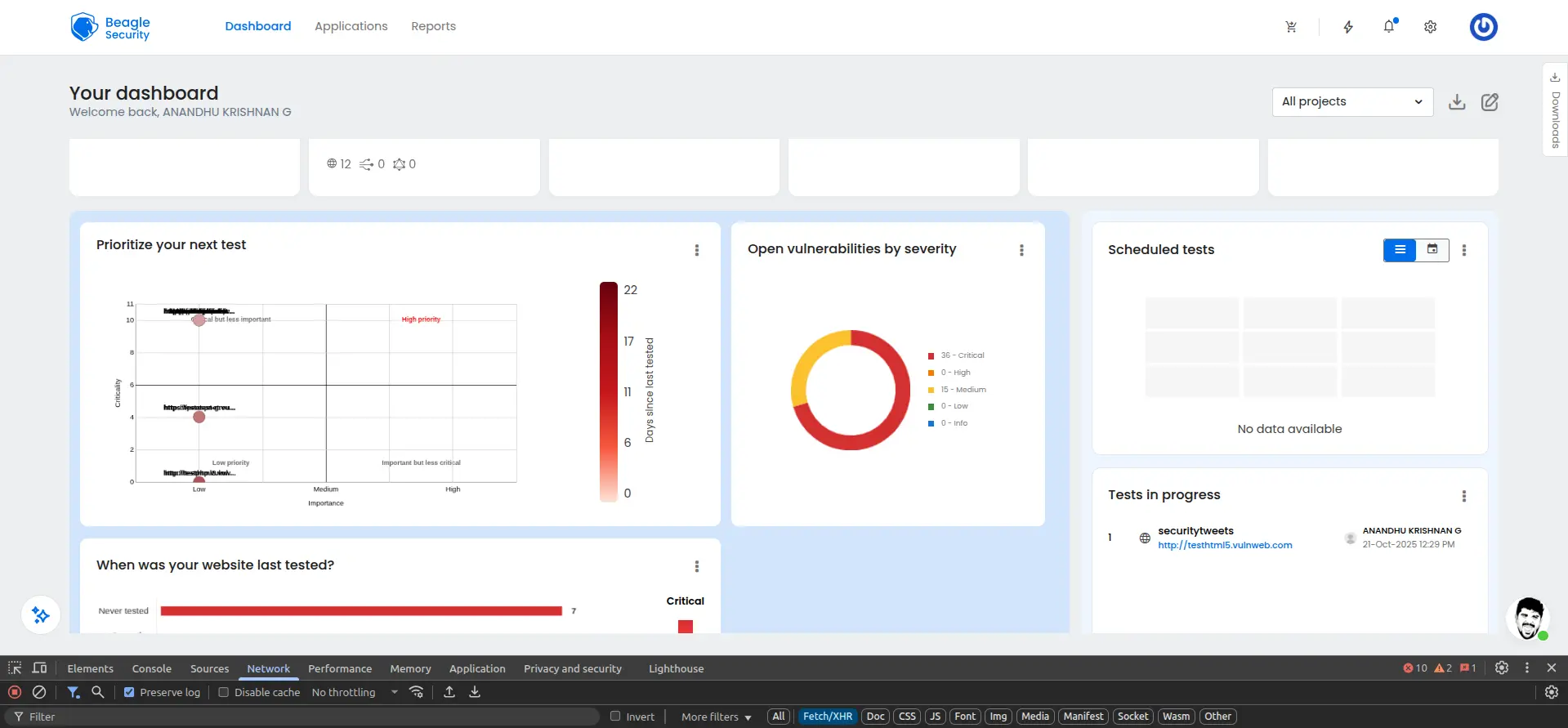
Shows how long vulnerabilities have remained unresolved, enabling teams to track and reduce remediation time.
OWASP Top 10 indicators
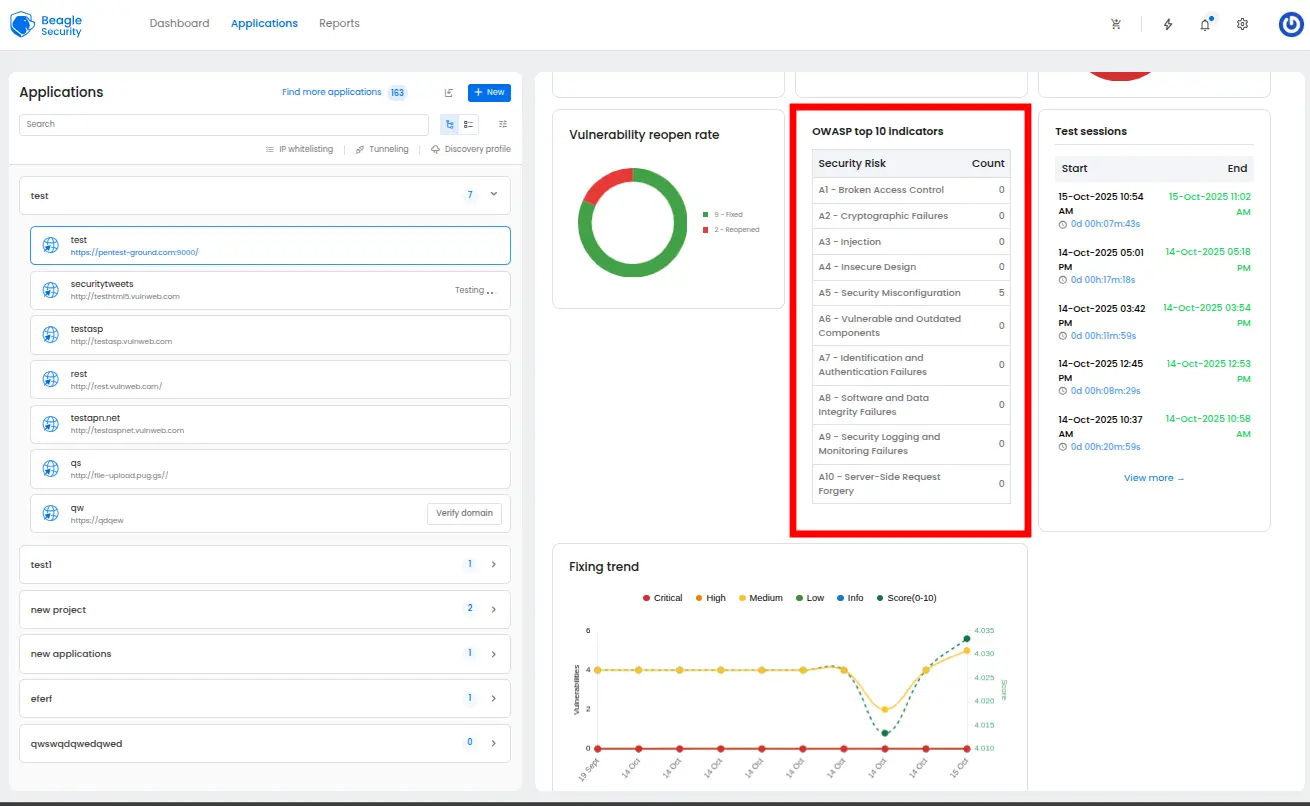
Maps vulnerabilities against the OWASP API Security Top 10, giving visibility into how your API aligns with global best practices.
Fixing trend:
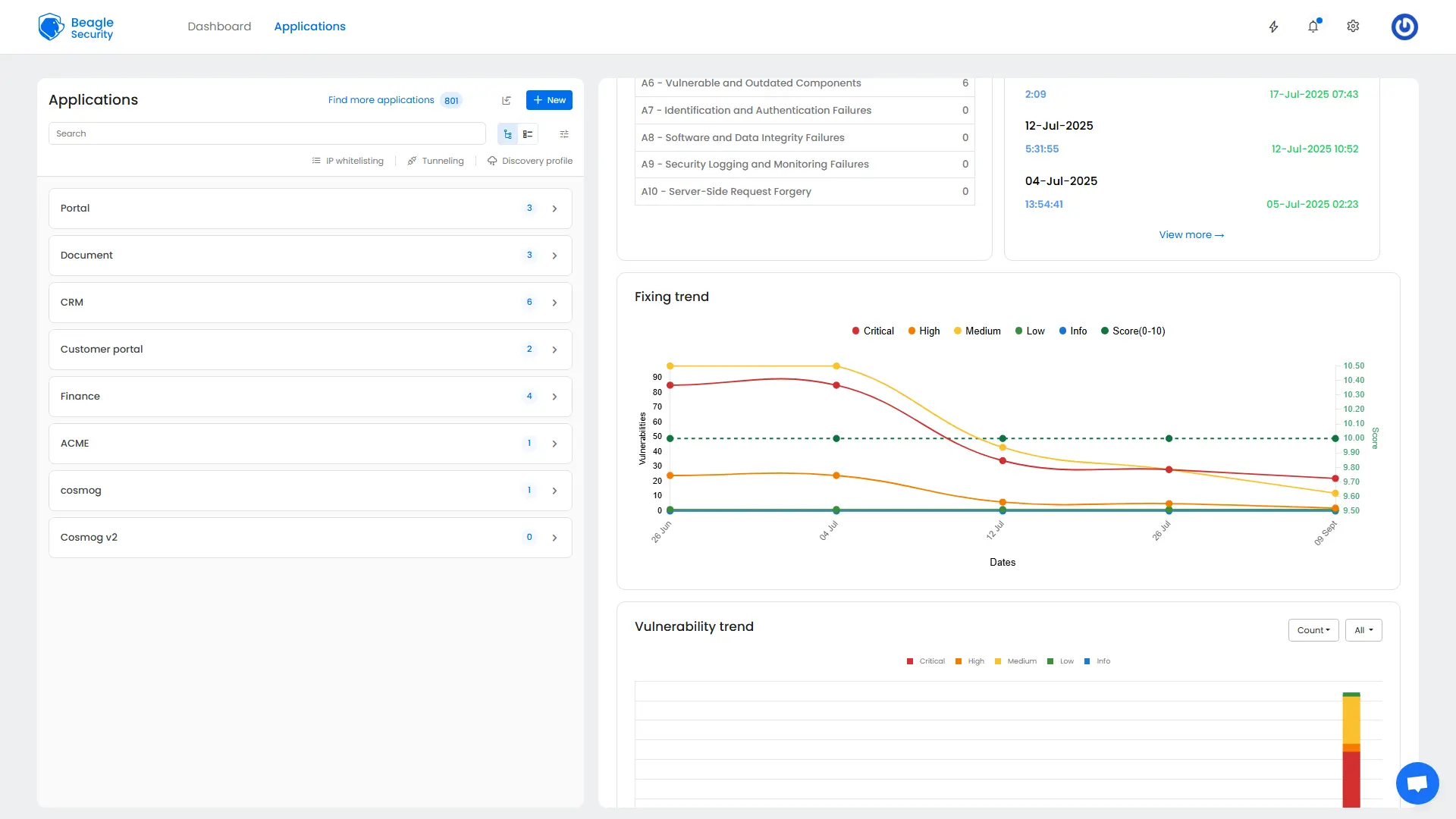
Tracks remediation progress over time, showing whether vulnerability resolution is improving or slowing.
Vulnerability trend:
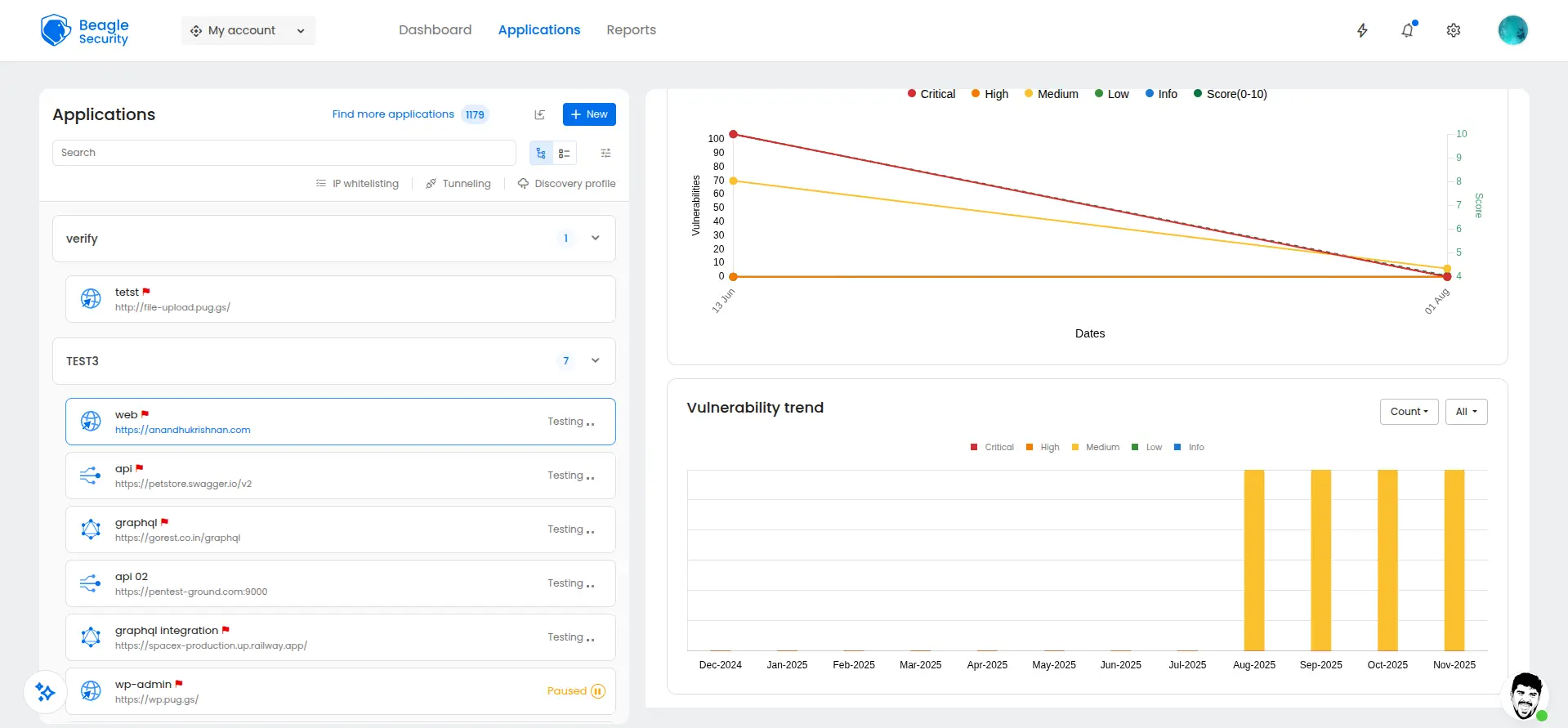
Provides historical analysis of discovered vulnerabilities across testing cycles, highlighting overall security improvement or regression.
Result dashboard
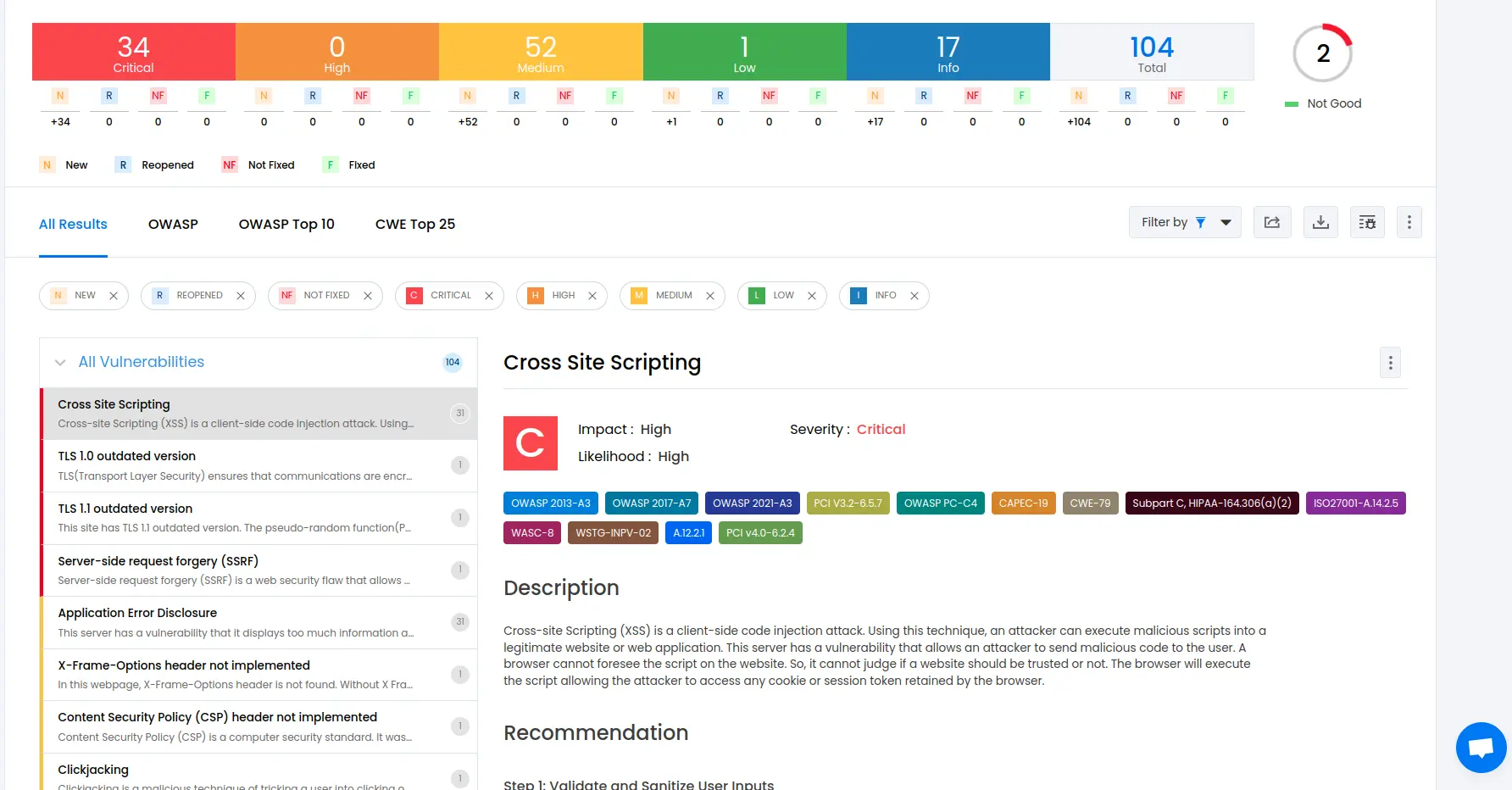
The Result dashboard provides in-depth technical details for each vulnerability, designed for developers and security engineers.
Mapping with ISO27001, OWASP & OWASP Top 10:
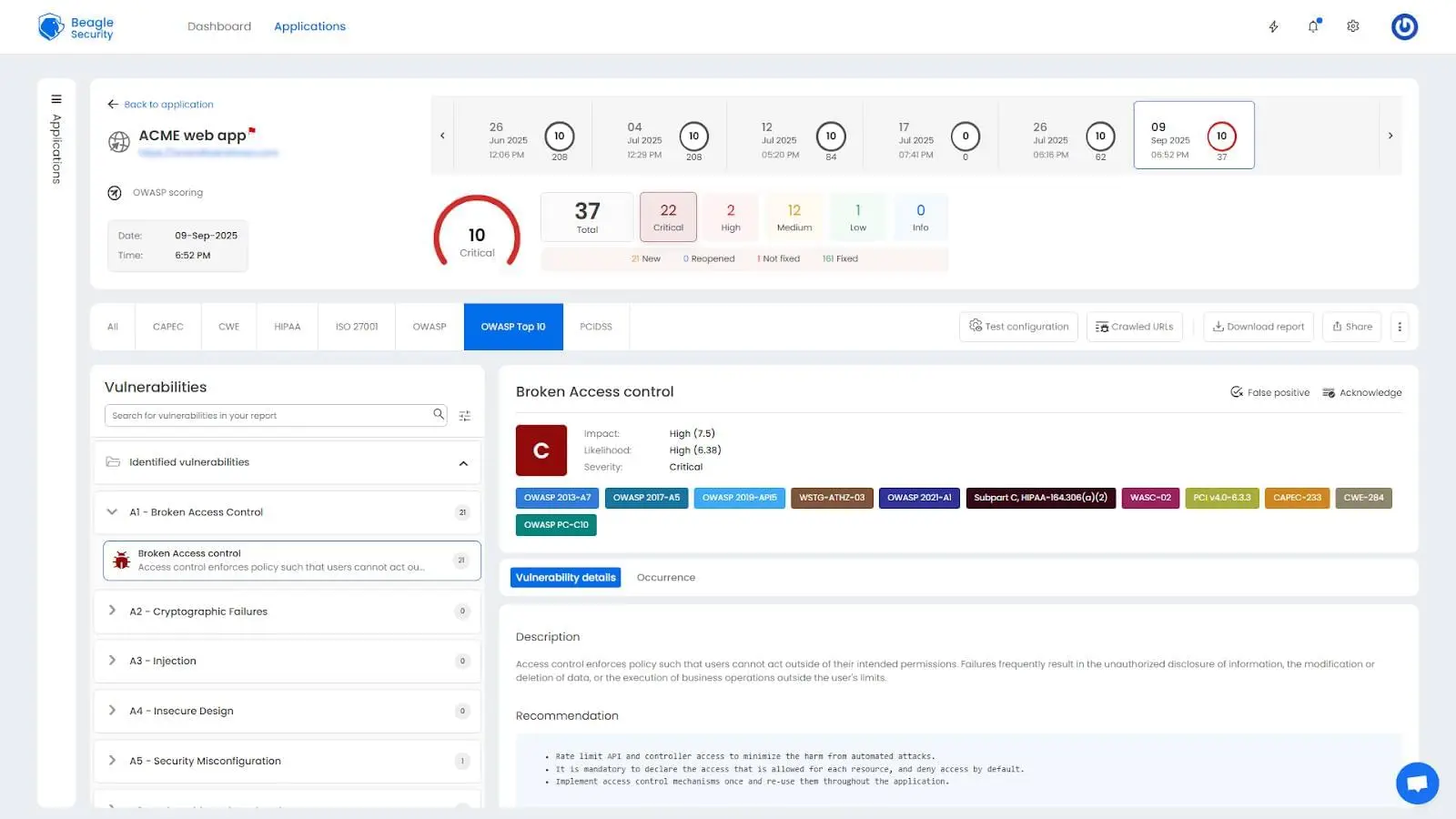
Findings are automatically aligned with multiple compliance frameworks, simplifying audit preparation.
Detailed findings, fix recommendations & occurrence details
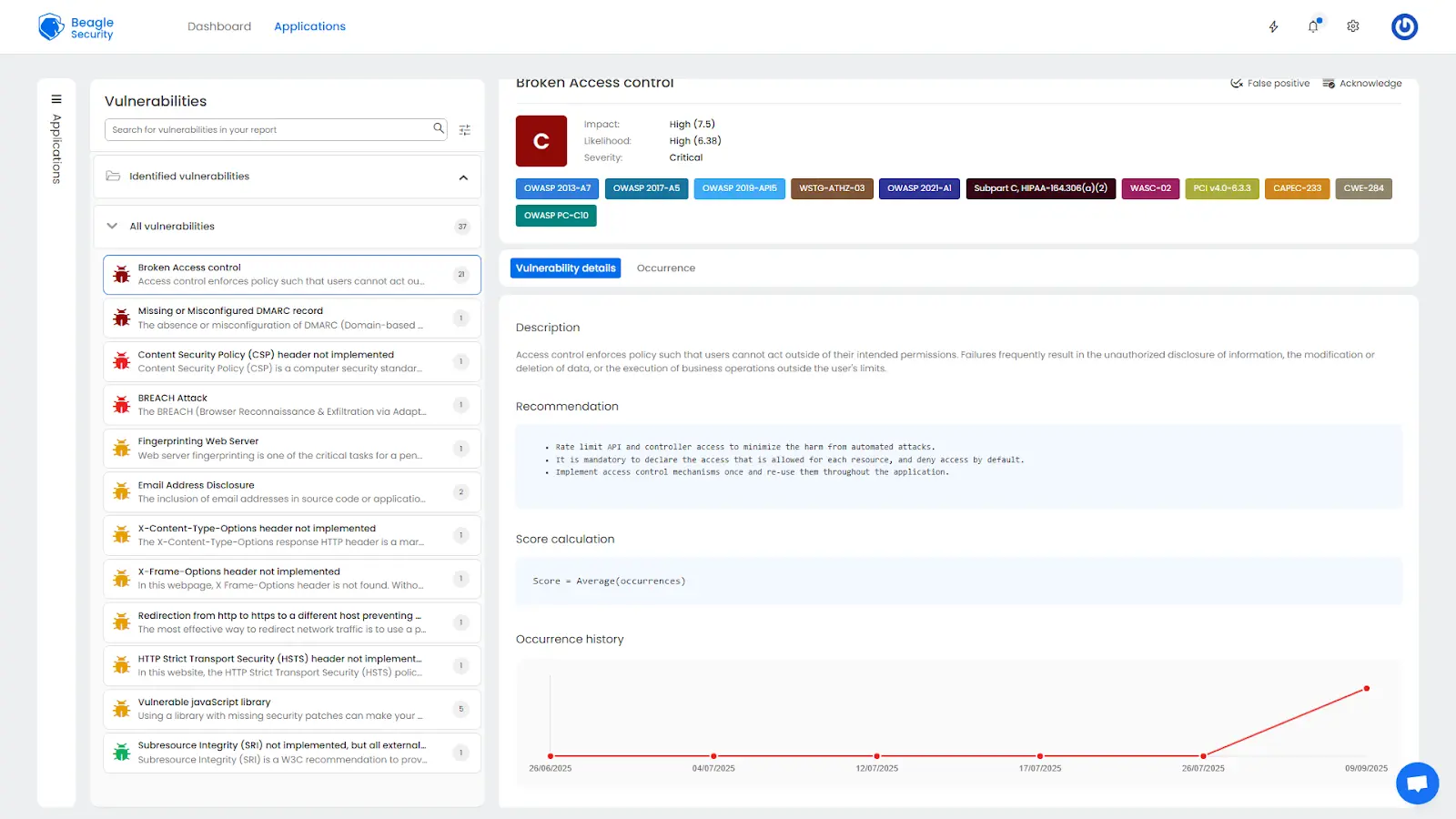
Each vulnerability includes full descriptions, risk assessments, affected URLs, and remediation steps, along with request and response evidence.
OWASP reports:
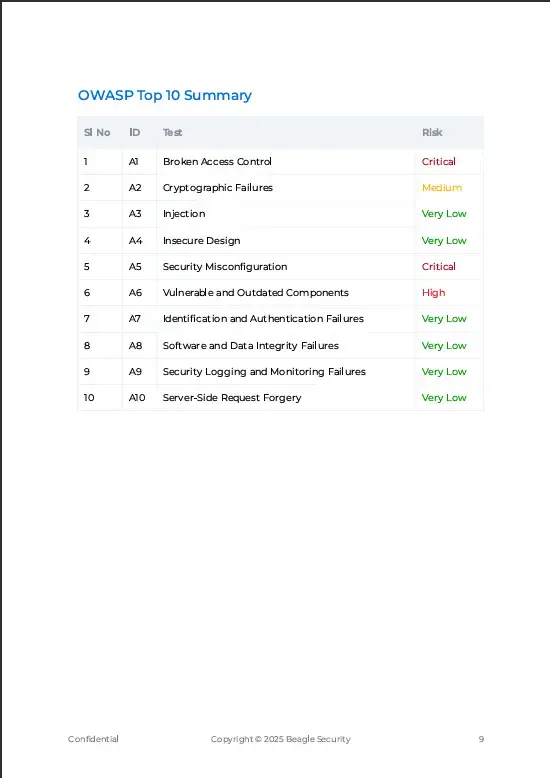
Vulnerabilities are organized according to OWASP testing categories, offering a standardized and widely recognized reporting format.
Compliance reports – HIPAA, PCI DSS:
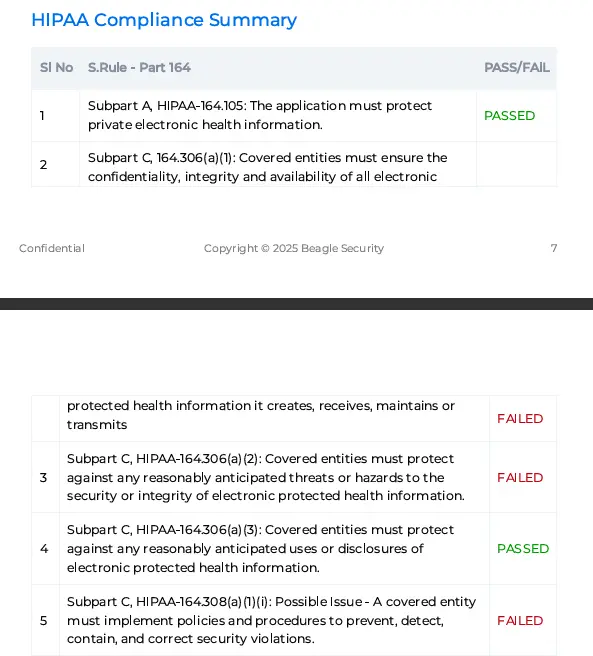
Specialized reports show API compliance with HIPAA and PCI DSS requirements, essential for regulated industries like healthcare and payments.
Final thoughts
API security testing is no longer optional. As APIs continue to power critical business functions, securing them through continuous and automated testing is essential.
Beagle Security simplifies this process by combining automation, intelligent vulnerability detection, and detailed compliance reporting into one unified platform. By integrating testing into your CI/CD workflows, you can identify and fix vulnerabilities early, preventing costly security incidents.
Start testing your APIs today to protect your organization’s data and reputation. In 2025, proactive API security testing is not just a best practice; It is a business imperative.
FAQ
How do you ensure API security?
Perform regular penetration testing, use secure authentication and authorization, validate input data, implement rate limiting, and monitor API usage continuously.
How often should I perform penetration testing on my website?
For APIs, continuous testing integrated into CI/CD pipelines is ideal, along with quarterly comprehensive assessments and before every major release.
How long does a typical website penetration test take?
API testing duration depends on complexity and endpoint count. Automated tests are complete within hours, while manual validations can take several days.


![Top ZAP alternatives and competitors [October 2026]](/blog/images/top-zap-alternatives-cover.webp "Top ZAP alternatives and competitors [October 2026]")




![Top 10 penetration testing companies [2026]](/blog/images/top-penetration-testing-companies-cover.webp "Top 10 penetration testing companies [2026]")




![Top vendor application security tools [2026]](/blog/images/top-vendor-application-security-testing-tools-2026-cover.webp "Top vendor application security tools [2026]")





![Top Snyk alternatives & competitors [2026]](/blog/images/top-snyk-alternatives-cover.webp "Top Snyk alternatives & competitors [2026]")