ZAP review: Is it the right DAST tool for your team?

OWASP ZAP (Zed Attack Proxy), now rebranded as ZAP by Checkmarx following a partnership in 2024, is one of the most widely used open-source dynamic application security testing tools in the world. It helps developers, security engineers, and ethical hackers find vulnerabilities in web applications while they are running, at no licensing cost.
ZAP acts as a man-in-the-middle proxy between a tester’s browser and the web application, intercepting and inspecting traffic to identify security flaws. It supports both automated and manual testing, making it accessible to beginners while offering enough depth for experienced penetration testers.
This guide covers what ZAP delivers, where it falls short, and whether it is the right DAST tool for your team’s security workflow.
TL;DR: ZAP review
ZAP is a capable and widely adopted open-source DAST tool that delivers solid vulnerability coverage for web applications at zero licensing cost. It is best suited for developers, small security teams, and penetration testers who need an accessible starting point for dynamic security testing.
Its limitations become apparent at scale. ZAP requires significant manual configuration, struggles with advanced business logic vulnerabilities, and does not fit easily into enterprise CI/CD pipelines without additional setup. Teams with growing security needs often find themselves outgrowing it.
| G2 rating: | 4.7/ 5 |
|---|---|
| Best suited for: | Developers, small security teams, and penetration testers who need an accessible, zero-cost starting point for dynamic application security testing |
| Coverage: | DAST, passive scanning, active scanning, manual penetration testing, CI/CD integration |
| Starting price: | Free and open source |
| Key strengths: |
|
| Key weaknesses: |
|
Source: G2
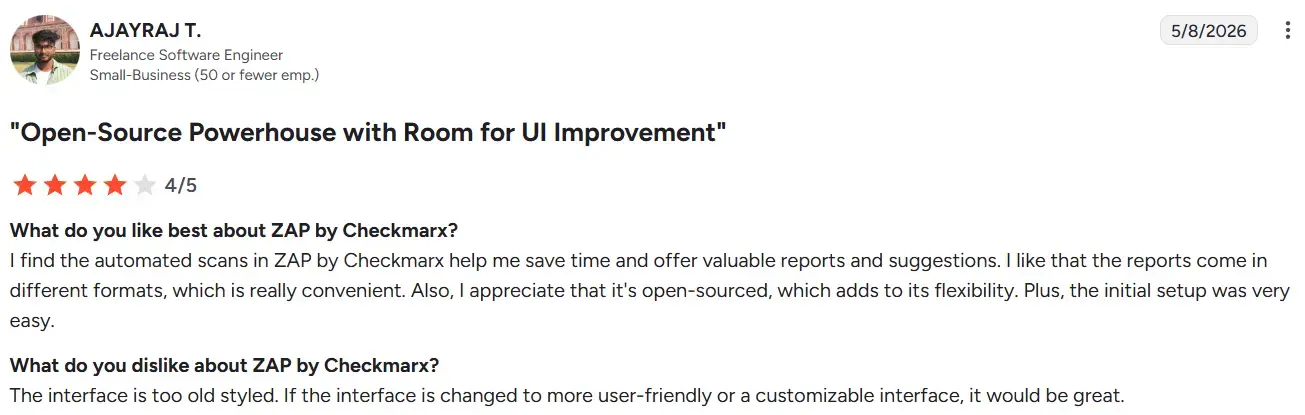
Users consistently praise the ease of use and automation features of ZAP, highlighting its effectiveness for web application security scanning. Many appreciate its integration capabilities with CI/CD tools, making it suitable for various testing environments. However, a common limitation noted is the lack of comprehensive documentation, which can hinder new users.
Key features of ZAP
Source: ZAP
- Automated and passive scanning
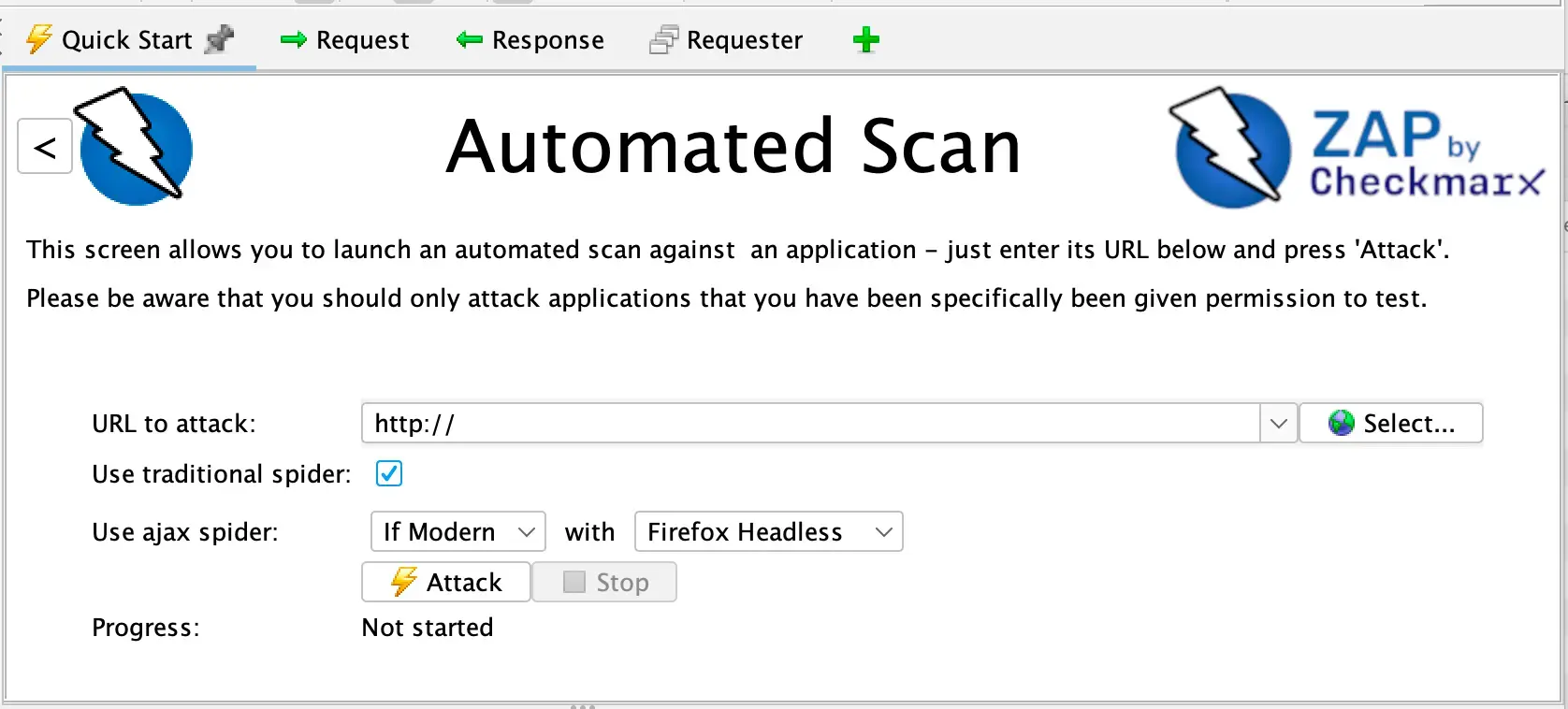
ZAP performs automated scans to identify common vulnerabilities including SQL injection, XSS, and CSRF. Passive scanning runs in the background, analyzing traffic without modifying it, making it a non-intrusive way to monitor application behavior during normal use.
- Active scanning and manual penetration testing
ZAP’s active scanner simulates real-world attacks to uncover deeper vulnerabilities that passive scanning alone cannot detect. For power users, it also provides advanced manual testing tools including fuzzing and forced browsing, giving experienced testers greater control over their assessments.
- Man-in-the-middle proxy
ZAP intercepts and inspects messages between the tester’s browser and the web application. This allows teams to modify packets, analyze requests and responses, and gain full visibility into how the application handles traffic, which is foundational to manual penetration testing workflows.
- CI/CD integration
ZAP integrates into CI/CD pipelines to automate security testing as part of the development cycle. It supports REST APIs and automation scripts, allowing teams to run scans automatically as part of their build and deployment workflows.
- Extensible plugin ecosystem
ZAP has a large and active community that maintains a broad library of plugins. These extend ZAP’s capabilities beyond its core feature set, allowing teams to customize scanning behavior, add new attack vectors, and adapt the tool to specific testing needs.
Pros of ZAP
- Free and open source
ZAP carries no licensing cost, making it one of the most accessible security testing tools available. For small teams, startups, and individual security researchers, this removes the financial barrier that comes with commercial DAST tools.
- Easy to use for developers and beginners
ZAP is known for its intuitive interface and single-click automated scanning, making it accessible to users without deep security expertise. Developers can run basic vulnerability scans without a steep learning curve.
- Strong automation and CI/CD integration
ZAP integrates well into developer workflows through REST API support and automation scripts. Teams can incorporate security scanning into their CI/CD pipelines without significant additional tooling.
- Active community with frequent updates
ZAP is maintained by a large and active community that contributes plugins, documentation, and regular updates. The 2024 partnership with Checkmarx has further strengthened development resources behind the project.
- Comprehensive scanning with both passive and active modes
The combination of passive and active scanning gives ZAP reasonable coverage across common vulnerability classes. Passive scanning adds continuous monitoring without interfering with normal application traffic.
Cons of ZAP
- High false positive rate requiring manual triage
Users consistently report that ZAP produces false positives that require manual verification. This adds overhead for security teams and developers who need to filter results before acting on findings.
- Sparse and difficult to navigate documentation
Users report that ZAP’s documentation can be sparse and hard to navigate, which makes troubleshooting and advanced configuration more difficult, particularly for new users trying to move beyond basic scanning.
- Resource intensive at scale
Active scanning can be slow and puts significant load on system resources. Teams scanning large or complex applications need to carefully manage scanning scope to avoid performance issues.
- Limited compared to enterprise DAST tools
ZAP’s core capabilities cover common vulnerability classes well, but advanced features found in paid tools, such as business logic testing, authenticated workflow handling, and deeper API coverage, are either missing or require significant manual configuration to approximate.
- Complex initial setup for advanced use
While basic scanning is accessible, configuring ZAP for more advanced use cases such as authenticated scans, custom scan policies, and CI/CD integration requires technical expertise and time investment that smaller teams may not have.
ZAP pricing
ZAP is free and open source. There are no licensing fees for using the core tool, which is one of its primary advantages over commercial DAST alternatives.
The trade-off is that the cost of ZAP is not zero in practice. Teams that want to use ZAP effectively at scale typically invest in engineering time for configuration, maintenance, and false positive triage. Commercial DAST tools often offset these hidden costs through automation, better support, and more accurate results out of the box.
For organizations that need enterprise support, Checkmarx offers ZAP as part of its broader Checkmarx One platform, where it sits alongside SAST, SCA, and other AppSec capabilities under a commercial license.
Summing up: ZAP review
ZAP earns its place as one of the most accessible and widely adopted DAST tools available. For developers, small security teams, and penetration testers who need a capable open-source starting point, it is a strong option that costs nothing to get started with.
The limitations become harder to work around as security requirements grow. False positives add triage overhead, advanced configuration demands expertise, and the tool does not scale easily into enterprise CI/CD workflows without significant investment in setup and maintenance. Business logic vulnerabilities and modern API architectures remain areas where ZAP falls short of what dedicated commercial tools offer.
For teams that have outgrown ZAP or need more automation, accuracy, and coverage without the manual overhead, purpose-built tools close that gap more effectively. Beagle Security is built for teams that need exploit-focused web and API testing with agentic AI, native GraphQL support, and CI/CD integration that works out of the box rather than requiring extensive configuration. Start your 14-day free trial or explore the interactive demo to see if it is the right fit for you.
FAQ
What is ZAP used for?
ZAP is used for dynamic application security testing. It scans running web applications to identify vulnerabilities such as SQL injection, XSS, and CSRF. It is widely used by developers, security engineers, and penetration testers for both automated and manual security testing.
Is ZAP tool free?
Yes. ZAP is free and open source with no licensing fees.
Is ZAP SAST or DAST?
ZAP is a DAST tool. It tests running web applications from the outside by intercepting traffic and simulating attacks, rather than analyzing source code statically. It does not perform SAST or SCA.


![Top ZAP alternatives and competitors [October 2026]](/blog/images/top-zap-alternatives-cover.webp "Top ZAP alternatives and competitors [October 2026]")




![Top 10 penetration testing companies [2026]](/blog/images/top-penetration-testing-companies-cover.webp "Top 10 penetration testing companies [2026]")




![Top vendor application security tools [2026]](/blog/images/top-vendor-application-security-testing-tools-2026-cover.webp "Top vendor application security tools [2026]")



![Top Snyk alternatives & competitors [2026]](/blog/images/top-snyk-alternatives-cover.webp "Top Snyk alternatives & competitors [2026]")